EasyManua.ls Logo

Hill-Rom Isolette C2000 - Diagnostic Information Menu

Hill-Rom Isolette C2000
93 pages
Print Icon
To Next Page IconTo Next Page
To Previous Page IconTo Previous Page
Loading...
2.1
Diagnostic
Menus
Chapter
2:
Troubleshooting
Procedures
Diagnostic
Information
Menu
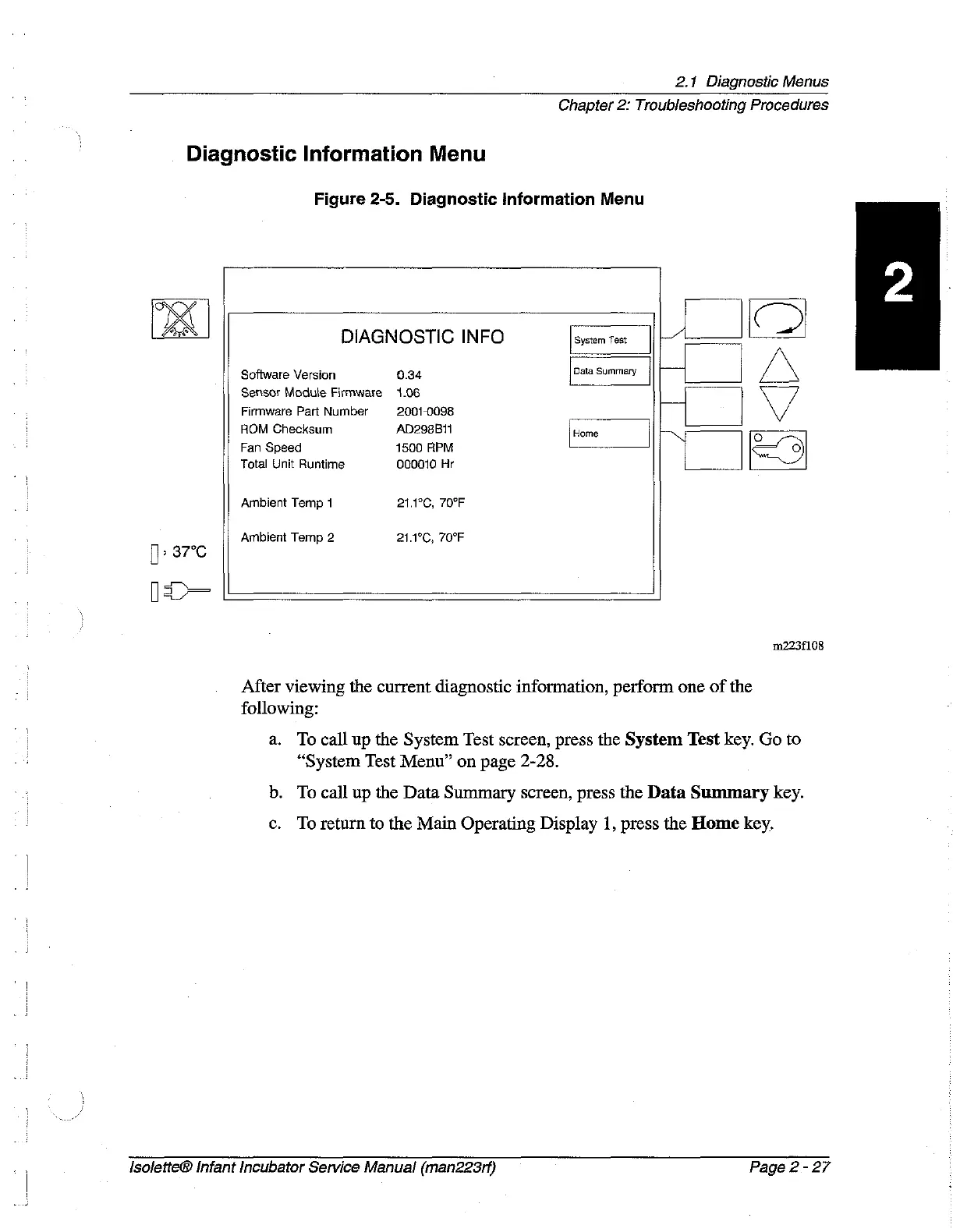
Figure
2-5.
Diagnostic
Information
Menu
BE
DIAGNOSTIC
INFO
System
Test
トン
|
Software
Version
0.34
Data
Summary
Sensor
Module
Firmware
1.06
Firmware
Part
Number
2001-0098
ROM
Checksum
AD298B11
Home
OM
o
Fan
Speed
1500
APM
<
Total
Unit
Runtime
000010
Hr
Ambient
Temp
1
21.1°C,
70°F
Ambient
Temp
2
21.1°C,
70°F
37°C
m223f108
After
viewing
the
current
diagnostic
information,
perform
one
of the
following:
a.
To
call
up
the
System
Test
screen,
press
the
System
Test
key.
Go
to
“System
Test
Menu”
on
page
2-28.
b.
To
call
up
the
Data
Summary
screen,
press
the
Data
Summary
key.
ο.
To
return
to
the
Main
Operating
Display
1,
press
the
Home
key.
Isolette®
Infant
Incubator
Service
Manual
(man223rf)
Page
2
-
27

Table of Contents