16
Basic Features
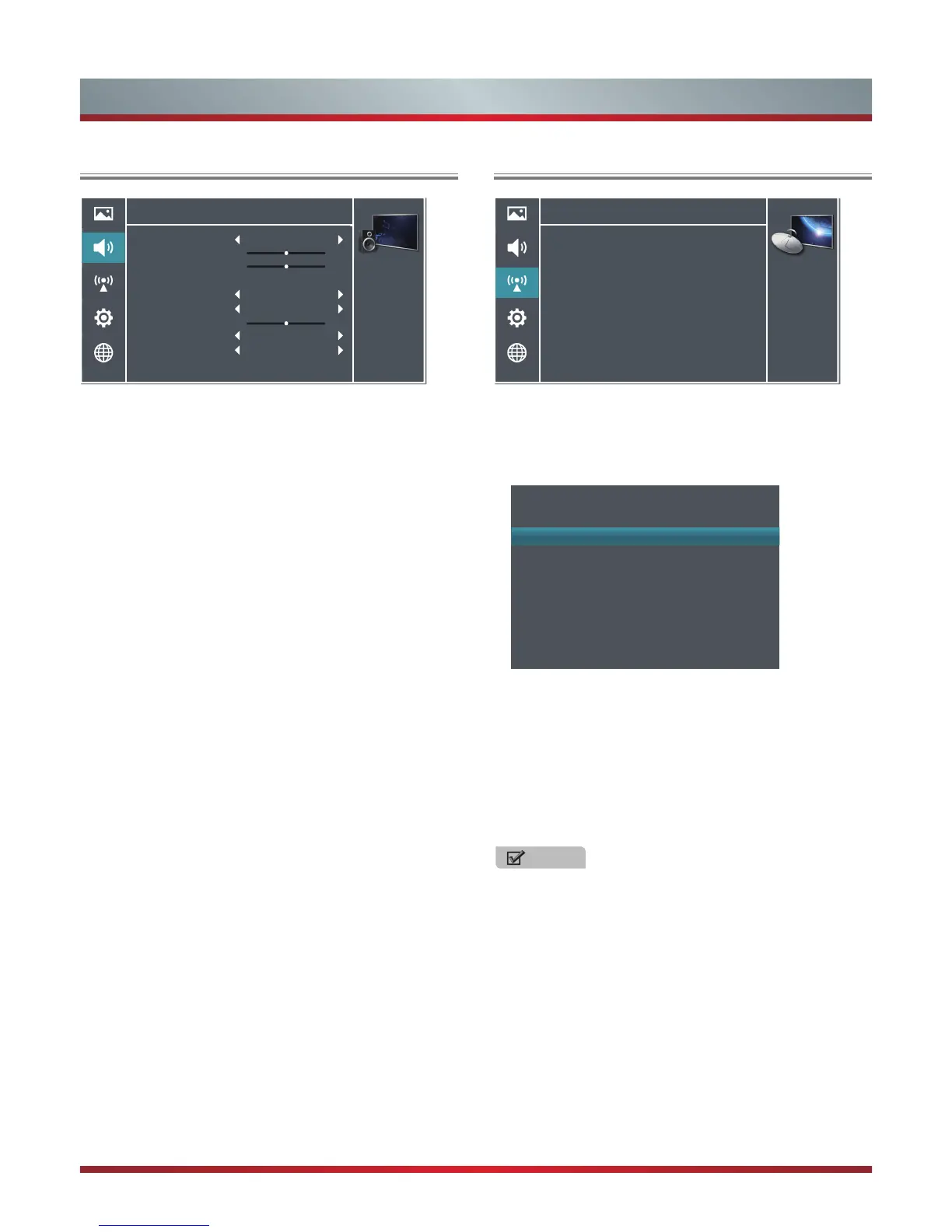
Using the Audio Menu
The audio setting allows the user to optimize the output
audio sounds of the TV.
Sound Mode - Select the Sound Mode options based on the
personal requirement: Standard, Speech, User, and Music.
Balance - Adjusts the relative volume of the speakers
between the left, right, or multiple system speakers.
Lip-Sync - Adjusts the picture and the sound to play at the
same time.
Equalizer - Allows the custom preset with the 5 band
Equalizer controller. Press the [◄/►] buttons to select the
different audio frequency band between 120 Hz, 500 Hz, 1.5
KHz, 5 KHz, and 10 KHz. Press the [▲/▼] buttons to adjust
each of frequency band level individually.
Speaker - Select to turn ON and OFF the Internal Speaker
or the External Speaker.
Subwoofer - Turn subwoofer Internal Subwoofer or Off.
(Depends on the availability model)
Bass Boost - Adjusts the effect of bass. It will not be
available when Subwoofer is Off. (Depends on the
availability model)
SPDIF Type - Select digital audio output format. There are
three options available to select: Off, Dolby digital, and PCM.
Auto Volume Control - This mode allows the users to
automatically adjust the volume to reach a consistent level
and attenuates loud passages. This option is available by
setting the Auto volume control from OFF to ON.
Reset Audio Settings - Resets all sound settings to the
factory defaults.
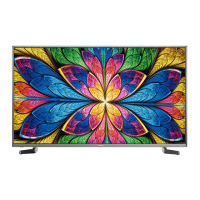
Using the Channels Menu
Country - Select the Country you are in.
Manual Scan - Manual search and storage of channels. If
lock has been set in Lock menu, a pop-up screen will be
displayed to ask you to input the password.
Channels
Personalize the
local television
services settings.
Country
Manual Scan
Auto-Scan
Channel Edit
Signal Information
>
>
>
>
>
Manual Scan
Search Type
Channel Number
Channel Name
Frequency
Band Width
Start Search
DTV Manual
49
DT29 1080i
676.50 MHz
7 MHz
>
Search Type: You can select ATV Manual or DTV Manual.
Channel Number: Display the channel number.
Channel Name: Display the channel name.
Start Search: Press the [►] button to start the manual
search.
Auto-Scan - Use this to automatically search and store all
available channels.
NOTE
Auto Tuning will take a few minutes, please wait until it
has finished.
Channel Edit - Allows you to edit the TV programs.
Rename: Press the [Green] button to display the Rename
menu. Press the [Yellow] button to switch between capital
and lowercase. Press the [▲/▼/◄/►] buttons to select
the characters and press the [OK] button to input. If you
want to delete the character, please press the [Red]
button. Then press the [Green] button to save the new
name.
Skip: Press the [Yellow] button to skip the selected
channel and press again to undo it.
Audio
Personalize the
audio to suit your
preferences and
listening conditions.
Sound Mode
Balance
Lip-Sync
Equalizer
Speaker
Subwoofer
Bass Boost
SPDIF Type
Auto Volume Control
Reset Audio Settings
Standard
Internal Speaker
Internal Subwoofer
PCM
Off
0
5
>
0



 To Next Page