17
Basic Features
Setup Wizard - Allows you to set the Setup Wizard On/Off
the next time when you turn on the TV.
Use Mode - You can select Home mode or Shop mode.
HDMI CEC - This feature allows you to add devices to your
TV and control them with your TV remote control.
CEC Function: Press the [►] button to set On/Off
Auto Turn Off: Your added devices can be off
automatically by turning off the TV .
TV Auto On: Your TV can be on automatically by turning
on your added devices.
Device Discovery: Press the [OK] button to select the
device that is connected to your TV.
VGA - Adjust Image positioning and PC settings. (Only
available in VGA mode)
Settings - VGA
H Position
V Position
Phase
Clock
Auto Adjust
39
30
12
127
>
Personalize the PC /
RGB input settings.
Auto Adjust: Allow you to synchronize input signal
automatically.
H Position: Adjust the horizontal position of the image.
V Position: Adjust the vertical position of the image.
Clock: Adjust the VGA clock to match the PC clock.
Phase: Adjust the VGA phase to match the PC.
Component (Only available in Component mode)
Phase: Adjust the focus of stable images.
Reset Component Settings: Reset component setting
to factory mode.
Subtitle - Allow you to adjust the subtitle status.
Analog Subtitle: You can select Mute, Off and On. (Only
available in ATV mode)
Parental Control - Prevent unauthorized users, such as
children, from watching unsuitable programme.
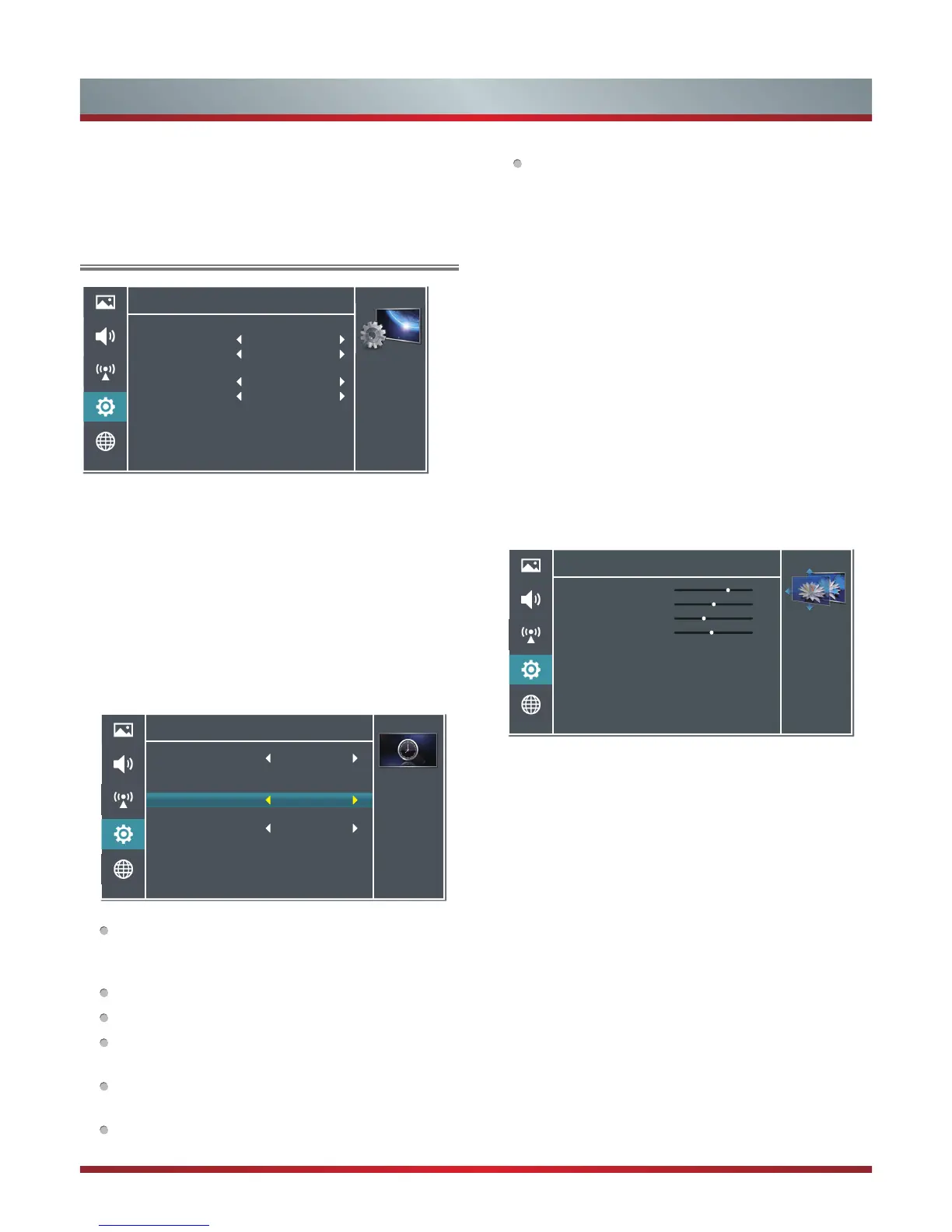
Using the Settings Menu
OSD (on screen display) Language - Allows you to set the
screen language.
Blue Screen - Allows the blue background to turn On/Off
during no signal conditions. (Only available in TV mode)
OSD Timeout - Allows you to set the OSD time out (10sec
to 60sec).
Time Setup - Allows you to set the clock, date and time.
Country Region: Allows you to select the local time zone
according to your region. Just for Australia area.
Time: Setup current date, time and power on/off timer.
Settings -Time Setup -Time
Select ON to
automatically turn
on your TV at a set
time.
Auto Synchronization
Date
Time
Power On Timer
Timer
Power Off Timer
Timer
On
2013/01/01
02:01:01
Off
00:00:00
Off
00:00:00
Auto Synchronization: Allows to adjust the date and
time manually when it is set to Off. Select On to output
the time information from digital signal (DTV).
Date: Set the current year/month/day.
Time: Set the current time.
Power On Timer: When “On”, you can set the time
when the TV turns on automatically.
Timer: Set the desired time for the TV to turn on
automatically.
Power Off Timer: When “On”, you can set the time
when the TV turns off automatically.
Signal Information - Allows you to view the signal
information. (Only available in DTV mode)
Settings
Personalize the
general TV settings.
OSD Language
Blue Screen
OSD Timeout
Time Setup
Setup Wizard
Use Mode
HDMI CEC
Subtitle
Parental Control
>
>
>
>
>
On
30s
Off
Home Mode
Timer: Set the desired time for the TV to turn off
automatically.
Sleep Timer: Specify the amount of time before your TV
automatically turns off: Off -10-...-120 minutes.



 To Next Page