18
Basic Features
When you first use this function, the default password is
[0000]. Once you input this password, you can continue to
the next operation.
You can change password in the change password
submenu.
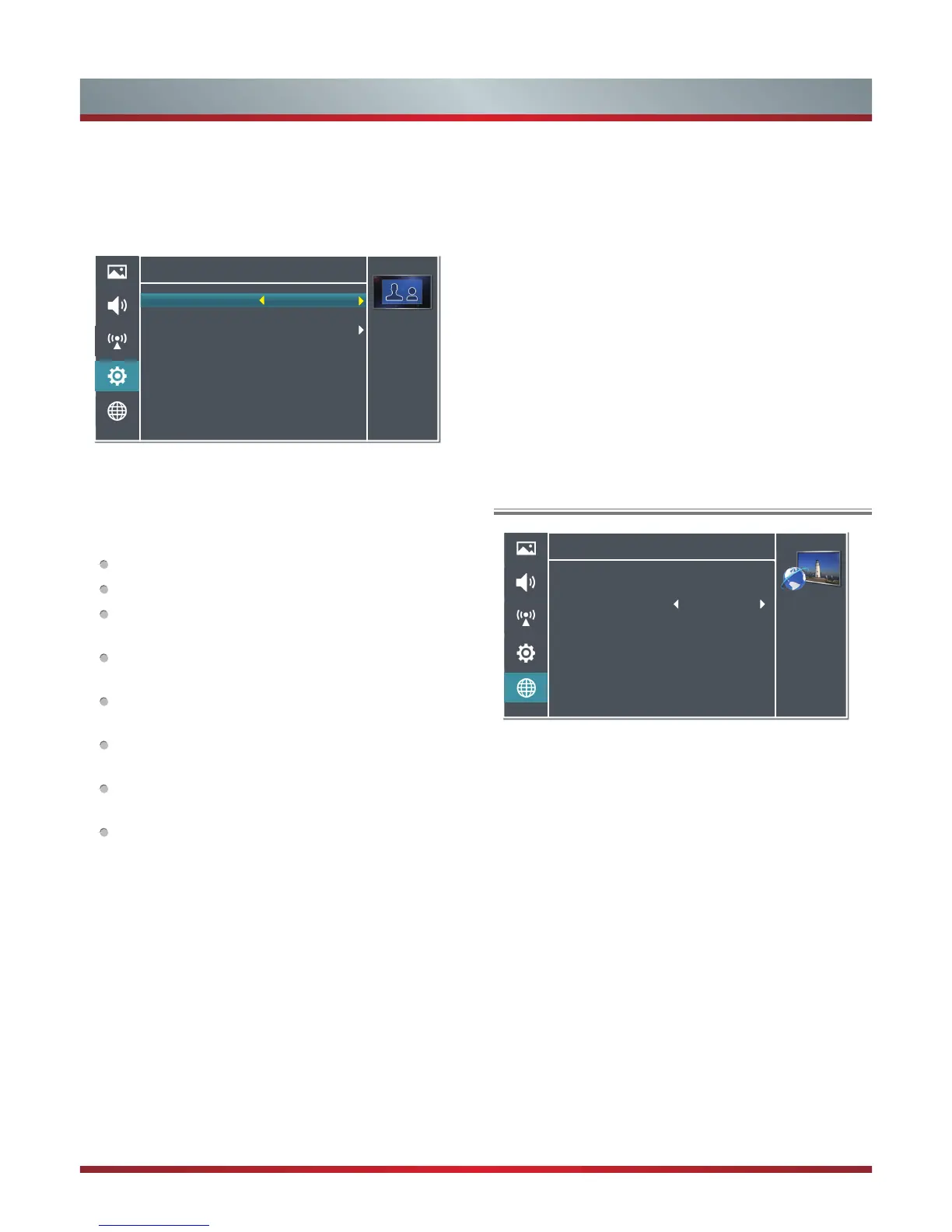
Settings -Parental Control
Select parental
rating
Parental Rating
Channel Block
Child Lock
Change Password
Clean All
Block R And Above
Off
>
>
>
Parental Rating: This function allows you to set up
blocking schemes to block specific channels and ratings.
It operates according to information from the broadcasting
station, therefore if the signal has incorrect information,
this function will not operate.
Block All: All classified programs are blocked.
No Block: No programs are blocked.
Block R And Above: All “R” rated classified programs
are blocked.
Block AV And Above: Adult audiences, strong
violence, 15 years and older.
Block MA And Above: Mature audiences only, 15
years and older.
Block M And Above: Mature audiences only, parental
guidance is strongly advised.
Block PG And Above: Parental guidance
recommended.
Block G And Above: General audiences.
Channel Block: Channel Lock is designed to prevent
children watching unsuitable programs.
Press the [▲/▼] buttons to select the channels you want
to lock and then press the [OK] button to confirm. A lock
icon will display on the right of the channel and then the
channel is locked
Child Lock: Press the [◄/►] buttons to select On or Off.
The buttons on the TV panel cannot be used when On
is selected and only the [Menu] button and number keys
can be used on the remote control.
Change Password: To set or change the password.
1. Press the [OK] button to enter the submenu.
2. Press the [0~9] buttons to input the new password.
Configuration - You can set the TV network by selecting
Configuration and press the [OK] button to enter the
submenu.
Internet Connection - Select On or Off. When Off mode
is selected, the following options would be unavailable.
Interface - Allows you to select connection type: Wireless
and Ethernet.
Information - Display network configuration information.
IP Setting - Allows you to set IP address, subnet mask,
gateway, primary, and secondary DNS.
Connection Test - Press the [OK] button to test network
status.
Applications - Network application
DLNA: Digital Media Player (HiMedia) feature of
Digital Living Network Alliance. Press the [◄/►]
buttons to set DLNA to On.
My Shared Devices: Allow or deny the mobile device.
Network
Personalize the
network connection
settings.
Configuration
Applications
Auto Upgrade
Network Upgrade
>
>
>
Using the Network Menu
Off
3. Press the [0~9] buttons to input the new password
secondly to confirm.
Clean All: Reset TV set. After reset, all channels and
image settings will be erased and you need perform a
tuning Auto-scan.
Time-Shift - Allows you to adjust the time shift function
On or Off. When Off is selected, the [T.shift] button on the
remote control are not available. The Timeshift function is
only available for DTV channels.
Firmware Version - View the software version information.
In some occasion the user required to update the firmware.
Restore Factory Settings - Restore factory settings for
image and sound



 To Next Page