APCQ CAPACITOR BANKS
© 2022 Hitachi Energy. All rights reserved
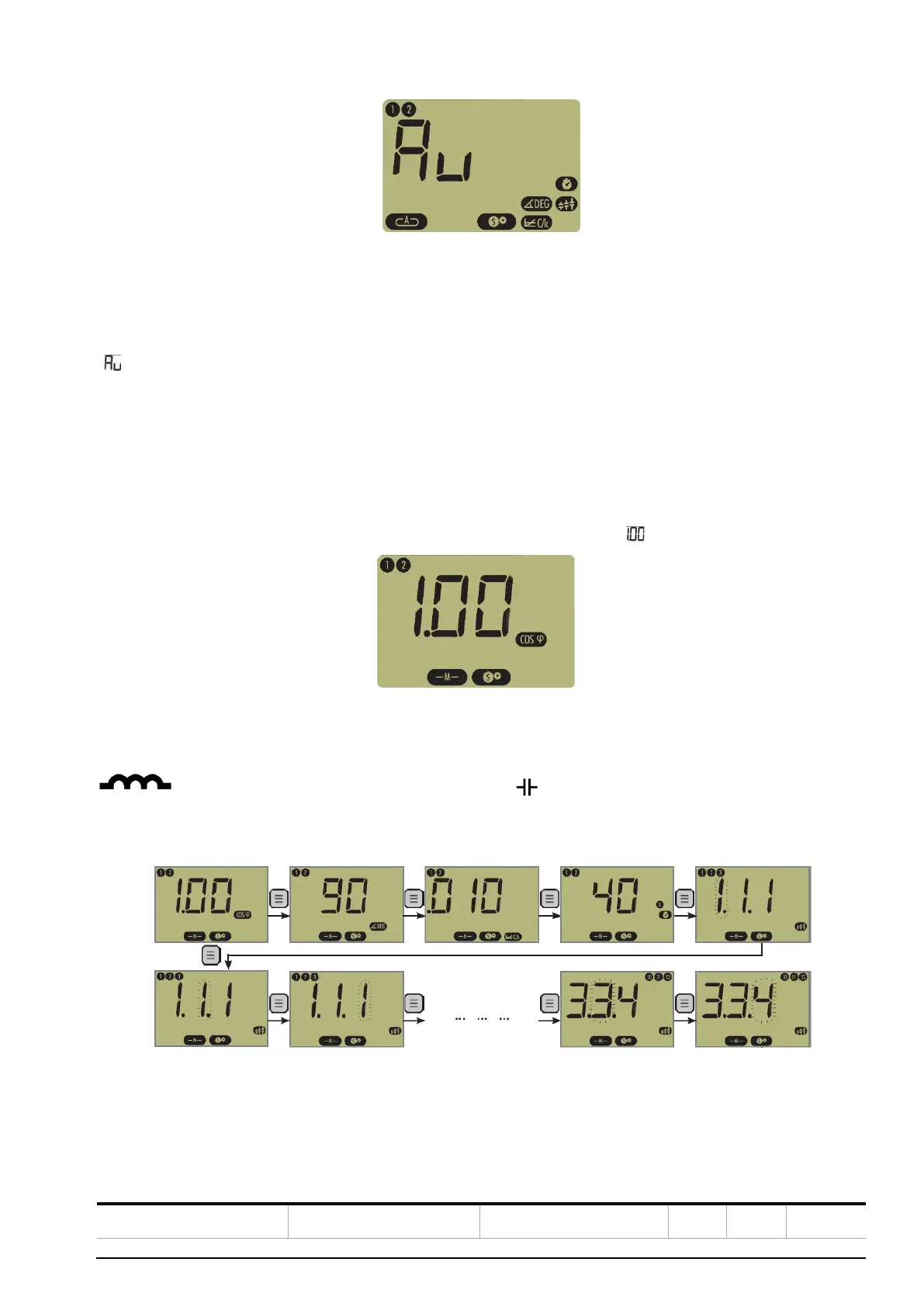
Figure 45: View of the AUTO SET mode in RVC
Press the + button once: Phase, C/k, and Delay parameters will appear. Steps have been already set in factory.
Press the + and – buttons simultaneously to start the automatic setting.
“ ” starts flashing. Phase, C/k and Delay parameters are automatically set. Note that the delay value remains un-
changed if it is set above or equal to 40 sec. before commissioning.
If an error is detected, the AUTO SET procedure is stopped and an error message is displayed.
For more details, please refer to RVC manual.
7. Setting target cos ϕ.
Press the Mode button once to activate manual setting of target cos ϕ.
The previous value will appear. If the RVC has never been programmed before, “ ” appears on the LCD display.
Figure 46: View of target cos ϕ setting
Set your target cos ϕ by pressing either the – or + button.
indicates an inductive PF and indicates a capacitive cos ϕ.
8. Reactivate the AUTO Mode by pressing the mode button repeatedly.
During this procedure, the parameters previously set will be displayed first: Phase, C/k, Delay and Steps.
Figure 47: View of programmable parameters
Then, select: Feature 1 (linear / circular) and Feature 2 (generative / regenerative target cos ϕ).



 To Next Page