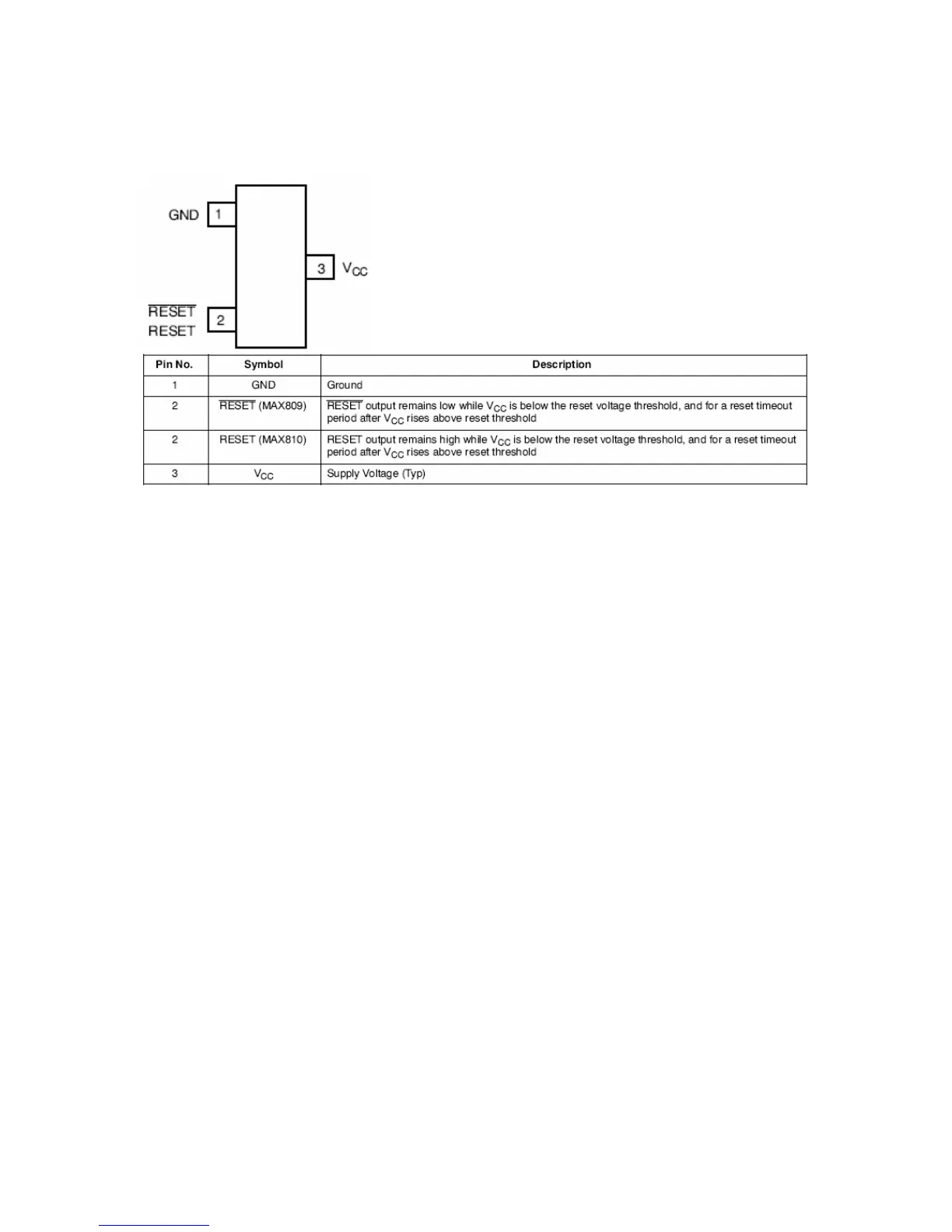
15.19.4. Pinning
16. SERVICE MENU SETTINGS
In order to reach service menu, First Press “MENU” Then press the remote control
code, which is “4725”. In DTV mode, first press “MENU” and select “TV SETUP”.
Then, press “4725”.
16.1. Video Setup
Panel Info <..................................>
32_LC_SAC1
Blue Background <.....>
If “Menu” selected, “Blue Background” item is seen in “Feature”
menu.
If “Yes” selected, “Blue Background” is on and not seen in
“Feature” menu
Film Mode <.....>
If “Yes” selected, “Film Mode” feature is active.
Dynamic Contrast <.....>
If “Yes” selected, “Dynamic Contrast” feature is active.
Game Mode <...........>
If “Yes” selected, “Game Mode” feature is active
SRGB For PC <...........>
If “Yes” selected, PCs can use SRGB option.
Dynamic Noise Reduction<...........>
If “Yes” selected, “Dynamic Noise Reduction” feature is active
WSS Option<...........>
If “Yes” selected, WSS Option can be used
16.2. AudioSetup
BG<.....>
Europe



 To Next Page