EasyManua.ls Logo

Hitachi VIV-E553LE - Page 33

Hitachi VIV-E553LE
118 pages
Print Icon
To Next Page IconTo Next Page
To Previous Page IconTo Previous Page
Loading...
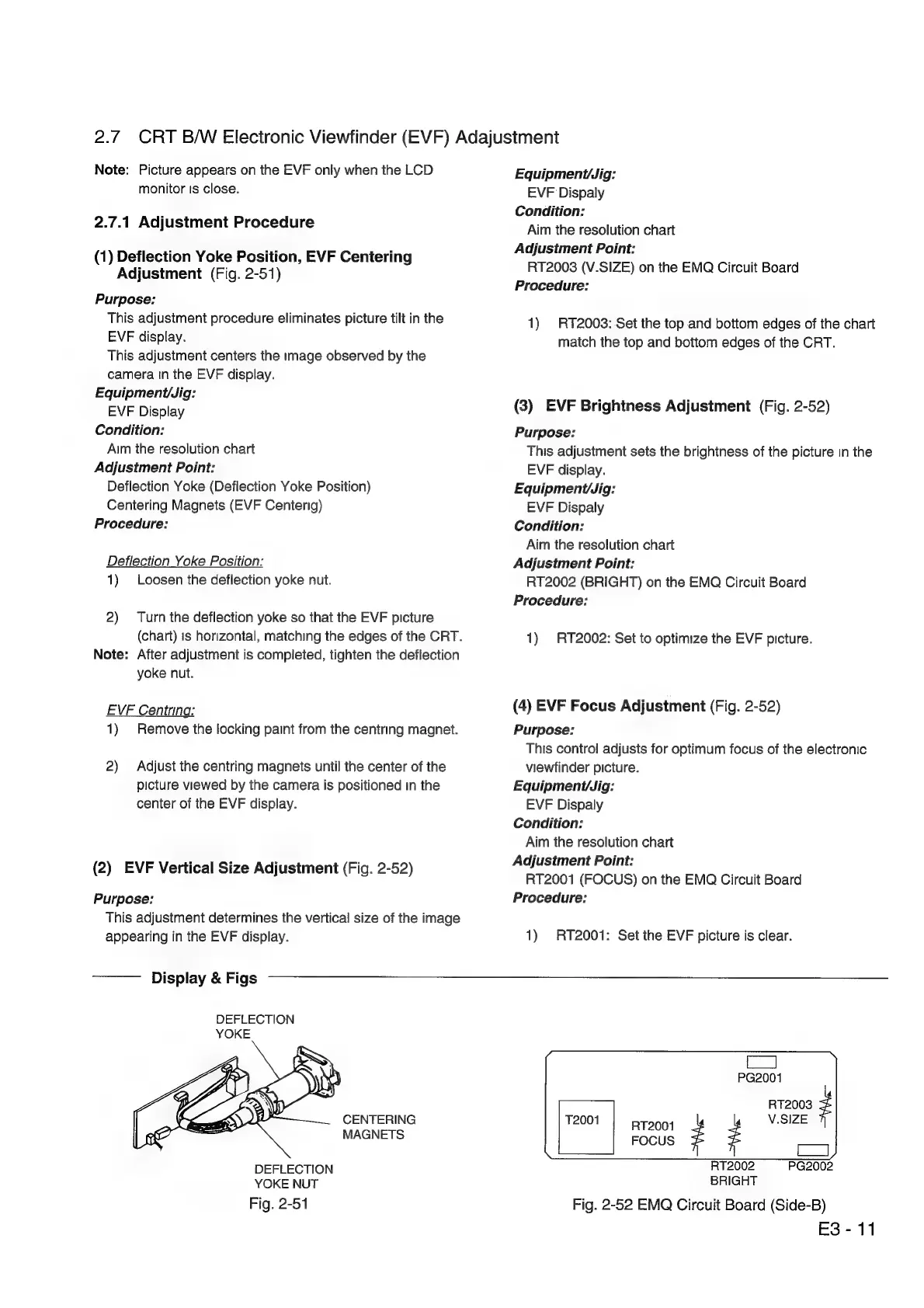
2.7.
CRT
B/W
Electronic
Viewfinder
(EVF)
Adajustment
Note:
Picture
appears
on
the
EVF
only
when
the
LCD
monitor
Is
close.
2.7.1
Adjustment
Procedure
(1)
Deflection
Yoke
Position,
EVF
Centering
Adjustment
(Fig.
2-51)
Purpose:
This
adjustment
procedure
eliminates
picture
tilt
in
the
EVF
display.
This
adjustment
centers
the
image
observed
by
the
camera
tn
the
EVF
display.
Equipment/Jig:
EVF
Display
Condition:
Aim
the
resolution
chart
Adjustment
Point:
Deflection
Yoke
(Deflection
Yoke
Position)
Centering
Magnets
(EVF
Centerig)
Procedure:
Deflection
Yoke
Position:
1)
Loosen
the
deflection
yoke
nut.
2)
Turn
the
deflection
yoke
so
that
the
EVF
picture
(chart)
is
horizontal,
matching
the
edges
of
the
CRT.
Note:
After
adjustment
is
completed,
tighten
the
deflection
yoke
nut.
EVF
Centring:
1)
Remove
the
locking
paint
from
the
centring
magnet.
2)
Adjust
the
centring
magnets
until
the
center
of
the
picture
viewed
by
the
camera
is
positioned
in
the
center
of
the
EVF
display.
(2)
EVF
Vertical
Size
Adjustment
(Fig.
2-52)
Purpose:
This
adjustment
determines
the
vertical
size
of
the
image
appearing
in
the
EVF
display.
Display
&
Figs
DEFLECTION
YOKE
CENTERING
MAGNETS
DEFLECTION
YOKE
NUT
Fig.
2-51
Equipment/Jig:
EVF
Dispaly
Condition:
Aim
the
resolution
chart
Adjustment
Point:
RT2003
(V.SIZE)
on
the
EMQ
Circuit
Board
Procedure:
1)
RT2003:
Set
the
top
and
bottom
edges
of
the
chart
match
the
top
and
bottom
edges
of
the
CRT.
(3)
EVF
Brightness
Adjustment
(Fig.
2-52)
Purpose:
This
adjustment
sets
the
brightness
of
the
picture
in
the
EVF
display.
Equipment/Jig:
EVF
Dispaly
Condition:
Aim
the
resolution
chart
Adjustment
Point:
RT2002
(BRIGHT)
on
the
EMQ
Circuit
Board
Procedure:
1)
RT2002:
Set
to
optimize
the
EVF
picture.
(4)
EVF
Focus
Adjustment
(Fig.
2-52)
Purpose:
This
control
adjusts
for
optimum
focus
of
the
electronic
viewfinder
picture.
Equipment/Jig:
EVF
Dispaly
Condition:
Aim
the
resolution
chart
Adjustment
Point:
RT2001
(FOCUS)
on
the
EMQ
Circuit
Board
Procedure:
1)
RT2001:
Set
the
EVF
picture
is
clear.
fy
PG2001
s1z009
T2001
RT2001
Z
é
V.SIZE
FOCUS
=
RT2002
PG2002
BRIGHT
Fig.
2-52
EMQ
Circuit
Board
(Side-B)
E3-
11

Related product manuals