BASE STATION SETTINGS
40
5.4.2 Dedicated Mode
Dedicated mode is designed to allow order takers to focus exclusively on one lane. It is a feature that is
only applicable with a Dual Lane base. When a car arrives in a lane, one tone is heard for Lane 1 and
two tones for Lane 2.
With Dedicated mode enabled, order takers will only hear the car arrival tone for their lane. Order
takers working Lane 1 will hear a single tone when a car arrives, dedicated to Lane 1 headsets only.
Order takers working Lane 2 will hear two tones when a car arrives, dedicated to Lane 2 headsets only.
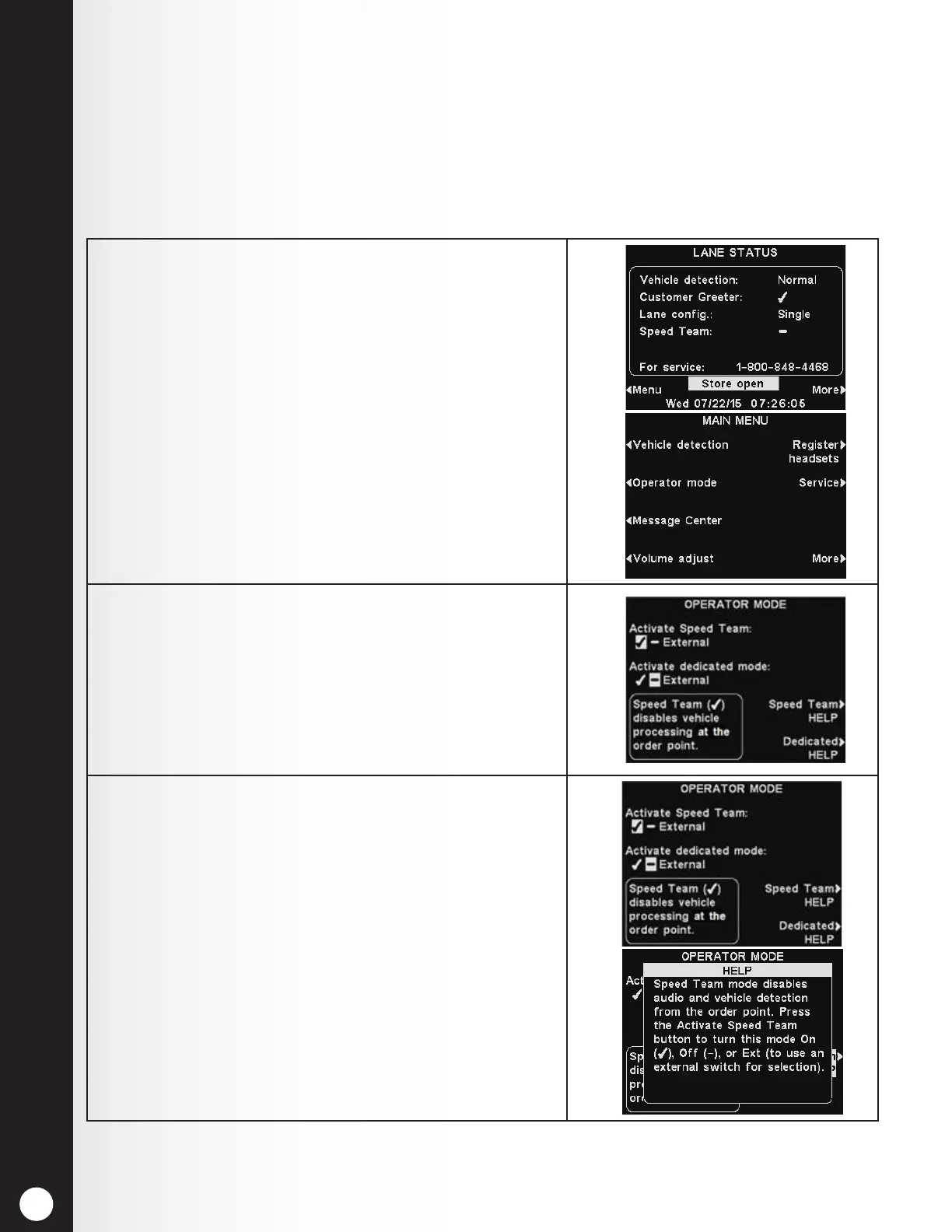
To set up Dedicated mode operation:
1. Select Menu on the LANE STATUS display and then
select Operator mode on the MAIN MENU.
2. On the OPERATOR MODE display, press the Activate
dedicated mode button to select ✔ (on).
3. When you want to return to normal operation, you
must select − (off).
If needed, press the Dedicated HELP button for
additional information.



 To Next Page