EQUIPMENT DESCRIPTION
8
2.3 Battery Charger
2.3.1 Battery Charger Power Adapter for Use in the United States
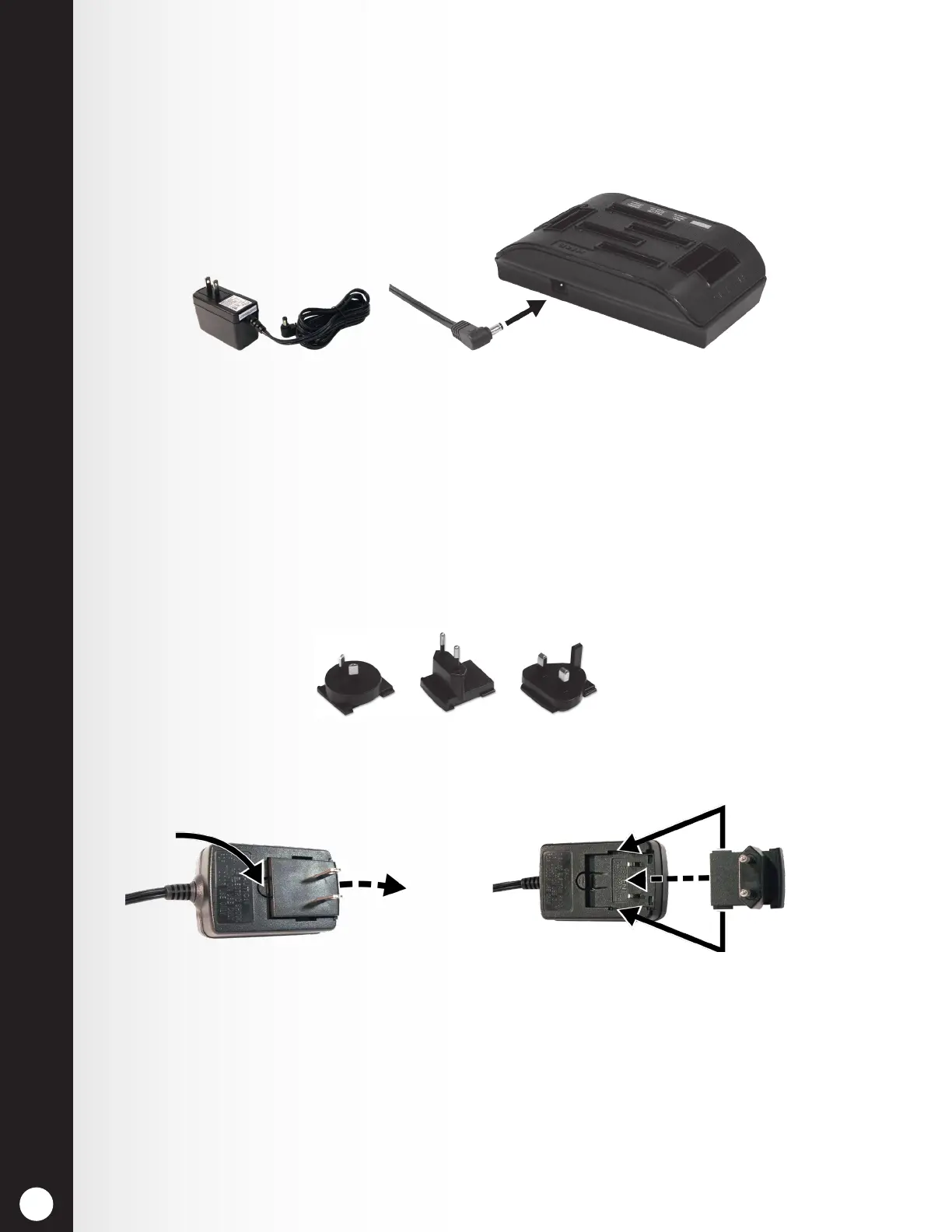
Plug the cord from the +5VDC power adapter into the top of the battery charger as shown in Figure 10,
and then plug the power adapter into an electrical outlet.
Figure 10. Battery charger power adapter connection
Figure 11. Changing plug in international power adapter
2.3.2 Battery Charger Power Adapter for Use Outside the United States
An international power adapter is provided with the battery charger for use in countries outside the
United States. Install the necessary plug on the adapter as shown in Figure 11. Plug the cord into the
battery charger and then plug the power adapter into an electrical outlet.
International adapter plugs
Slide
plug
Place tabs on plug into
spaces on adapter
Slide plug
and lift out
Press button
to release



 To Next Page