BASE STATION SETTINGS
26
5. BASE STATION SETTINGS
5.1 Settings Status
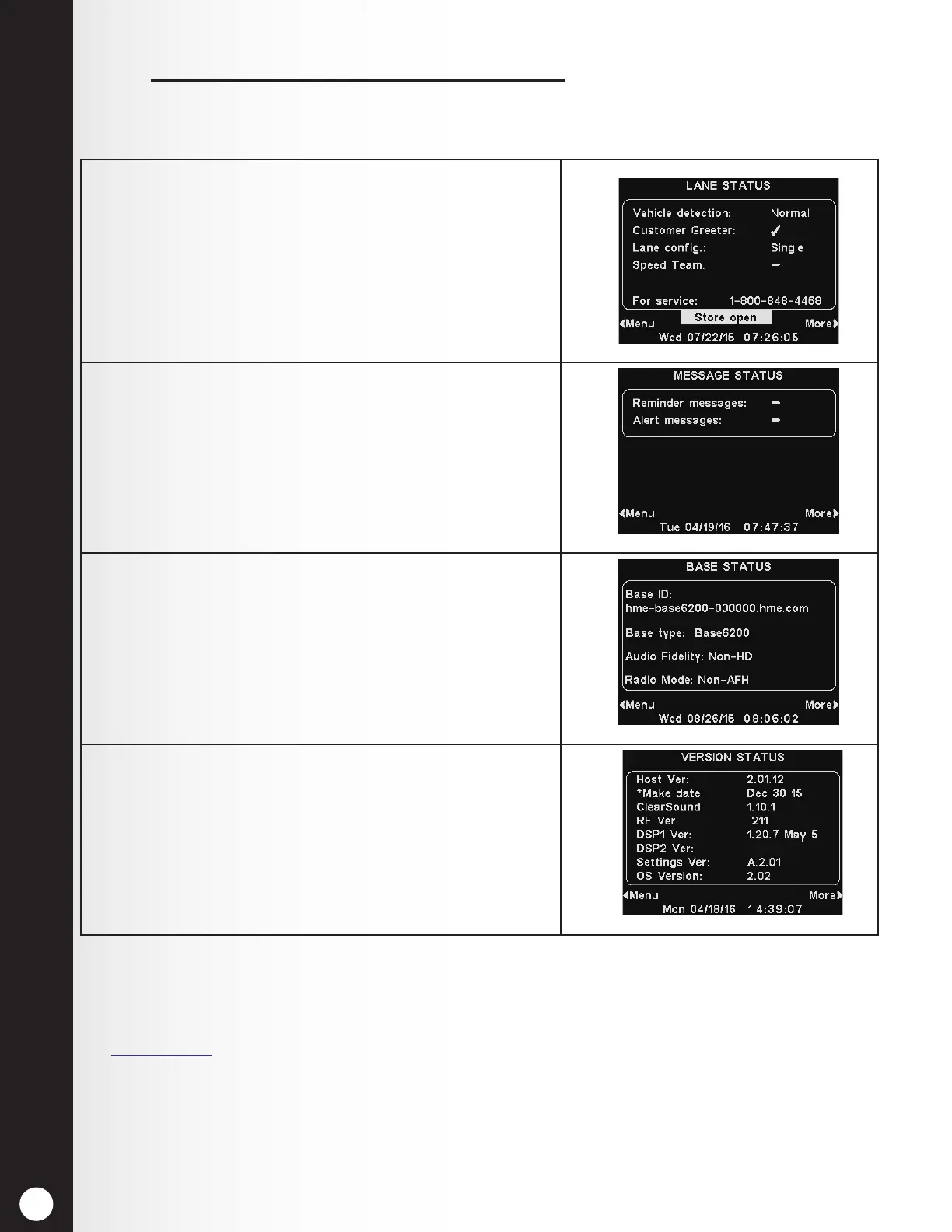
1. The LANE STATUS display shows current, lane-related
status information. It also lists the HME Technical
Support toll-free phone number to call for service.
The date and time are shown at the bottom of the
screen.
Press the More button at the bottom-right of the
LANE STATUS display to view STATUS displays.
2. To view additional system status displays, press the
More button at the bottom-right.
3. Continue to press More. The information on each
STATUS display shows other base station information
needed to operate the system on a network and
identify its version data.
4. To view the MAIN MENU and review all of the system’s
settings, press the Menu button at the bottom-left of
any STATUS display.
Note:
In multiple-lane operations, the LANE STATUS display displays Vehicle detection for L1 (Lane 1) and
L2 (Lane 2), and Lane Cong displays the lane conguration setting. The Dedicated mode ✔ (on) or −
(off) setting is also available.
See Section 5.4.2, pg. 40, for more information regarding Dedicated Mode.



 To Next Page