BASE STATION SETTINGS
33
5.3 Advanced Installer Setups
5.3.1 Phone
If a telephone is connected to the base station to handle telephone orders, the system must be
congured for telephone operation.
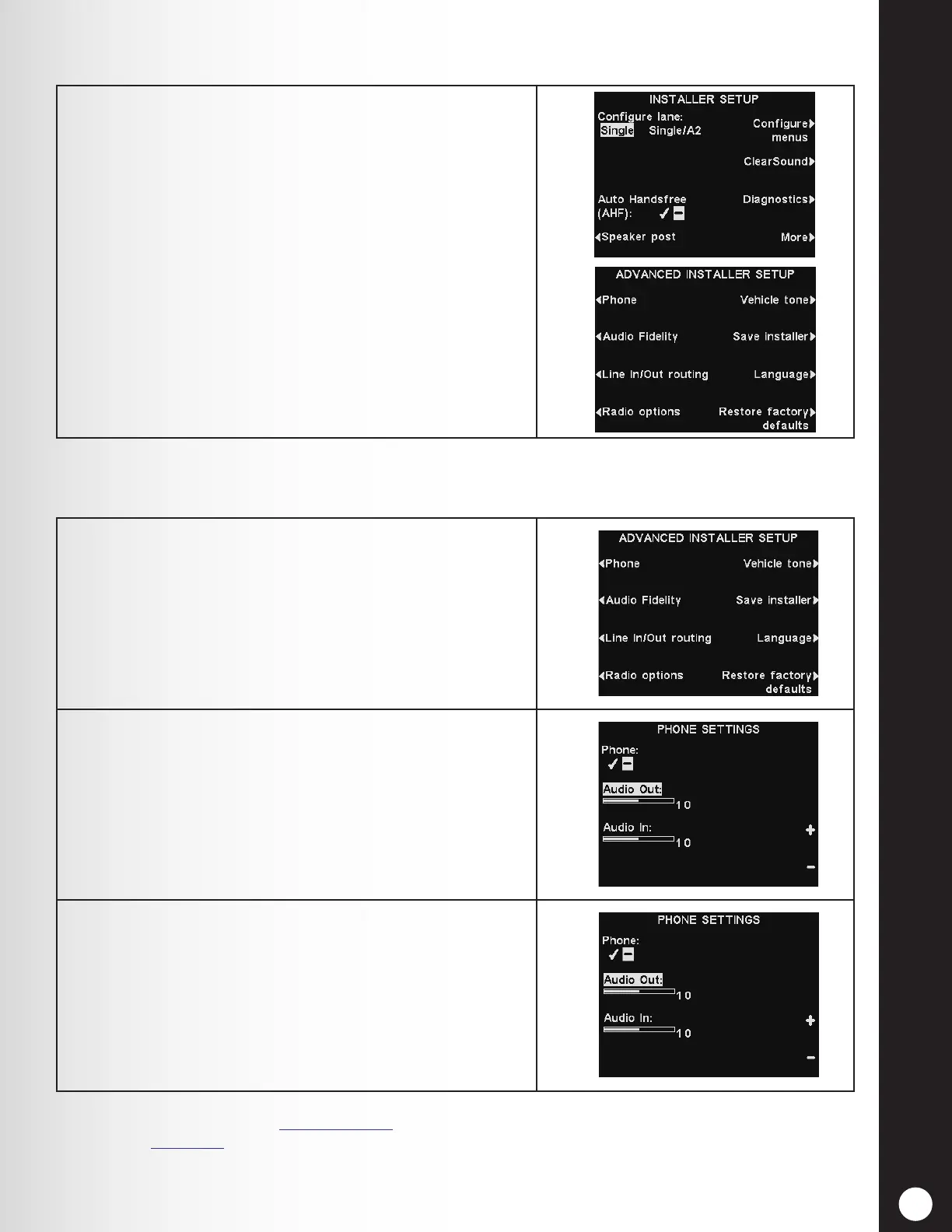
To perform the following advanced installer setups, press
the More button on the INSTALLER SETUP display to
access the ADVANCED INSTALLER SETUP display.
1. On the ADVANCED INSTALLER SETUP display press
the Phone button.
2. On the PHONE SETTINGS display, select ✔ (on). If a
telephone will not be used, select − (off).
3. To adjust the telephone outbound or inbound audio
level, press the Audio Out or Audio In button and
then press the + or − button to set the desired level.
Note: When setting the Phone function to
✔
(on), you must also select a Phone Headset to
receive the calls (see Phone Headset, pg. 82). An optional Telephone Interface is also required.
See Figure 39, pg. 113, Optional Equipment Wiring Diagram.



 To Next Page