BASE STATION SETTINGS
32
5.2.6 Diagnostics
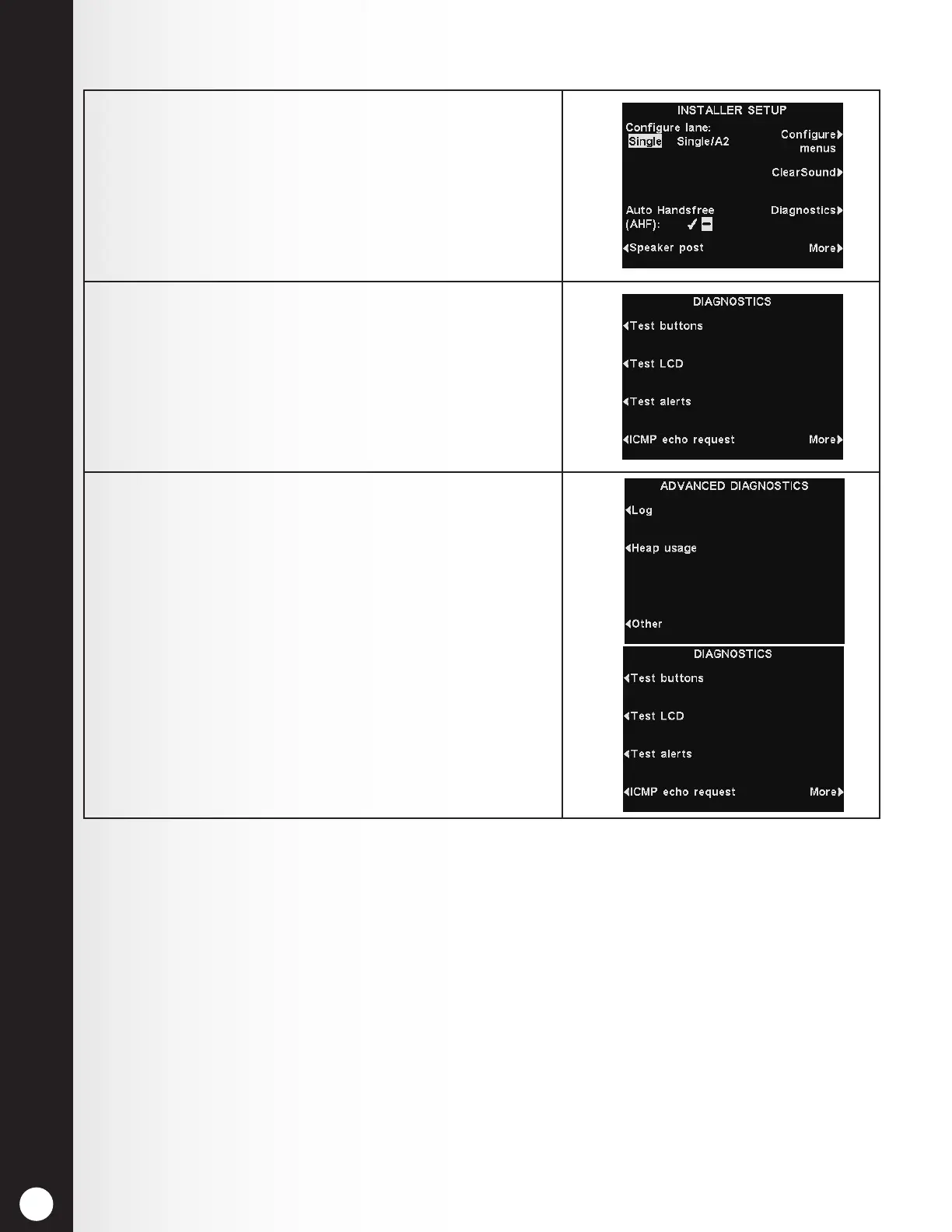
1. To have the EOS|HD perform diagnostic tests of
various functions, press the Diagnostics button on
the INSTALLER SETUP display.
Note: Diagnostics are typically performed with
guidance from HME Technical Support.
2. On the DIAGNOSTICS display, you can press
the More button to see additional tests on the
ADVANCED DIAGNOSTICS display.
3. On the left side of either display, press the option’s
corresponding button to perform that test.



 To Next Page