BASE STATION SETTINGS
31
5.2.5 ClearSound
ClearSound reduces environmental noises to improve the clarity of incoming voice transmission from
the customer. ClearSound will also remove kitchen noise if enabled on the outbound audio.
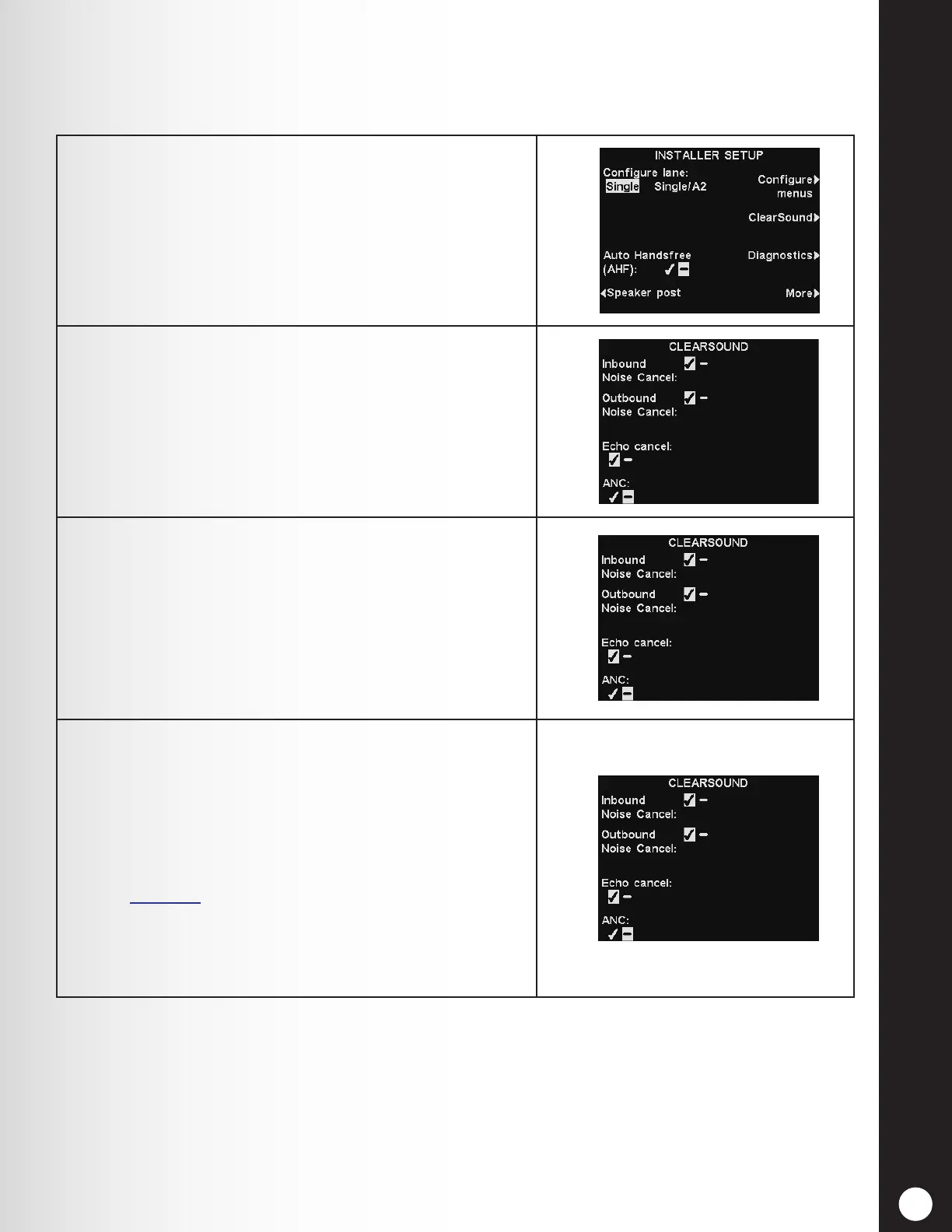
1. Press the ClearSound button on the INSTALLER
SETUP display to access the CLEARSOUND display.
2. To turn ClearSound noise cancellation on or off, press
the Inbound Noise cancel or Outbound Noise cancel
button to highlight ✔ (on) or − (off).
3. Echo cancellation reduces the echo of the operator’s
voice that returns from the outside speaker back into
the headset. To enable or disable echo cancellation,
press the Echo cancel button to highlight ✔ (on) or −
(off).
Echo cancel will automatically switch to − (off) in
Half-duplex mode.
4. ANC (Automatic Noise Control) senses when a
customer is speaking into the outside microphone. It
reduces the incoming audio level when a customer is
not speaking.
To enable or disable ANC, press the ANC button to
highlight ✔ (on) or − (off).
See Section 6, pg. 86-87, for more details on Inbound
Noise cancel, Outbound Noise Cancel, Echo cancel and
ANC.
Press the Back button to save the settings.
Note:
In multiple-lane congurations, the CLEARSOUND display will be divided by Lanes. Settings
will be similar to those shown for single lane.



 To Next Page