ROUTINE OPERATION
92
8.5 Internal Communication
If you’re using the BHF mode, the B channel remains open for hands-free communication among crew
members. If a customer arrives, B-channel communication will automatically be interrupted to allow
communication with the customer. See Section 8.3, pg. 89, for more information on BHF mode.
If you’re NOT using the BHF mode, press and hold the B button to communicate internally with other
headset operators, then release.
In single-lane operations, up to four operators can have conference-call type communication by
pressing and holding their B button. They will hear each other without interference.
In dual-lane operation, if the system was set up for “Split-B”, internal communication will be heard
only by headset operators in their lane.
If the system was NOT set up for Split-B operation, all internal communication will be heard by
operators in both lanes. See Section 5.4.1, pg. 39, for more information on Split B settings.
In dual-lane operation, up to three operators can have conference-call type communication by all
pressing and holding their B buttons. They will hear each other without interference.
If a car arrives in a lane while internal communication is taking place, priority will be given to the
respective A channel for customer communication. This reduces the number of internal communication
channels available.
8.6 Wired Backup System
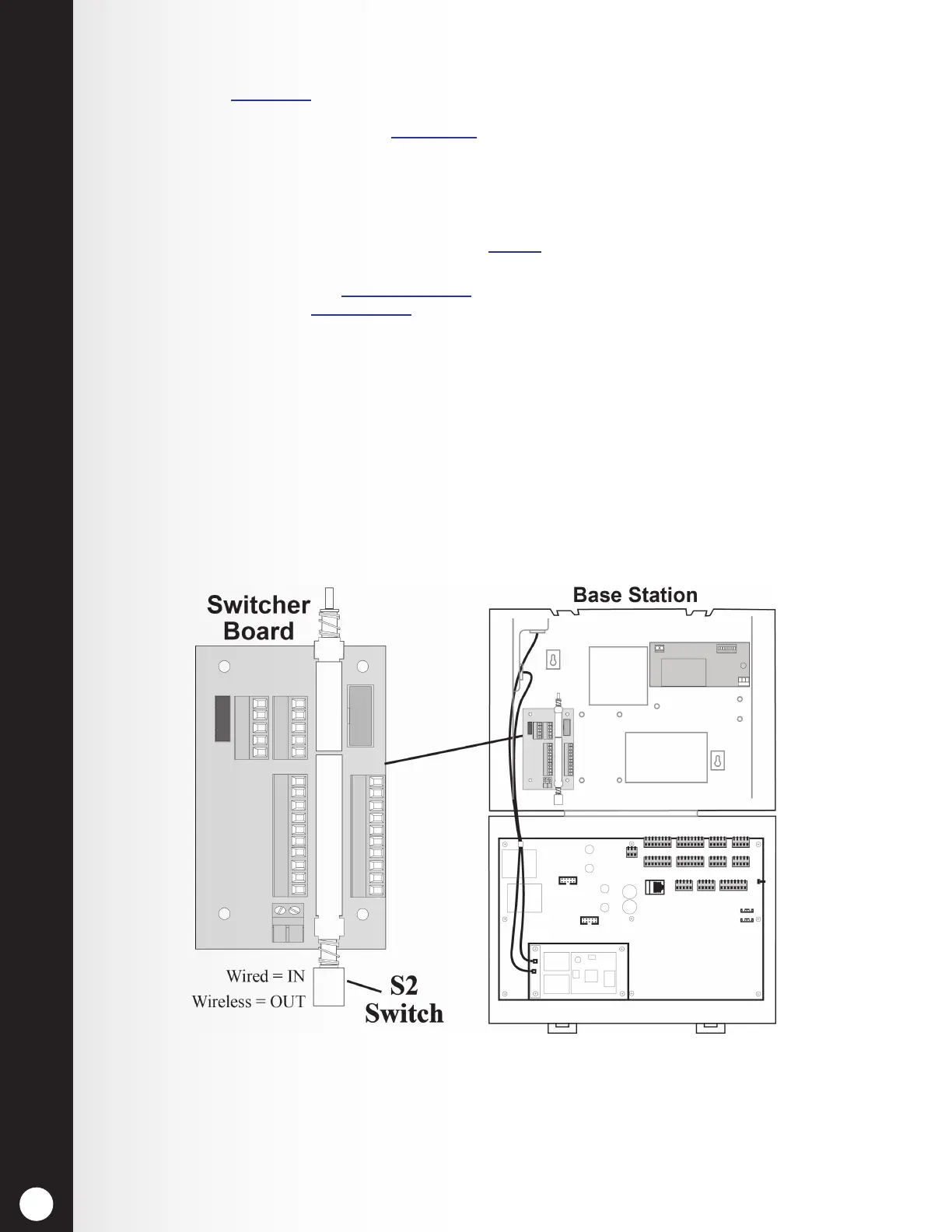
In order to use a wired backup system, there must be a Switcher Board (optional) in the base station.
Open the base station, and look for the board shown in Figure 26. If there is no Switcher Board,
a wired backup system cannot be used. If there is a Switcher Board, place the S2 switch in the IN
position to use the wired backup system. When using the EOS|HD, leave the S2 switch in the OUT
position.
Figure 26. S2 switch on Switcher Board



 To Next Page