EQUIPMENT DESCRIPTION
5
2.2 Headset and Belt-Pac Features
2.2.1 Controls and Indicators
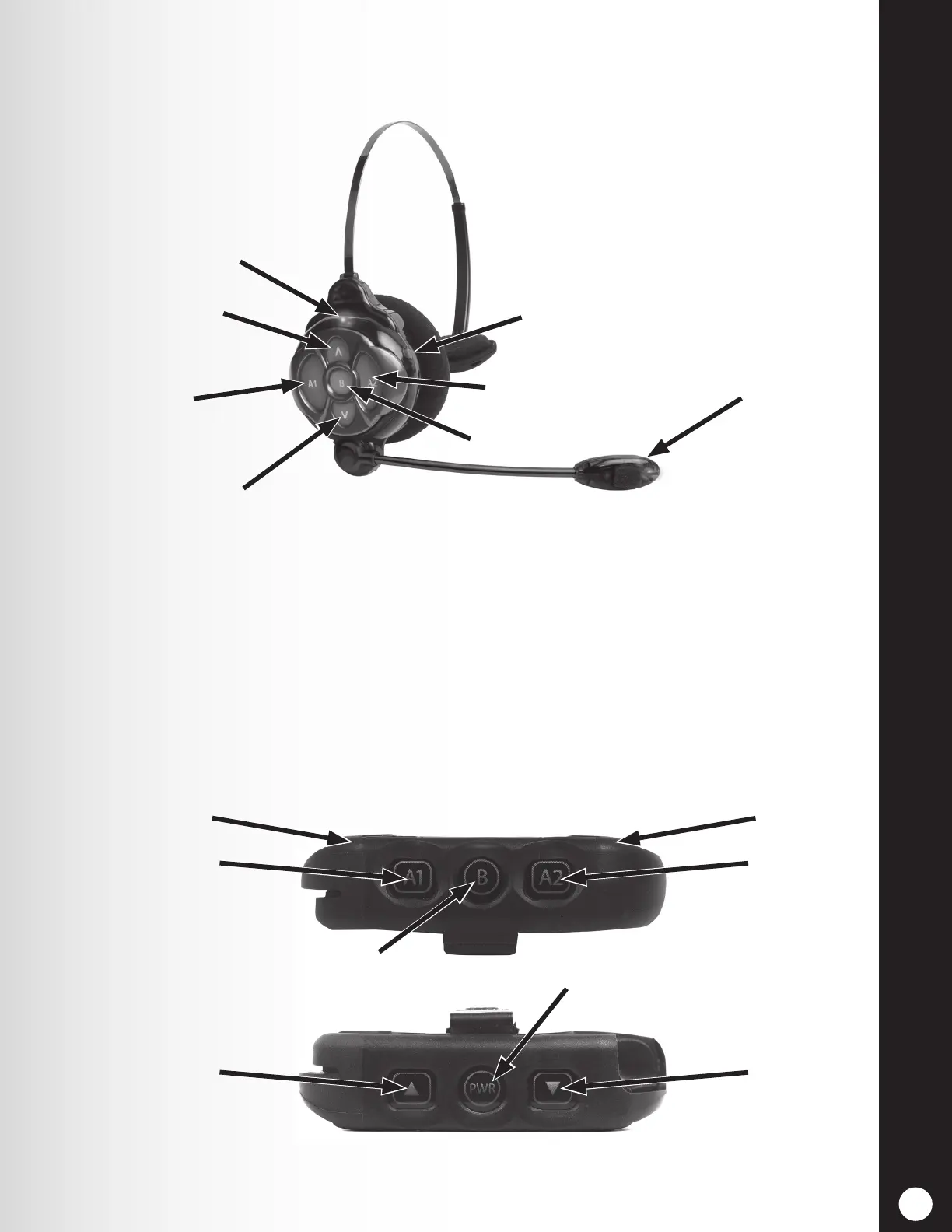
Figure 4. Headset control buttons and indicator lights
Figure 5. Belt-pac control buttons and indicator lights
h Power On — Press and release the Power button. A voice prompt in the headset will say
“Headset #, Battery Full/Half/Low, Lane #”. If the headset was previously registered, the green
Power light will turn ON.
h Power Off — Press and hold the Power button for approximately 3 seconds. A voice prompt in
the headset will say “Headset off,” and the power light will turn off.
h Volume-Up or Down Adjustment — Press and release the volume Λ or V button. Each time
you press the button you will hear a beep in the earpiece as the volume increases or decreases.
When you reach maximum or minimum volume, you will hear a double beep. If you continue
holding the volume Λ or V button, the beeps will continue until the button is released.
Power button
Transit light
Power light
Volume-up
button
Volume-down
button
Channel “A1”
button
Channel “A2”
button
Channel “B” button
Indicator light
Channel “A1” button
Channel “A2”
button
Channel “B” button
Volume-up
button
Power button
Volume-down
button
Indicator light



 To Next Page