SET THE BASE STATION LANGUAGE
96
10. SET THE BASE STATION LANGUAGE
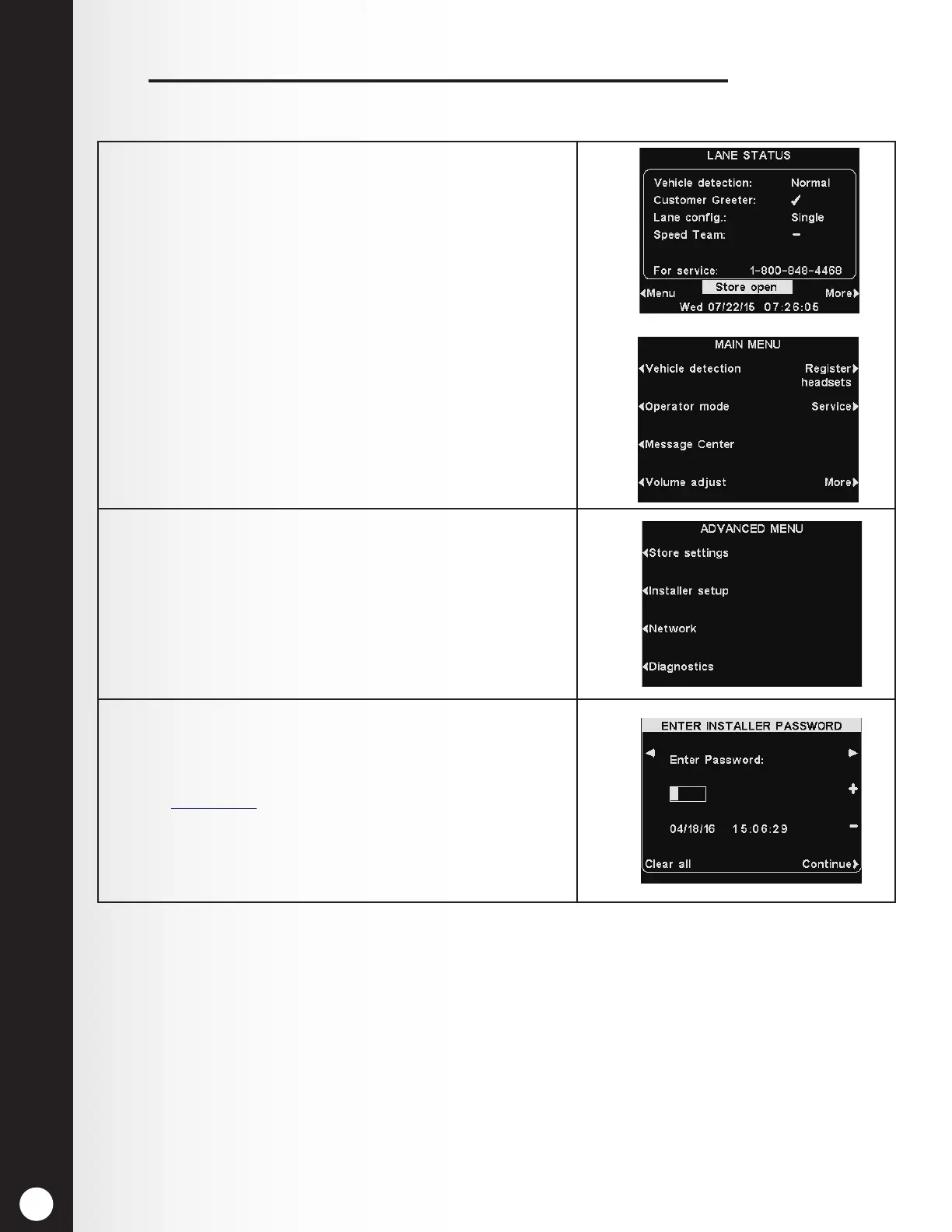
The Base station factory default setting is English. To change the language:
1. Select Menu on the base station LANE STATUS
display and then press the More button on the MAIN
MENU.
2. On the ADVANCED MENU, press the Installer Setup
button.
3. On the ENTER INSTALLER PASSWORD display, enter
the 4-digit password in the highlighted box in the
Enter Password eld.
See Section 5.2, pg. 27, for instructions for entering a
password.
Press the Continue button to access the INSTALLER
SETUP display.



 To Next Page