BASE STATION SETTINGS
66
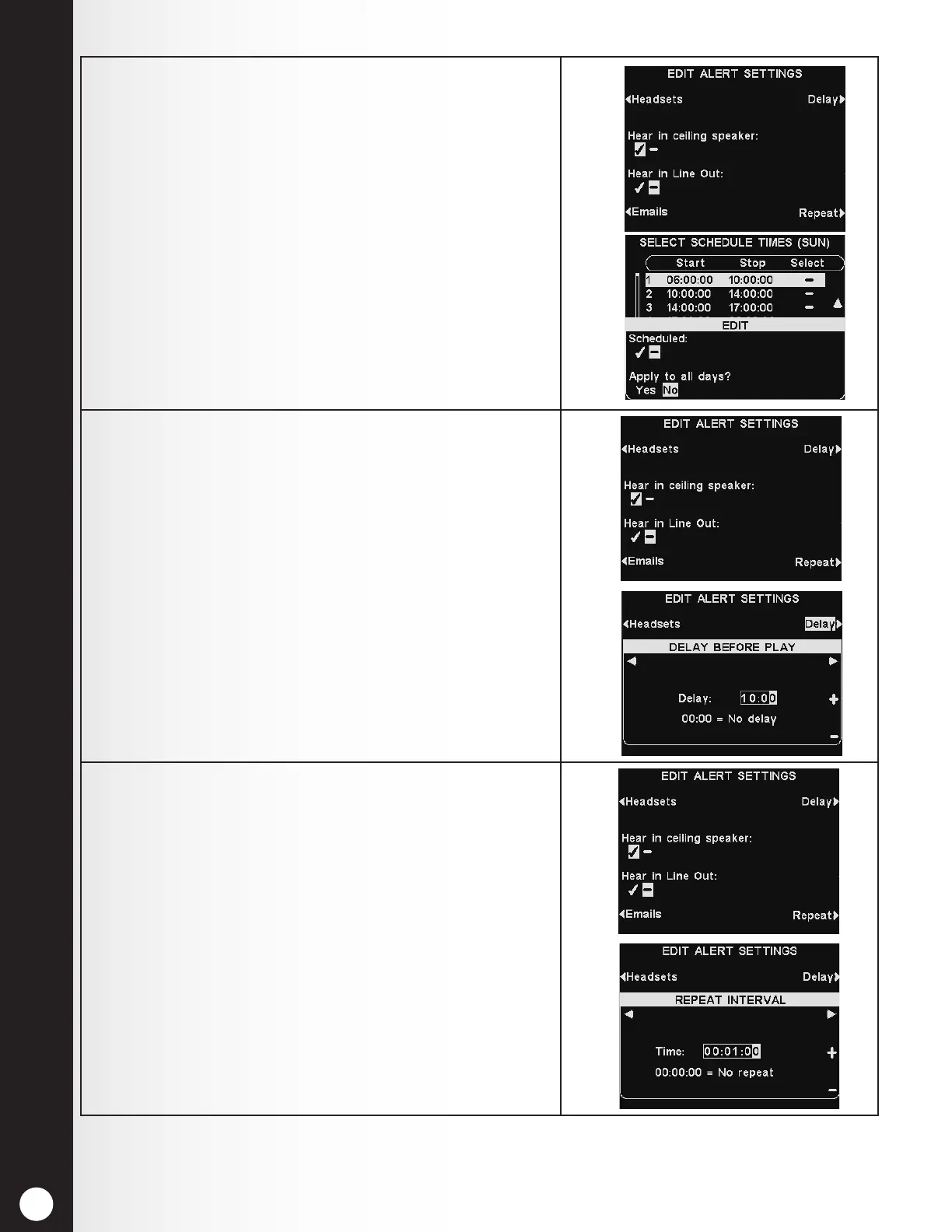
4. To have the selected Alert message heard or not heard
in the ceiling speaker(s), press the Hear in ceiling
speaker button to highlight ✔ (on) or − (off).
To have the selected Alert message heard or not heard
in the line out(s), press the Hear in Line Out button
to highlight ✔ (on) or − (off).
Note: After selecting ✔ (on), to hear the message in
the ceiling speaker or Line Out, be sure their volume
is set high enough for the message to be heard. To
do this, return to the MAIN MENU and select Volume
adjust to make the necessary adjustments.
5. To set a delay after the Alert message is triggered until
it begins playing, press the Delay button.
On the DELAY BEFORE PLAY display, use the ◄ or
► button to move the highlight left or right in the
Delay eld for minutes and seconds (MM:SS) , and
use the + and − buttons to change the number in the
highlighted box.
Press the Back button to save the settings.
The DELAY BEFORE PLAY setting applies to both
audio and email-based.
6. To have the Alert message play repeatedly at selected
intervals, press the Repeat button on the EDIT
ALERT SETTINGS display.
On the REPEAT INTERVAL display, use the ◄ or ►
button to move the highlight left or right for hours,
minutes or seconds (HH:MM:SS) in the Time eld, and
use the + and − buttons to change the number in the
highlighted box. Setting the repeat interval to all 0’s
disables repeats.
Press the Back button to save the settings.
Note: The repeat interval does not apply to emails,
since they are not repeated for a given message.



 To Next Page