33-00462—05 26
Connecting Wireless Outdoor Sensor
(T10+)
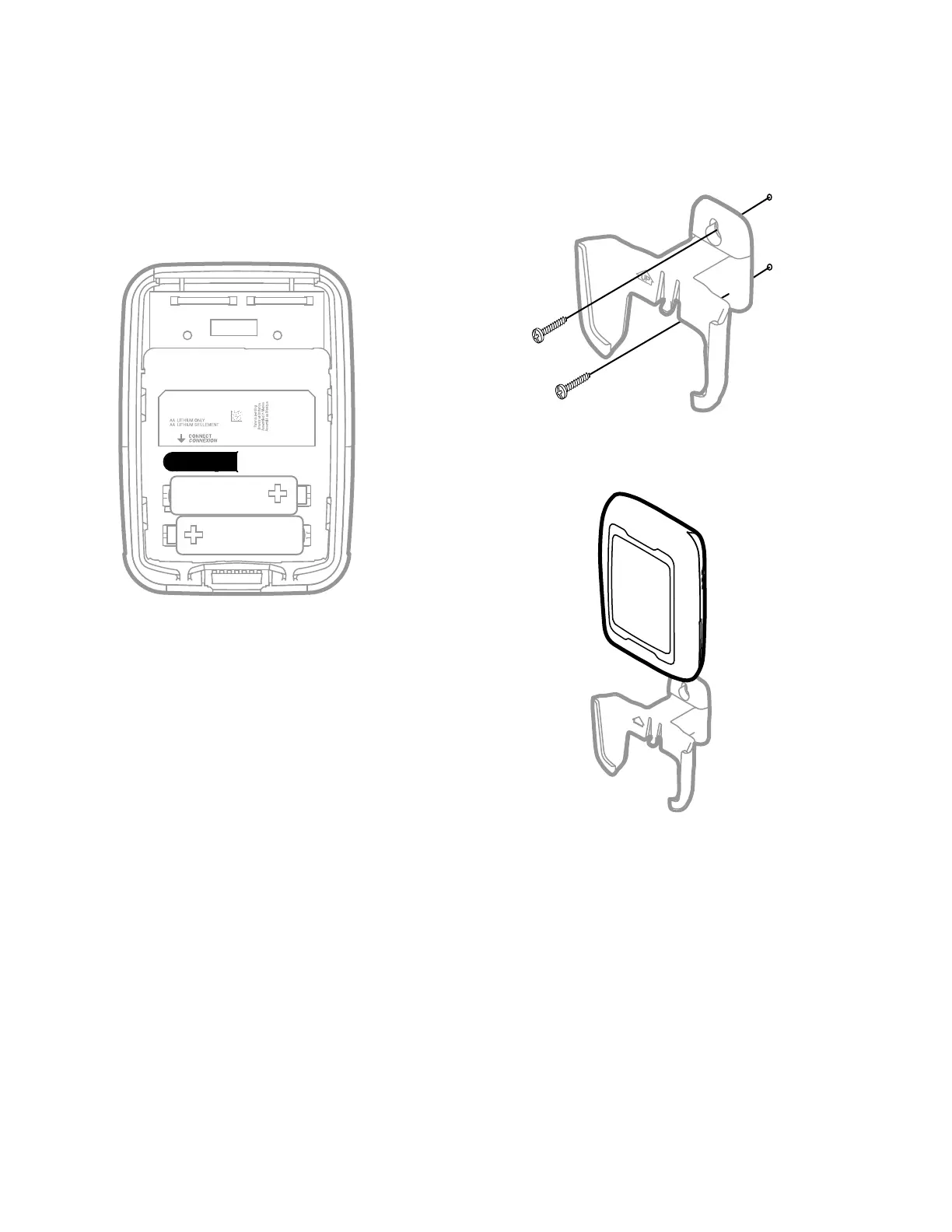
When the T10+ thermostat is in the wireless setup mode and
prompts you to do so, press and quickly release the
CONNECT button on the Wireless Outdoor Sensor. After a
short delay (up to 15 seconds), the thermostat will display
“Wireless Outdoor Sensor Added.”
Fig. 59. Wireless outdoor sensor connect button
Mount Outdoor Sensor
1. Mount the sensor on a vertical exterior wall, at least 6
inches below any overhang. Choose a location
protected from direct sunlight.
Fig. 60.
2. Place sensor securely in bracket, facing away.
Fig. 61.
M28492B
UP


 To Next Page
 Loading...