Assembly Instructions 6
► If necessary, install or update to the next enSuite on the work computer
( enSuite installation guide
8
).
► Read out the enCore FC device's parameterization with enSuite.
► Disconnect the power supply.
► Remove all the external cable connections from the device.
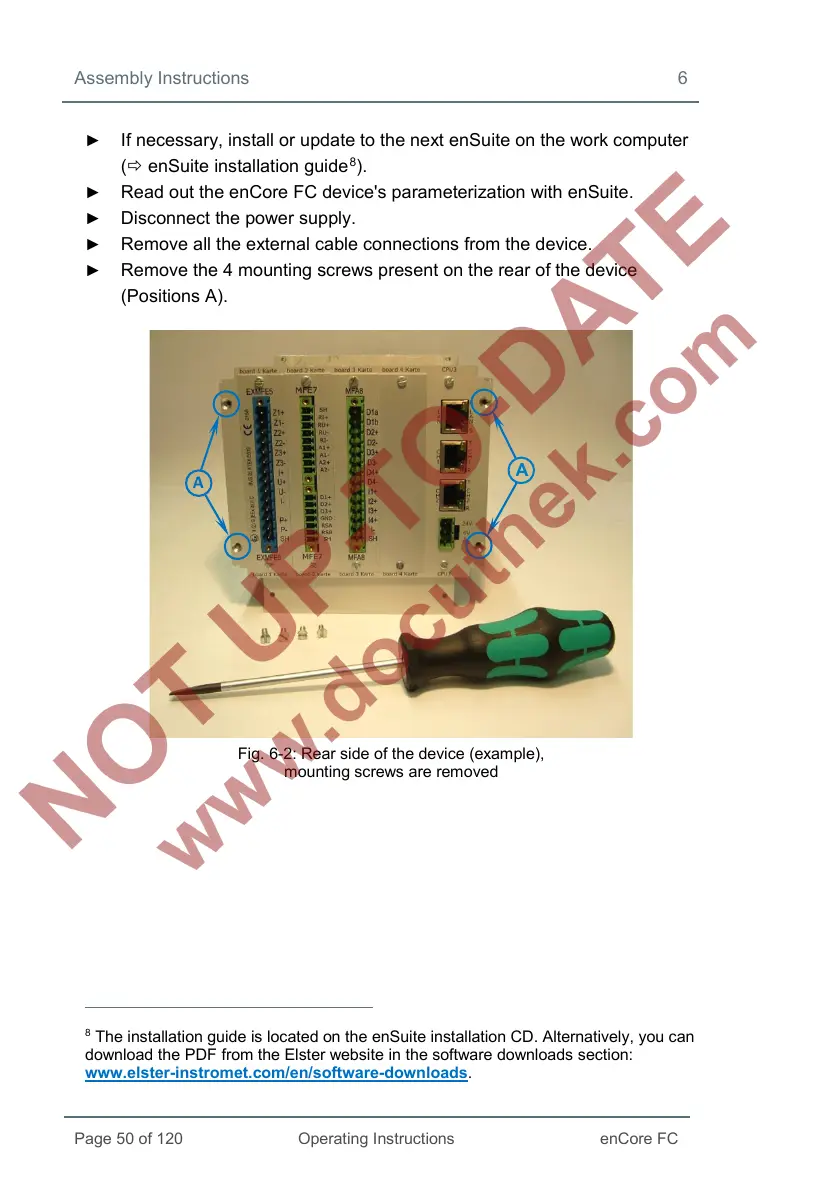
► Remove the 4 mounting screws present on the rear of the device
(Positions A).
Fig. 6-2: Rear side of the device (example),
mounting screws are removed
8
The installation guide is located on the enSuite installation CD. Alternatively, you can
download the PDF from the Elster website in the software downloads section:
www.elster-instromet.com/en/software-downloads.


 To Next Page
 Loading...




