NFS2-3030 Programming Manual — P/N 52545:K1 03/20/2012 29
Panel Program Program
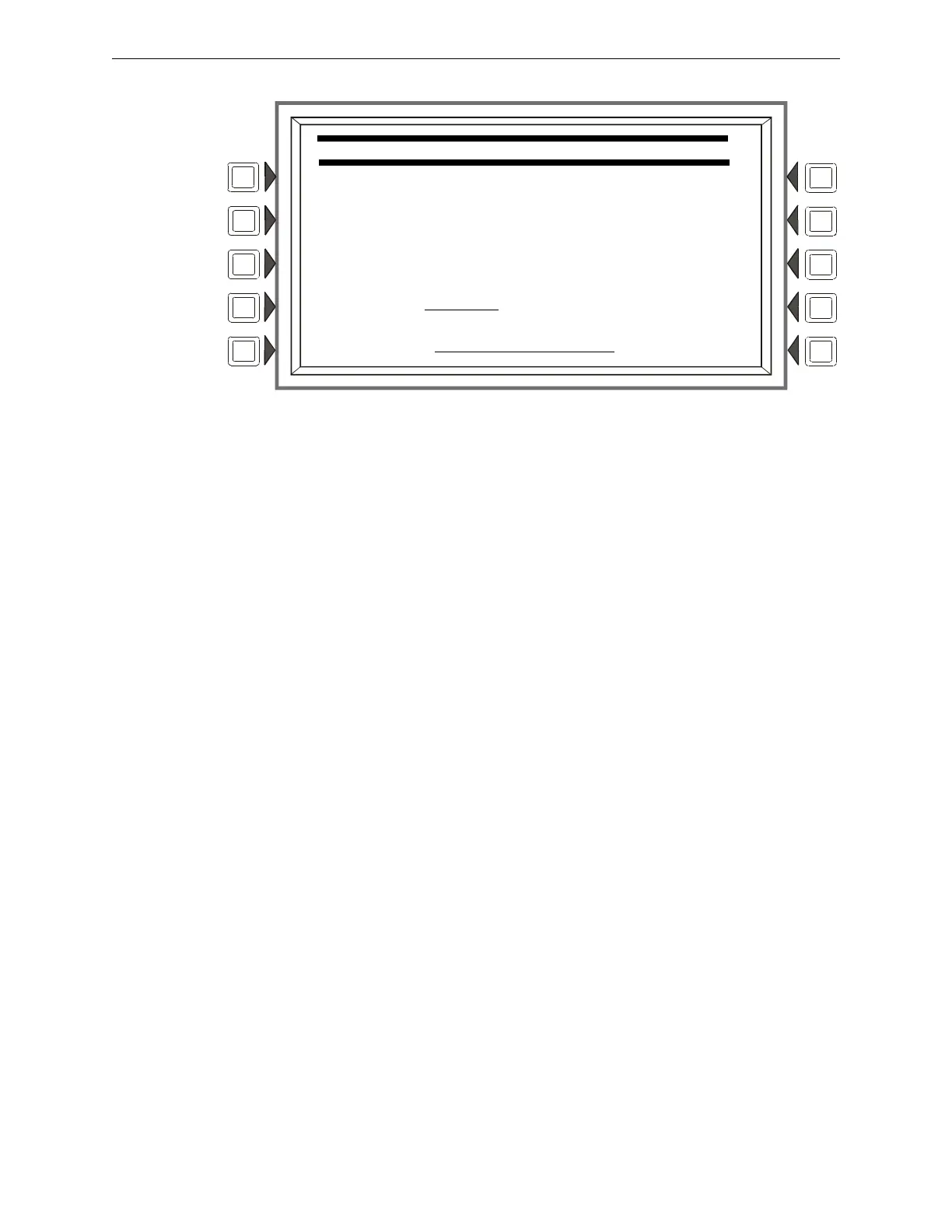
Figure 3.16 LCD Display Screen
Soft Keys
BRIGHTER: Press this s
oft key to increase contrast. The intensity will increase by approximately
5% with each press of the key.
DARKER: Press this
soft key to decrease contrast. The intensity will decrease by approximately
5% with each press of the key.
LANGUAGE: Press this so
ft to choose the language that will display on the LCD. Menu choices are
ENGLISH, HEBREW, PORTUGUESE and SPANISH.
To change the language display o
n an LCD-160, refer to Section 5.3.1, “LCD-160 Download
Menu”, on page 88.
BACKLIGHT: Press th
is soft key to select one of the following backlighting options: ON EXCEPT
AC FAIL, OFF, or ON. When ON EXCEPT AC FAIL is selected, the backlight will turn off when
the power supply experiences AC failure.
Default: ON
DEFAULT: Press to select th
e factory default setting (40%).
CURRENT:Press
to select the intensity that was in effect when the screen was accessed.
ACCEPT: Line 5 (whi
ch displays LCD INTENSITY: 50% in the figure above) will change
value when the INTENSITY soft keys are pressed. Press ACCEPT to save the desired setting.
3.2.8 ACS Programming
An ACS device is a remote device used by the panel to annunciate certain system messages, and/or
to act with limited commands. A total of 32 annunciator devices may be present on the EIA-485
ACS circuit; however, some devices have associated expander devices, and an NFS2-3030 ACS
circuit can accommodate up to 3,072 annunciator points. The ACS Programming and ACS Point
LCD PROGRAMMING
LCD INTENSITY: 50%
BRIGHTER DEFAULT
DARKER CURRENT
LANGUAGE: ENGLISH ACCEPT
BACKLIGHT ON EXCEPT AC FAIL BACK


 To Next Page
 Loading...