58 NFS2-3030 Programming Manual — P/N 52545:K1 03/20/2012
Program Point Program
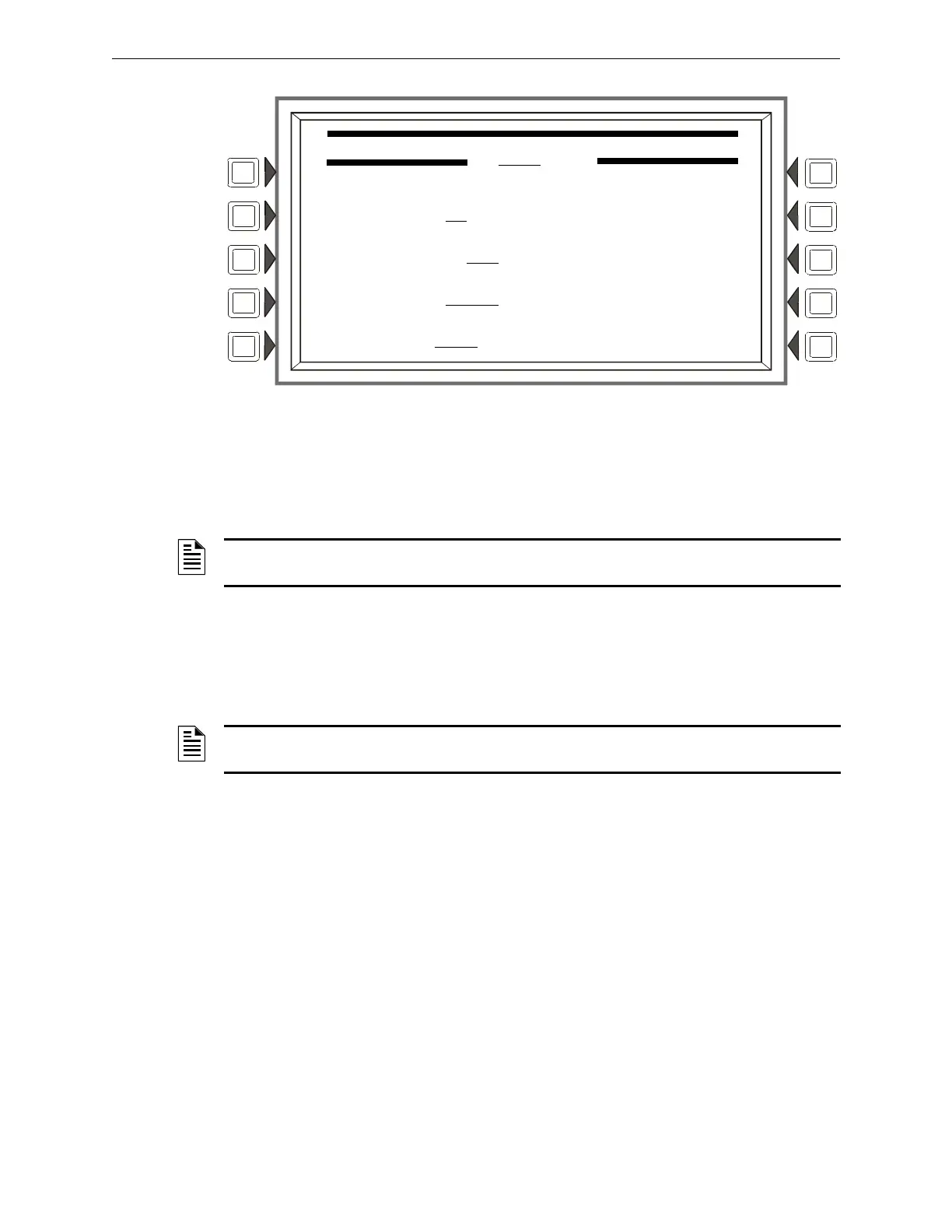
Figure 3.47 Releasing Zone Programming Menu Screen
Refer to Appendix B, “Releasing Applications” for a full explanation of the fields below.
Soft Keys
DELAY TIME: Press this soft
key to type a value from 0 to 60 (seconds). Default 00
ABORT SWITCH: Press thi
s soft key to scroll through the selection list of ULI, IRI, NYC, or
AHJ. Default:ULI
CROSS ZONE: Press to scrol
l through the selection list of YES, NO, ZONE, HEAT. Default: NO.
SOAK TIME: Press to
type a value from 0 to 9999 (seconds). Default: 0000
3.4.5 Logic Zone
Logic Zone Programming
This screen displays when a logic zone is entered at the Point Programming Menu (see Figure 3.31
on page 43).
The logic equation for that zone will display in line 6. Line 4 indicates the current state of the
logic
zone (ON or OFF). If there is no equation at the logic zone number entered, nothing will display in
lines 4 and 6, and the user must press the EDIT EQUATION soft key to proceed to the next screen
and enter an equation.
Refer to Appendix E, “CBE: Zones and Equations” for information on how to create a logic
equation, and how logic equations operate.
RELEASING ZONE PROGRAMMING MENU
ZR08
DELAY TIME: 00
ABORT SWITCH: ULI
CROSS ZONE: NO ACCEPT
SOAK TIME: 0000 BACK
NOTE: The FCM-1-REL has an inherent two second delay, which must be factored into the DELAY
TIME entry.
NOTE: The FCM-1-REL has an inherent two second delay, which must be factored into the SOAK
TIME entry.


 To Next Page
 Loading...