NFS2-3030 Programming Manual — P/N 52545:K1 03/20/2012 43
Point Program Program
The cursor will appear in the date fields, and may be moved using the keyboard arrow keys. Type to
add/edit any holiday dates.
Soft Keys
ANY YEAR: Press
to place asterisks in the YY section of the field. An asterisk denotes any year.
NEXT/PREVIOUS SELECTION: Press to view
the next or previous group of five holidays.
ACCEPT: Press to
save changes to the date fields and to return to the Panel Program Menu.
3.4 Point Program
The Point Program menu allows the programmer to enter/change point information for detectors,
modules, and general, releasing, logic and trouble zones.
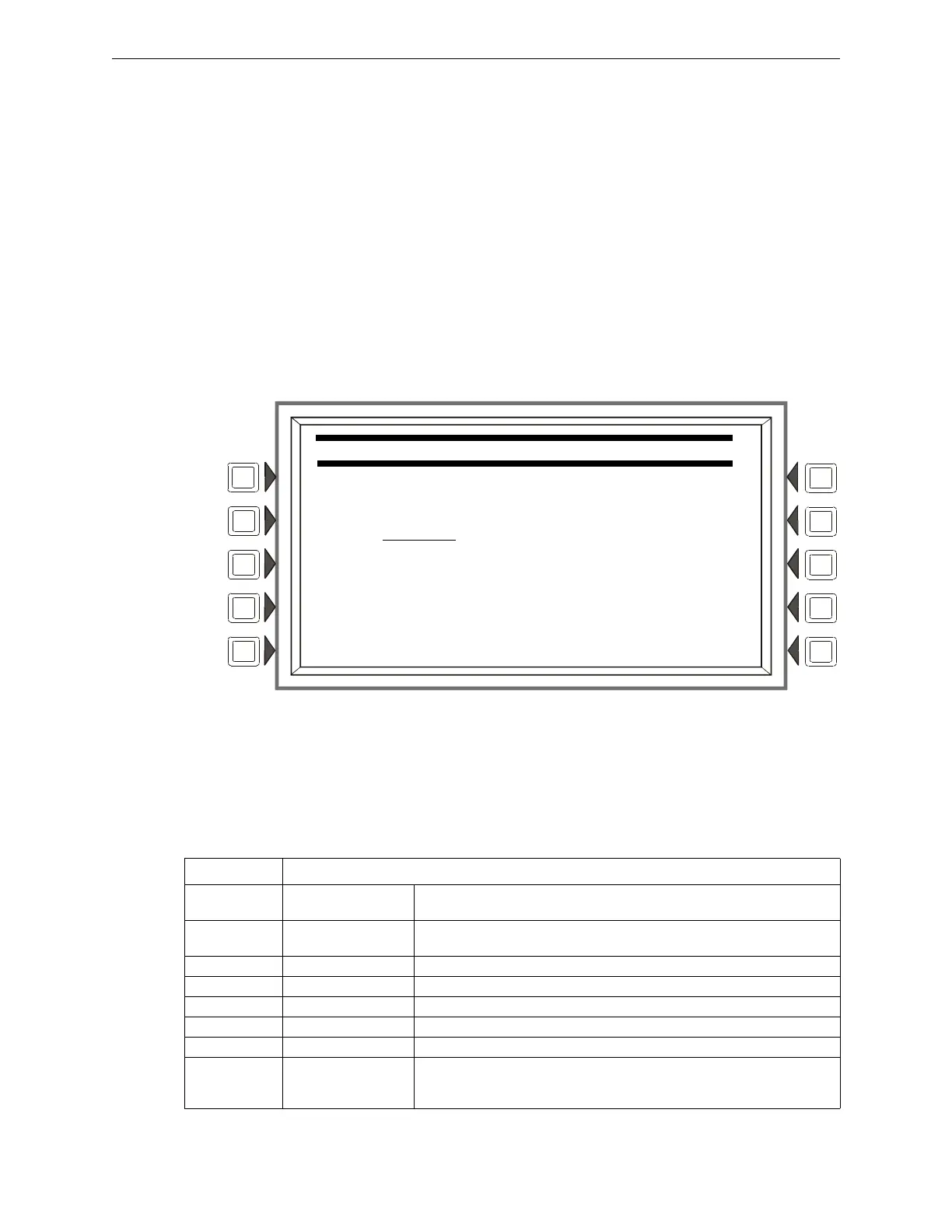
Press the Point Programming Menu soft key of the Program/Alter Status Menu to display the
screen below.
Figure
3.31 Point Program Menu
Soft Keys
POINT SELECT:
Press unt
il the desired point type appears. The types - DETECTOR, MODULE,
GENERAL ZONE, LOGIC ZONE, TROUBLE ZONE, ACS BOARD, or DAA or DVC - appear in the
parenthesis after the point formats. Enter the desired point address in the format field. Formats are
illustrated in Table 3.6.
POINT PROGRAM MENU
POINT SELECT:
LyyDzzz (DETECTOR)
NEXT POINT ACCEPT
PREVIOUS POINT BACK
Type Address Format
DETECTOR LyyDzzz L=Loop, yy=Loop number (1-10)
D=Detector, zzz=Detector address (1-159)
MODULE LyyMzzz L=Loop, yy=Loop number (1-10)
M=Module, zzz=Module address (1-159)
GENERAL ZONE Zyyy Z=Zone, yyy=Zone number (0-999)
LOGIC ZONE ZLyyyy ZL=Logic Zone, yyyy=Logic Zone number(1-1000)
ANNUNCIATOR Axx + Custom Label A=Annunciator, Custom label
RELEASE ZONE Ryy R=Releasing Zone, yy=Releasing Zone number (00-09)
TROUBLE ZONE ZTyyy ZT=Trouble Zone, yyy=Trouble Zone number (1-100)
DVC/DAA NxxxAAyy N = Node, xxx=DVC or DVC-EM Node number, AA = DAA Audio Amplifier,
yy=DAA addres
s (01 through 32).
Note: When yy=00, the address format is the DVC or DVC-EM address.
Table 3.6 Address Formats


 To Next Page
 Loading...