SFP-5UD & SFP-10UD Series Manual— P/N 52879:C2 1/24/2012 121
Read Status Operating Instructions
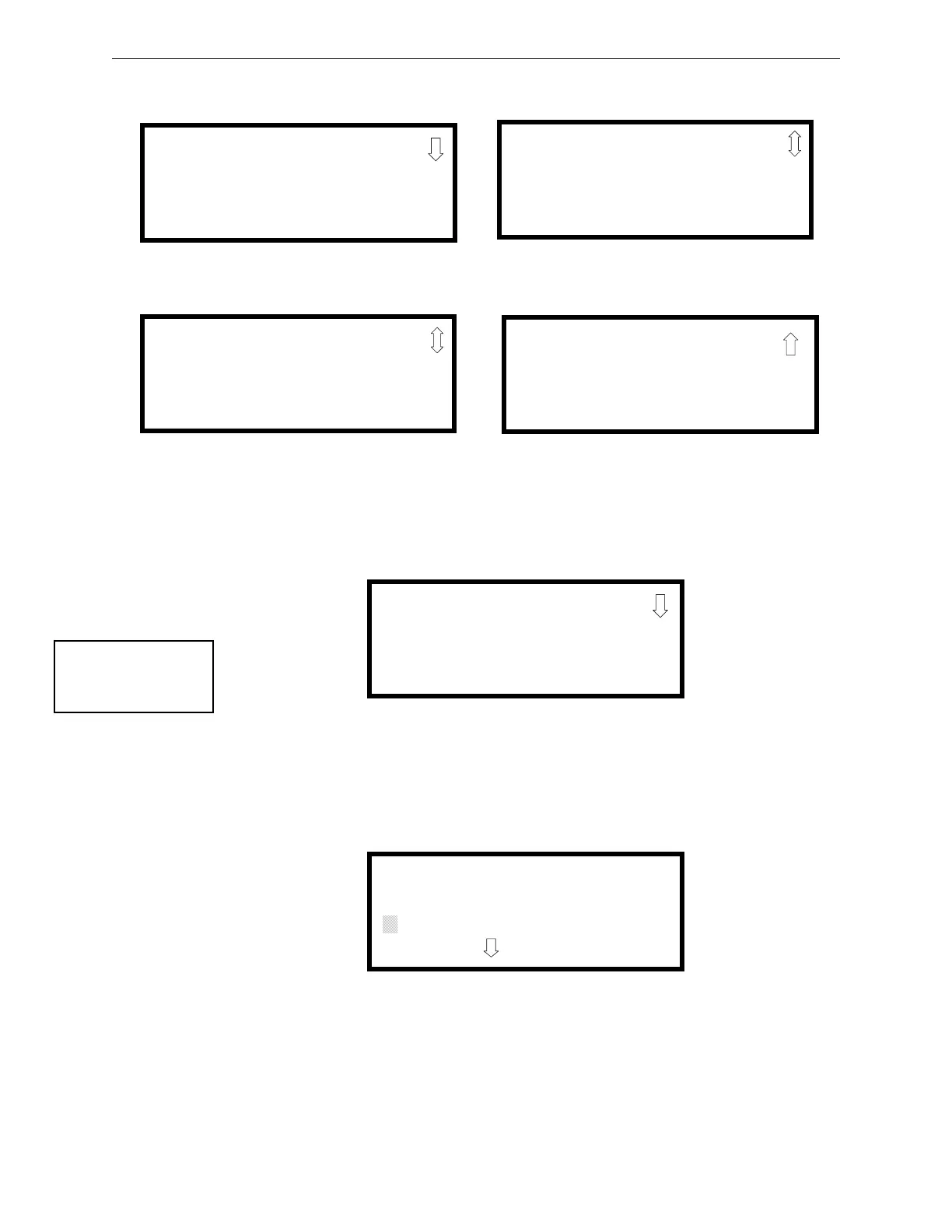
The following screens will be displayed:
4.19.1 Input Zones
Pressing 1 while viewing Read Status Screen #1 will cause the following screens to be displayed:
Pressing the down arrow key will allow the selection of Zones 4-5 for the SFP-5UD and Zones 4-
10 for the SFP-10UD.
The operator selects the zone which is to be viewed by pressing the number corresponding to the
desired zone in each screen. For example, if 1 is pressed, the display will change to a screen similar
to the following:
Pressing the down arrow key, while viewing the screen shown above, will allow the operator to
view additional programming information about the selected device, such as:
• Enable/Disable Status
• Device Type
• Alarm Verification On/Off (for detectors)
READ STATUS
1=INPUT ZONES
2=NACS
3=RELAYS
READ STATUS
1=SYSTEM SETTINGS
2=TIMERS
3=DAYLIGHT SAVINGS
Read Status Screen #1
Read Status Screen #3
READ STATUS
1=HISTORY
2=PRINTER
3=ANN-BUS
Read Status Screen #2
READ STATUS
1=CENTRAL STATION
2=PHONE LINES
3=SERVICE TERMINAL
Read Status Screen #4
READ STATUS
1=INPUT ZONES
2=NACS
3=RELAYS
Read Status Screen #1
INPUT ZONES
1=ZONE 1
2=ZONE 2
3=ZONE 3
PULL STATION
ZONE 1
PRESS TO VIEW


 To Next Page
 Loading...