Plum A+
®
Infusion Systems
430-95597-001 (Rev. 06/05) 5- 5
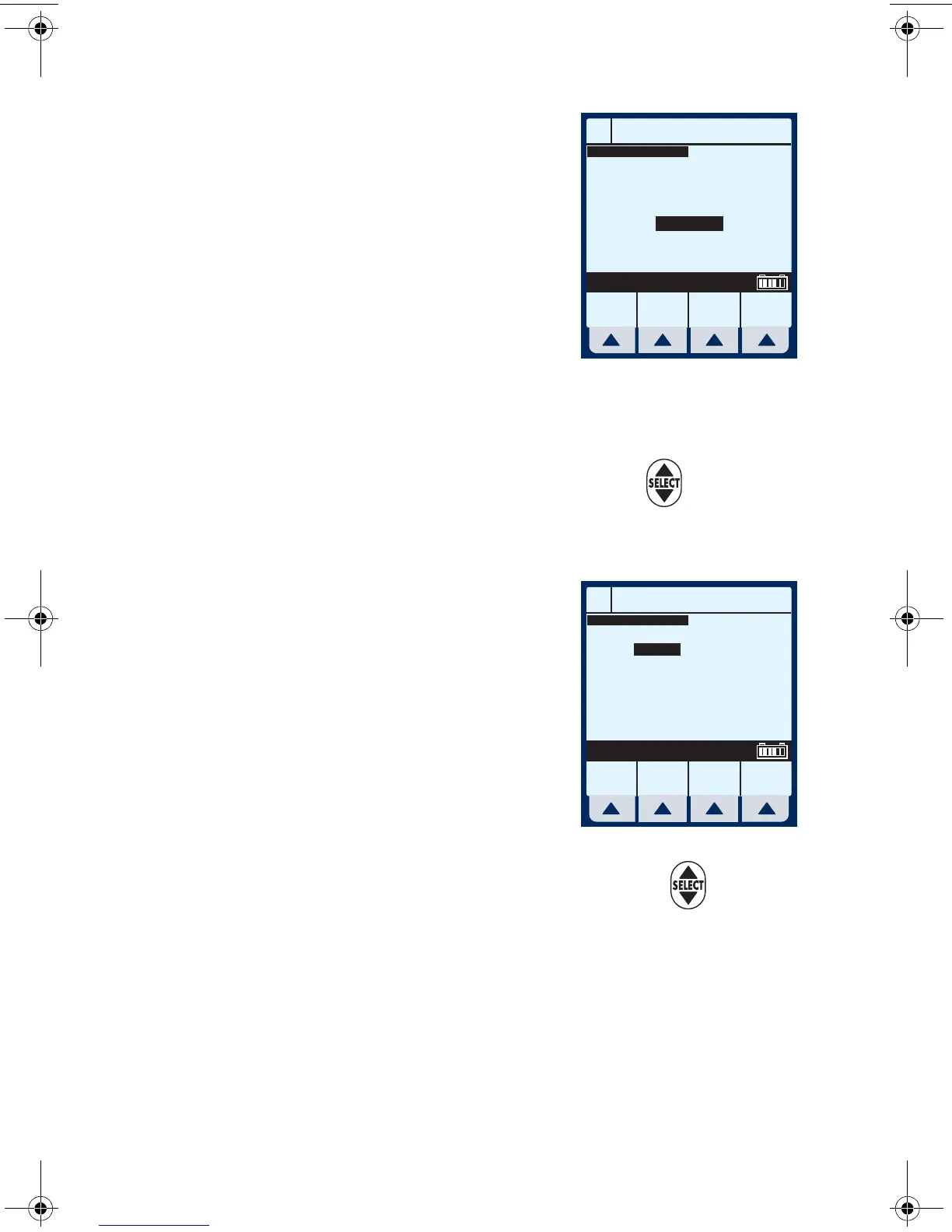
The Container Concentration
Selection screen appears
whenever the selected Dose
Units are gram-based (e.g.,
grams, mg, mcg, or ng),
otherwise this screen is
skipped.
NOTE: Cursor defaults to package
insert (or hospital) recommended
concentration units associated with
the selected drug.
7 Select
[Choose] to continue. Or, use to change
the Container Concentration units to use in the
delivery.
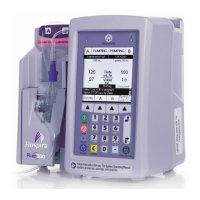
The next page of the Program
Dose Calc screen appears to
provide for entry of delivery
program parameters.
The Concentration and Volume
fields are filled in per drug
selection.
8 Use keypad to enter desired
values. Once each value is entered, use to
highlight the next programming field.
NOTE: The Concentration elements and weight value must be
entered before the [SELECT] key allows access to remaining
fields.
A
Program Dose Calc
Choose Back
Select, then Choose
Drug Conc in Container
mcg
mg
grams
DOPamine
A
Program Dose Calc
Program
Options
Cancel/
Back
Enter value using keypad
Conc
Weight
400
70
mg
kg
250 mL
Dose
VTBI
Duration
Rate
0
0
00: 00
0
mcg/kg/min
mL
hr : min
mL/hr
DOPamine
sec05.fm Page 5 Wednesday, June 8, 2005 8:31 AM


 To Next Page