For Systems With Hospira MedNet
TM
Software
5- 6 430-95597-001 (Rev. 06/05)
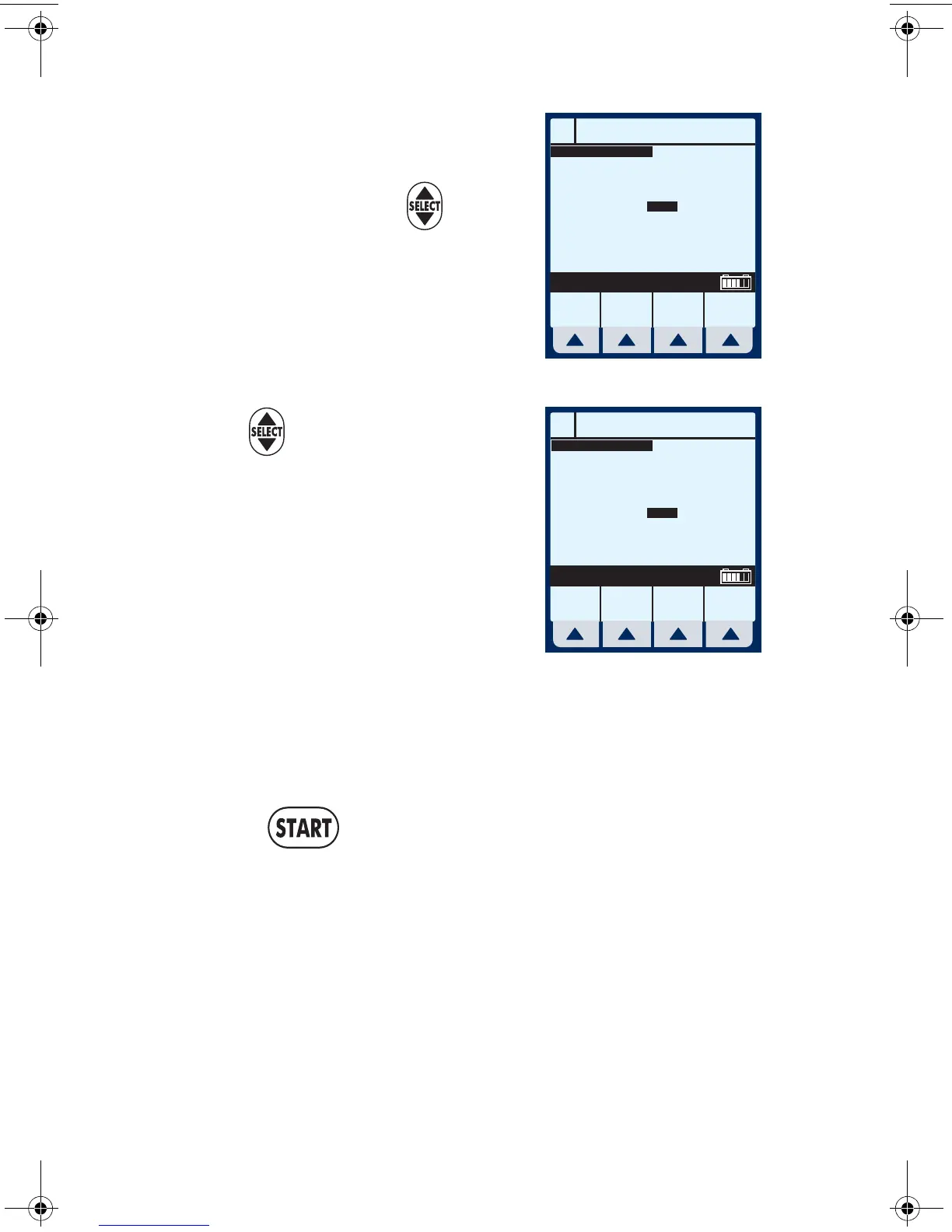
9 Continue to enter values using
the keypad, and advancing to
the next field using .
NOTE: As the Dose value is entered,
the Rate is automatically calculated.
To understand the Automatic
Calculation feature, see Examples of
Automatic Calculation on page 6-10.
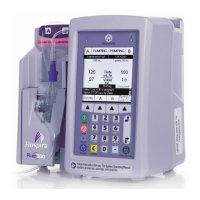
10 Use to scroll down to the
VTBI field.
11 Enter a value for VTBI using
the keypad.
NOTE: As the VTBI value is entered
or changes, Duration is automatically
updated.
NOTE: At this point, programming is complete unless
[Program Options] are desired. See Section 6, Additional
Features, for more information.
12 Press .
CAUTION: VERIFY ALL VALUES BEFORE STARTING INFUSION.
A
Program Dose Calc
Program
Options
Cancel/
Back
Enter value using keypad
Conc
Weight
400
70
mg
kg
250 mL
Dose
VTBI
Duration
Rate
10
0
00: 00
26.
3
mcg/kg/min
mL
hr : min
mL/hr
DOPamine
A
Program Dose Calc
Program
Options
Cancel/
Back
Enter value using keypad
Conc
Weight
400
70
mg
kg
250 mL
Dose
VTBI
Duration
Rate
10
250
09: 30
26.
3
mcg/kg/min
mL
hr : min
mL/hr
DOPamine
sec05.fm Page 6 Wednesday, June 8, 2005 8:31 AM


 To Previous Page