DESIG N IN SP IRATION
Ampero Tools
DRUM
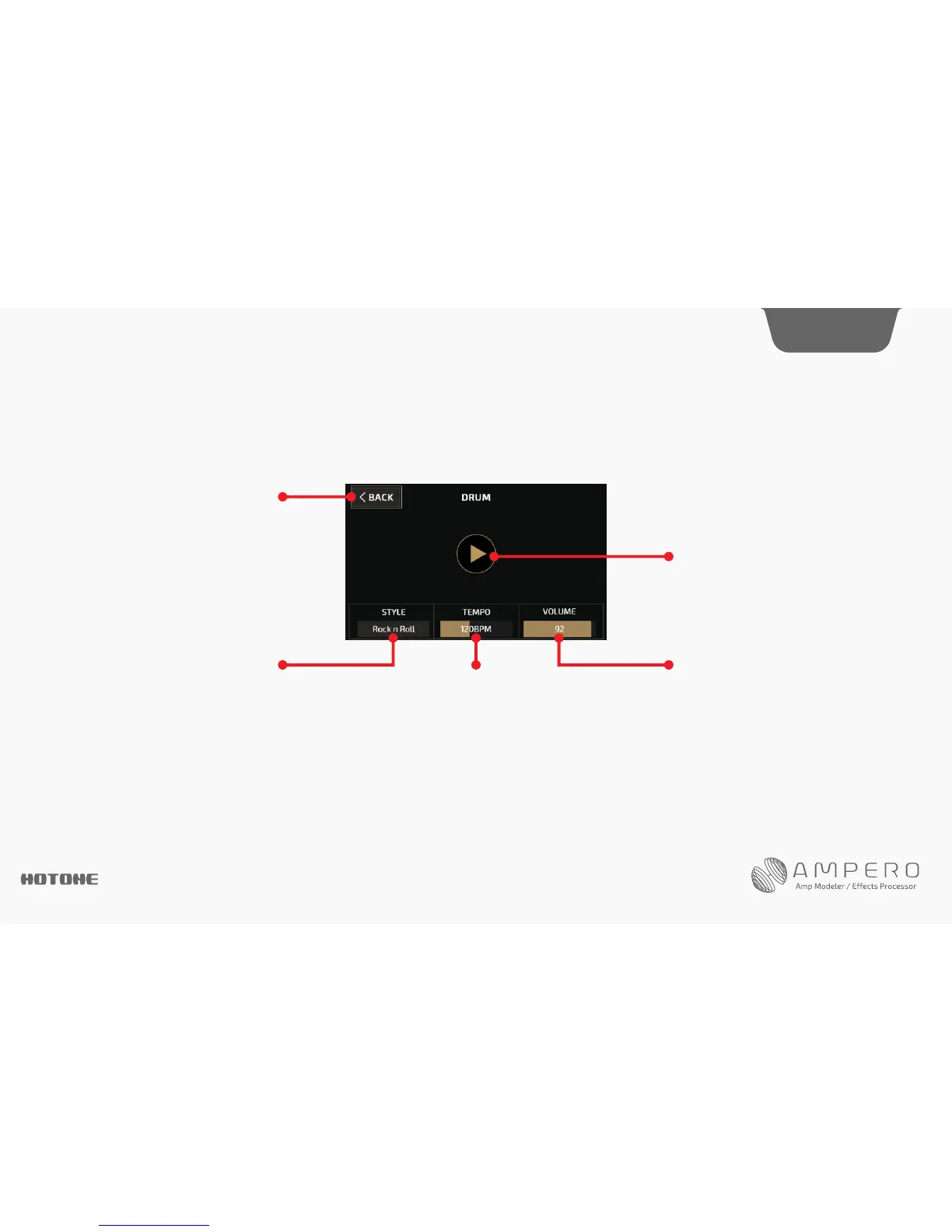
Select DRUM on the main screen to access the drum machine.
Quick access knob 1 scrolls between genre styles. Ampero has 100 drum styles. See page 75.
Quick access knob 2 adjusts the drum tempo, ranging from 40BPM-250BPM.
Quick access knob 3 adjusts the drum volume from 0-99.
Exit the drum machine menu by pressing BACK at the top left. Exiting the menu will not stop the drums from playing.
Exit the menu
Play/stopbutton
ControlsdrummachineoutputSelects a drum rhythm
Controlsdrumspeed
10




 To Next Page