DESIG N IN SP IRATION
SAVE
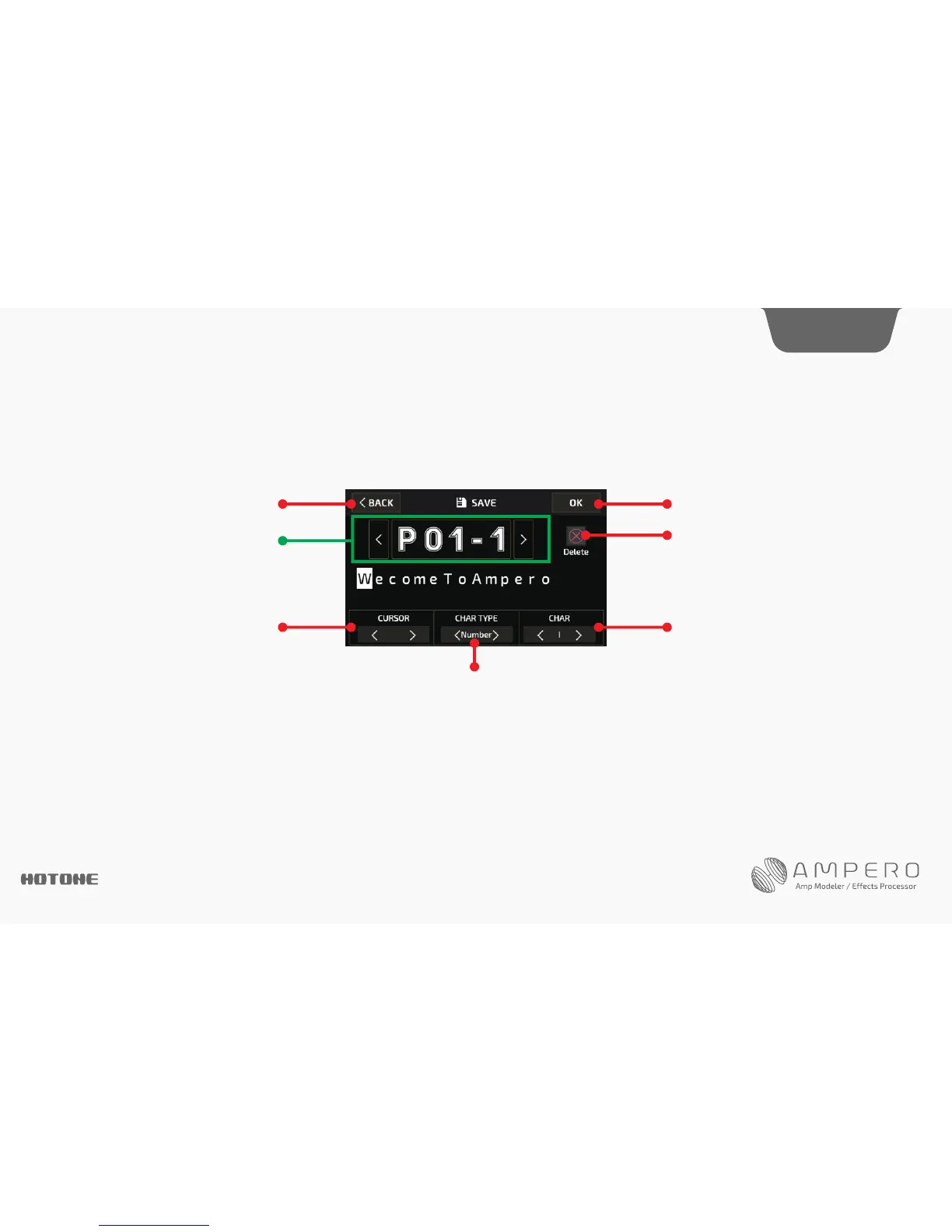
In the SAVE menu, you can save the changes your made to your effects parameters, control information, and other editable targets.
It is very important to save the changes you made to your tone and control settings!
Quick access knob 1 changes the position of the cursor.
Quick access knob 2 changes the type of character. There are four types of characters: numbers, capital letters, lowercase letters, and symbols (includes space).
Quick access knob 3 lets you select the character.
Press SAVE to save the setting or BACK to cancel saving.
Customizing Your Ampero
27
Cancel saving and exit Confirmsaving
Selectapatchlocationtosave
Deletesunwantedcharacters
Changesthecursorposition
Changesthetypeofthecharacter
Selectsthecharacter




 To Next Page