SETTINGS ON THE TECHNICIAN MENU
SERVICE MANUAL 33
Testing the Oven
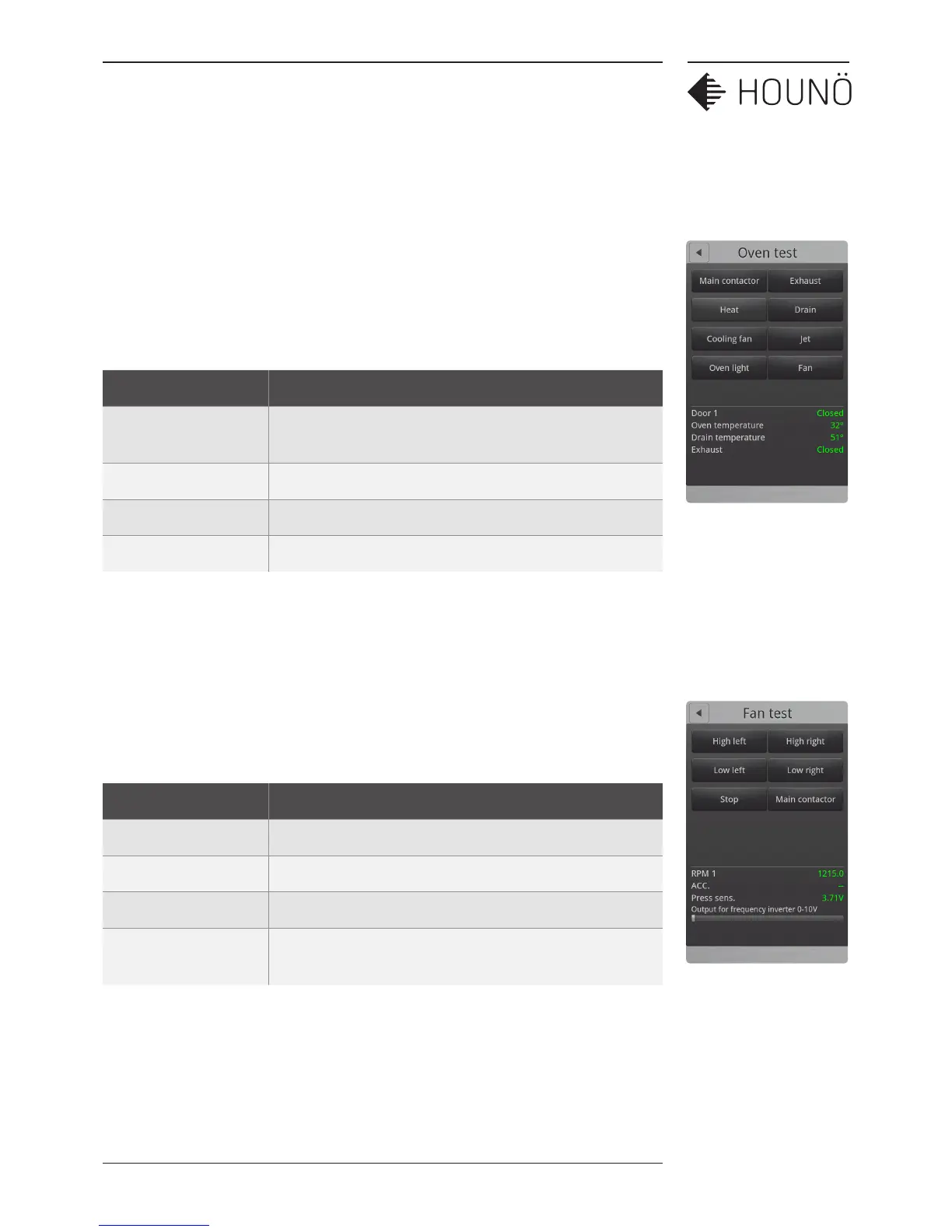
1. On the Technician display, touch Test functions, and then touch Oven.
2. Touch each button in turn to test the functions. The button turns green if the
component is active.
3. At the bottom of the display the status of a number of input functions is
displayed.
Value Description
Door 1 Displays whether the door is open or closed. Door 2 is only
displayed if the oven is a pass-through oven.
Oven temperature Displays the current temperature in the oven chamber.
Drain temperature Displays the current temperature in the drain.
Exhaust Displays whether the exhaust is open or closed.
Testing the Fan
1. On the Technician display, touch Test functions, and then touch Fan.
2. Touch each button in turn to test the fan. The status of each function is shown at
the bottom of the display. The button turns green if the component is active.
Value Description
RPM Displays fan revolutions per minute.
ACC. Displays the acceleration time.
Press sens. Displays the voltage of the ClimaOptima sensor
Output for frequency
inverter 0-10V
Controls fan speed.



 To Next Page