Access panel
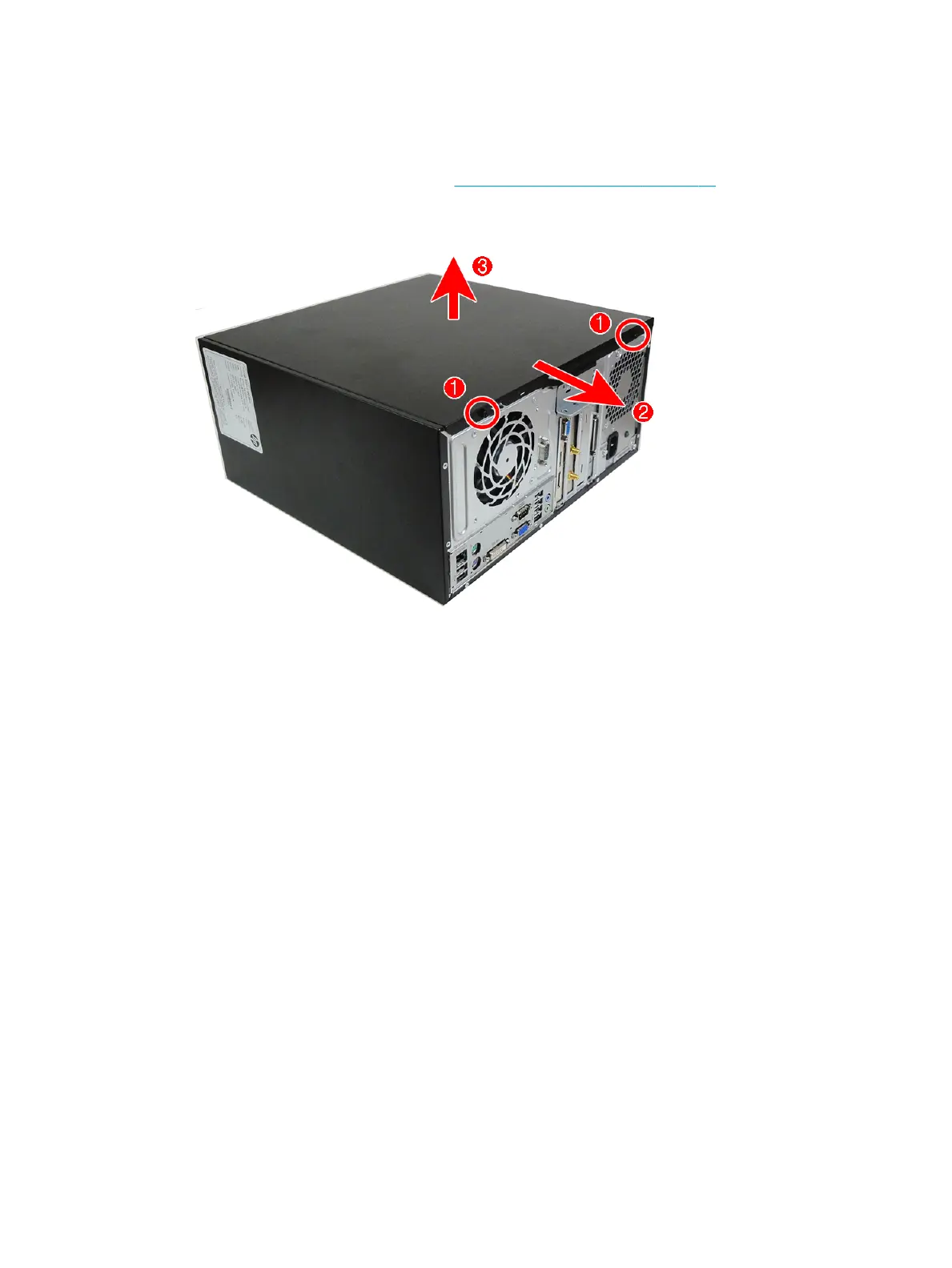
To access internal components, you must remove the access panel:
1. Prepare the computer for disassembly (Preparation for disassembly on page 14)
2. Remove the two screws that secure the panel to the chassis (1), slide the panel back to disengage it (2)
and then lift it o the computer (3).
To replace the access panel, reverse the disassembly procedures.
Access panel 15



 To Next Page