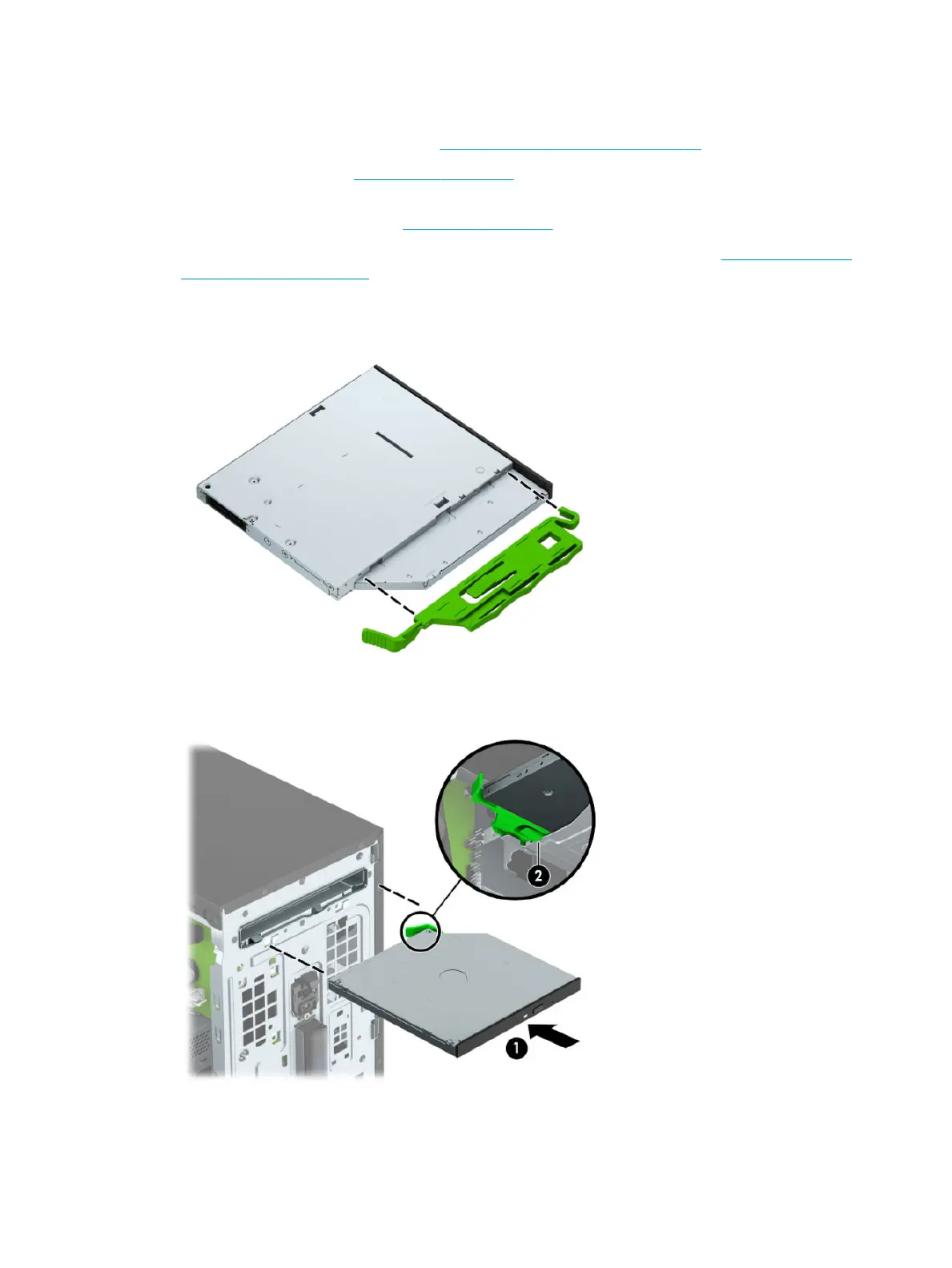
Installing a 9.5 mm slim optical drive
1. Prepare the computer for disassembly (Preparation for disassembly on page 14).
2. Remove the access panel (Access panel on page 15).
3. If you are installing a slim optical drive in a bay covered by a bezel blank, remove the front bezel and
then remove the bezel blank. See Front bezel on page 16 for more information.
4. Follow the instructions for removing the optical drive if one was installed. Refer to Removing a 9.5 mm
slim optical drive on page 27.
5. Align the small pin on the release latch with the small hole on the side of the drive and press the latch
rmly onto the drive.
6. Slide the optical drive through the front of the chassis (1) all the way into the bay so that the green latch
locks onto the chassis frame (2).
28 Chapter 4 Removal and replacement procedures – Microtower (MT) chassis



 To Next Page