Removing a 9.5 mm slim optical drive
1. Prepare the computer for disassembly (Preparation for disassembly on page 14)
2. Remove the access panel (Access panel on page 15)
3. Remove the front bezel (Front bezel on page 16)
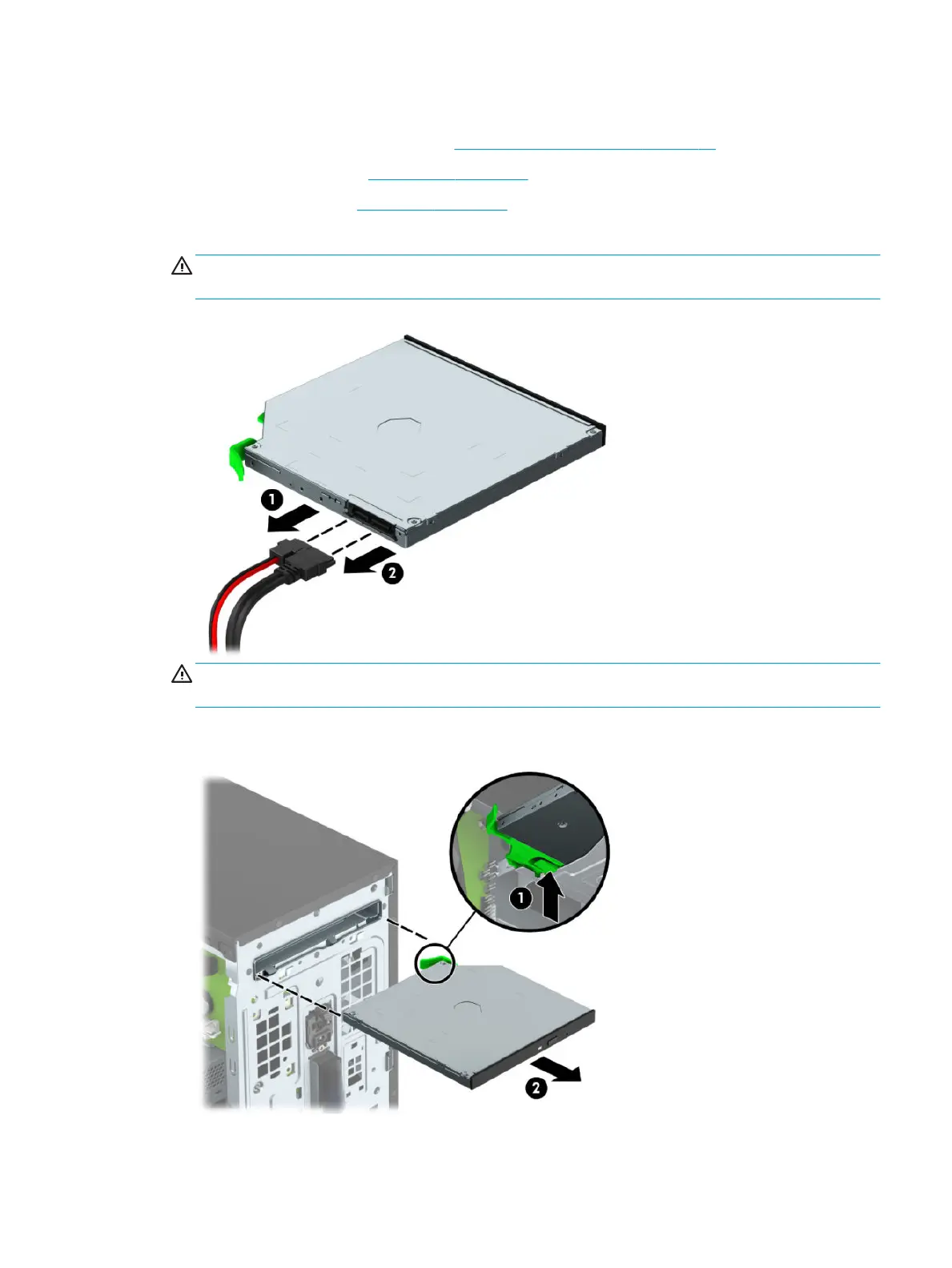
4. Disconnect the power cable (1) and data cable (2) from the rear of the optical drive.
CAUTION: When removing the cables, pull the tab or connector instead of the cable itself to avoid
damaging the cable.
CAUTION: When removing the cables, pull the tab or connector instead of the cable itself to avoid
damaging the cable.
5. Press upward on the green release latch on the underside of the drive (1), and then slide the drive out of
the drive bay (2).
Drives 27



 To Next Page