Rear chassis fan
1. Prepare the computer for disassembly (Preparation for disassembly on page 14).
2. Remove the access panel (Access panel on page 15).
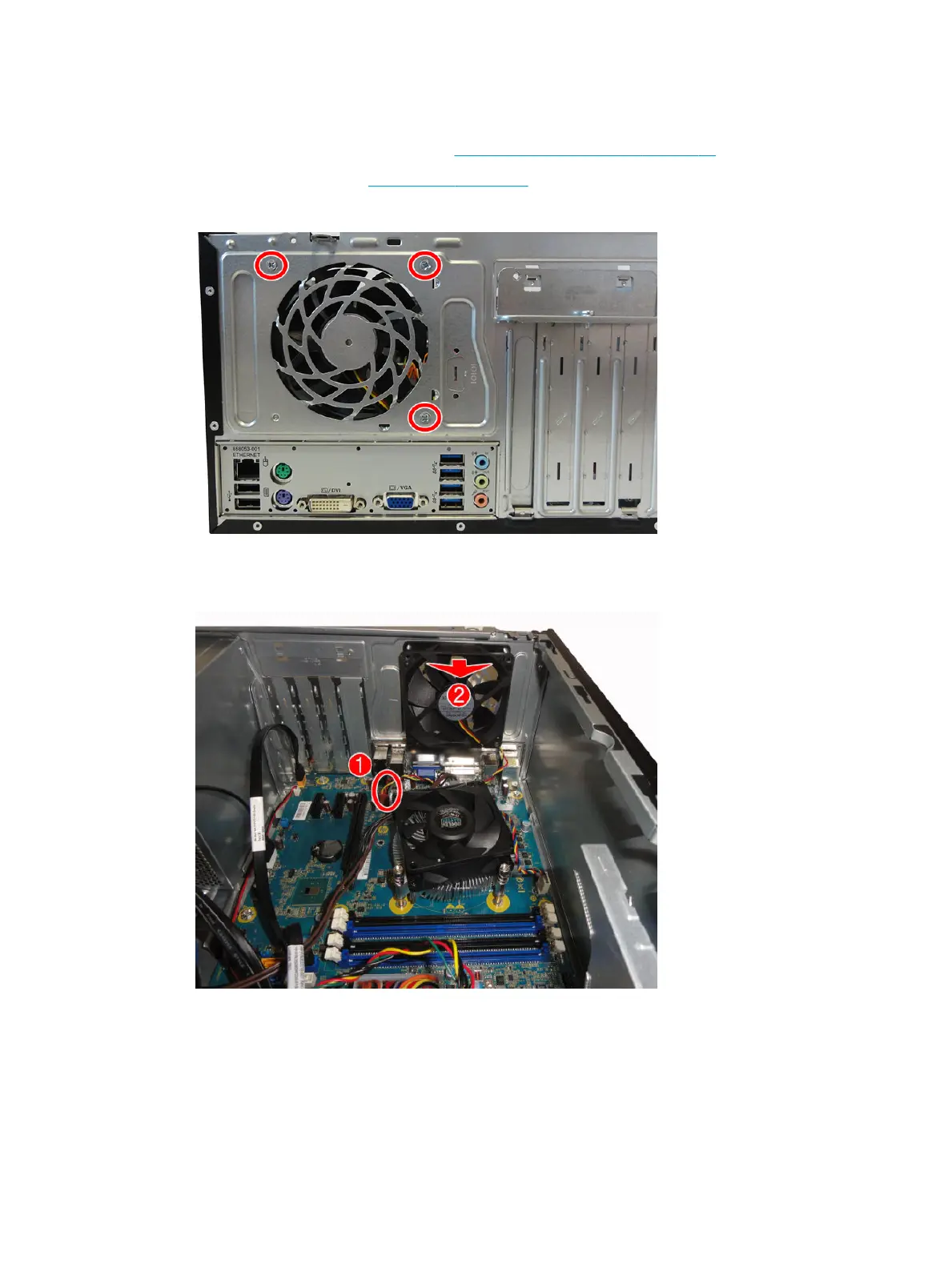
3. Remove the three silver Phillips screws that secure the fan to the rear of chassis.
4. Disconnect the fan control cable (1) from the system board connector labeled SYS_FAN.
5. Pull the fan away from the rear wall, and then lift the fan out of the chassis (2).
To install the fan assembly, reverse the removal procedure. Be sure to orient the air ow out of the unit.
Rear chassis fan 39



 To Next Page