1 Product features
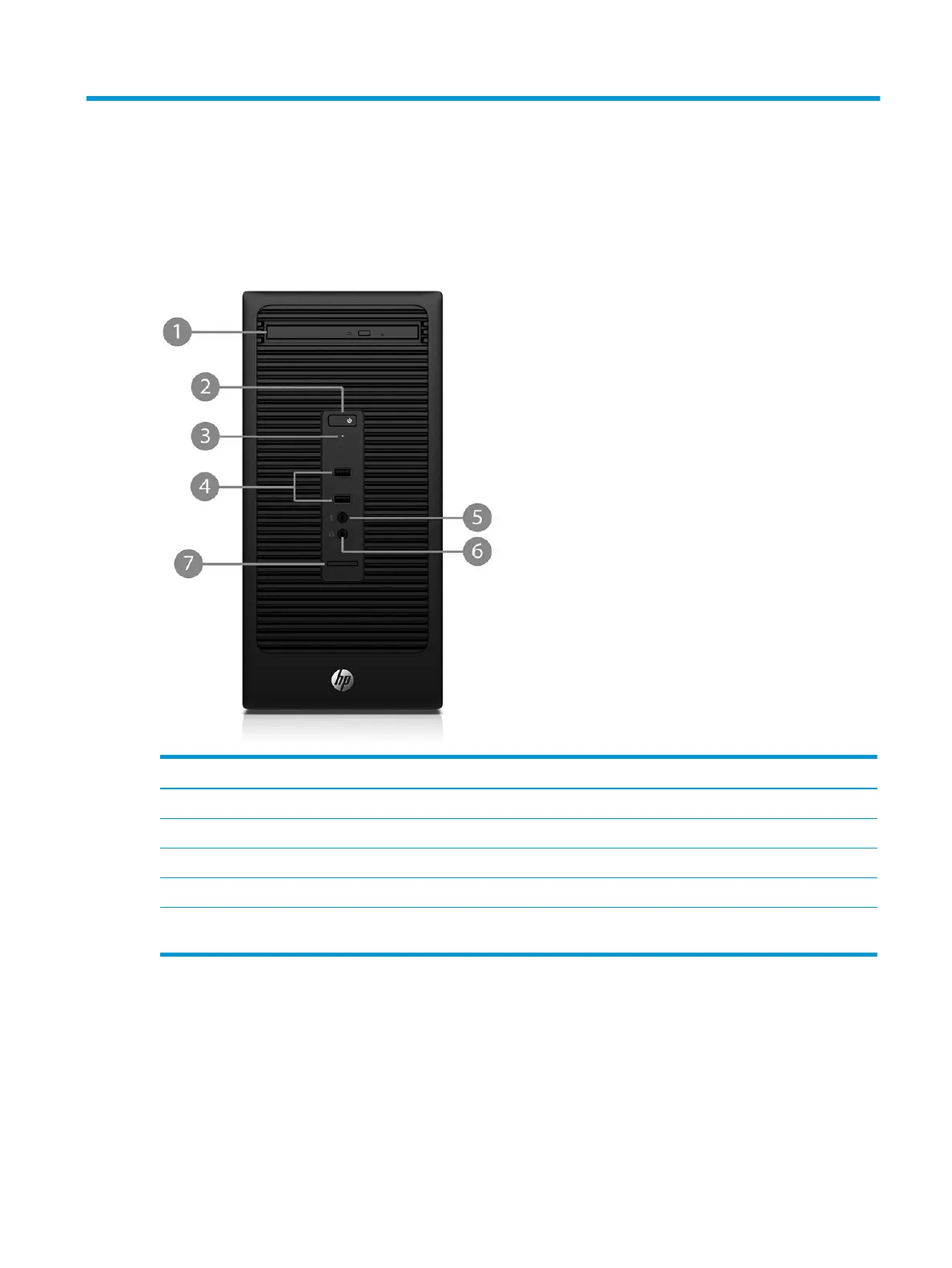
Front panel components
Drive conguration may vary by model. Some models have a bezel blank covering the optical drive bay.
Item Component Item Component
1 Slim optical drive (optional) 5 Microphone connector
2 Dual-state power button 6 Headphone connector
3 Hard drive activity light 7 SD card reader (optional)
4 USB 2.0 ports (2)
NOTE: The Power On Light is normally white when the power is on. If it is ashing red, there is a problem with the computer and it is
displaying a diagnostic code.
Front panel components 1



 To Next Page