Speaker
1. Prepare the computer for disassembly (Preparation for disassembly on page 14).
2. Remove the access panel (Access panel on page 15).
3. Remove the front bezel (Front bezel on page 16).
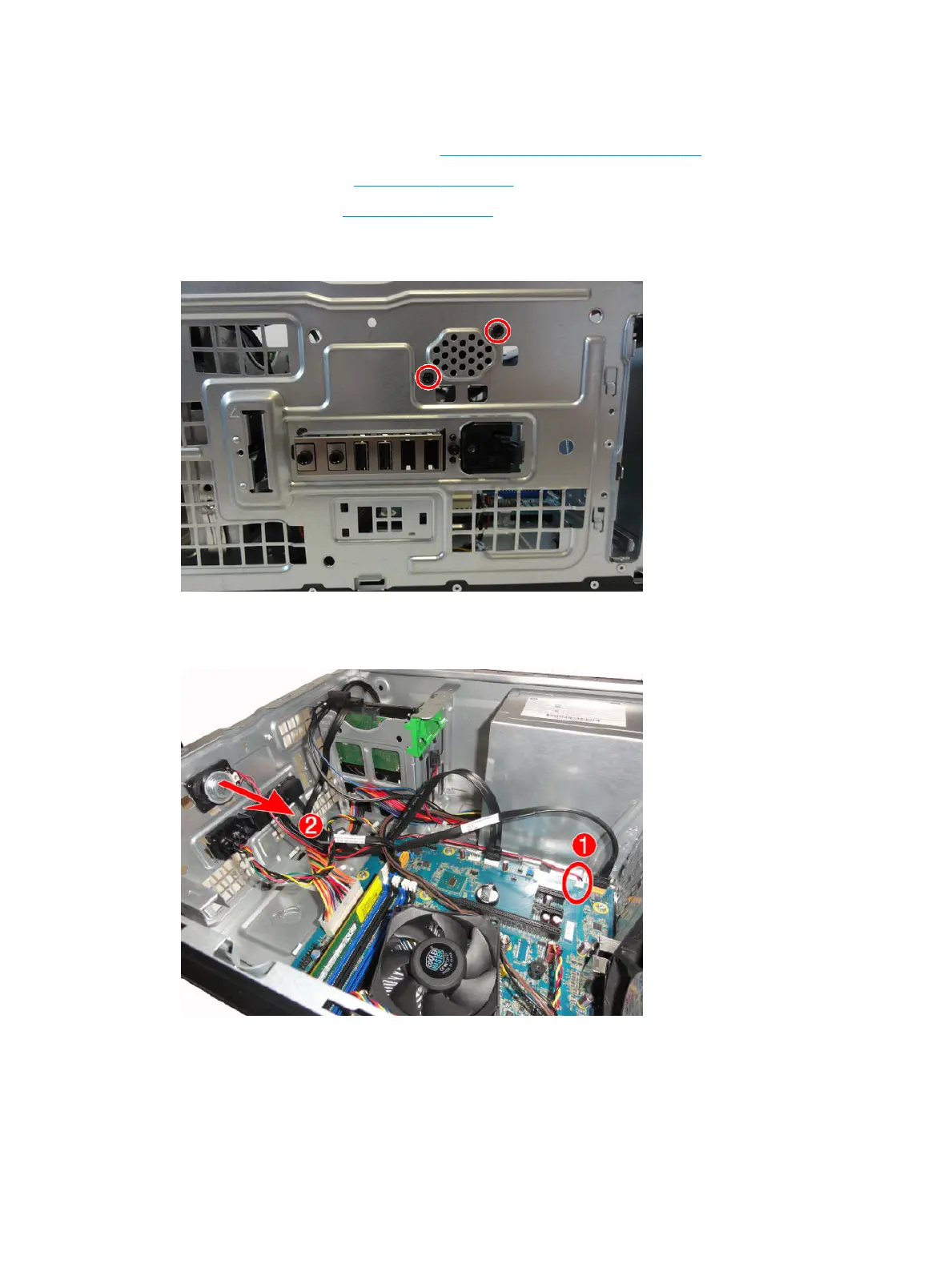
4. From the outside, front of the chassis, remove the two Torx T15 screws that secure the speaker to the
chassis.
5. Disconnect the speaker wire from the system board connector labeled INT_SPKR (1).
6. Remove the speaker from the chassis (2).
To replace the speaker, reverse the removal procedures.
38 Chapter 4 Removal and replacement procedures – Microtower (MT) chassis



 To Next Page