Removing a hard drive
NOTE: Before you remove the old hard drive, be sure to back up the data from the old hard drive so that you
can transfer the data to the new hard drive.
1. Prepare the computer for disassembly (Preparation for disassembly on page 14).
2. Remove the access panel (Access panel on page 15).
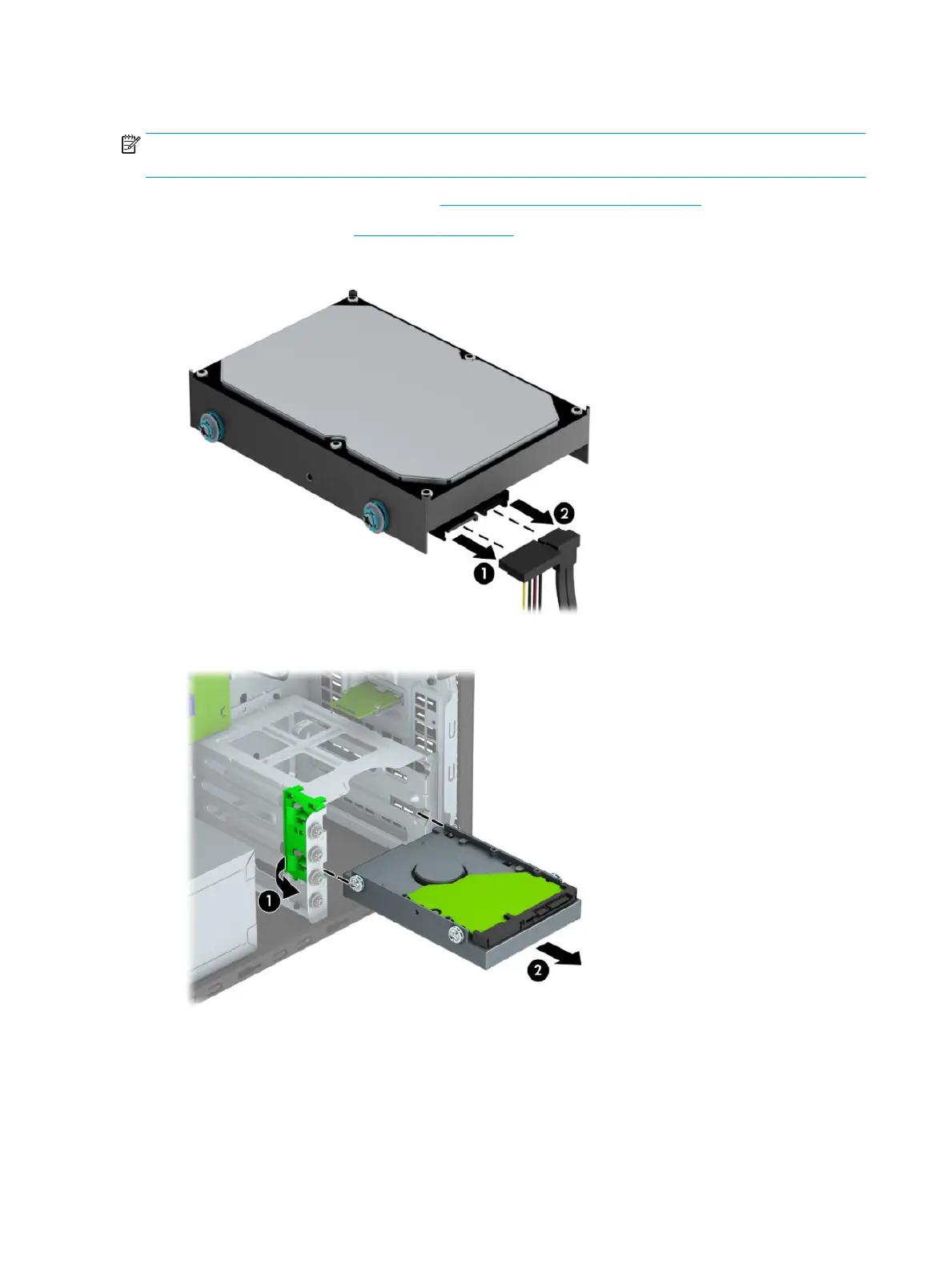
3. Disconnect the power cable (1) and data cable (2) from the rear of the hard drive.
4. Pull the green latch next to the drive outward (1) and slide the drive out of the bay (2).
30 Chapter 4 Removal and replacement procedures – Microtower (MT) chassis



 To Next Page