Power supply
Description
Power supply, 300W, APFC
Power supply, 300W, Energy Star
Power supply, 300W, ES6 bronze
1. Prepare the computer for disassembly (Preparation for disassembly on page 14).
2. Remove the access panel (Access panel on page 15).
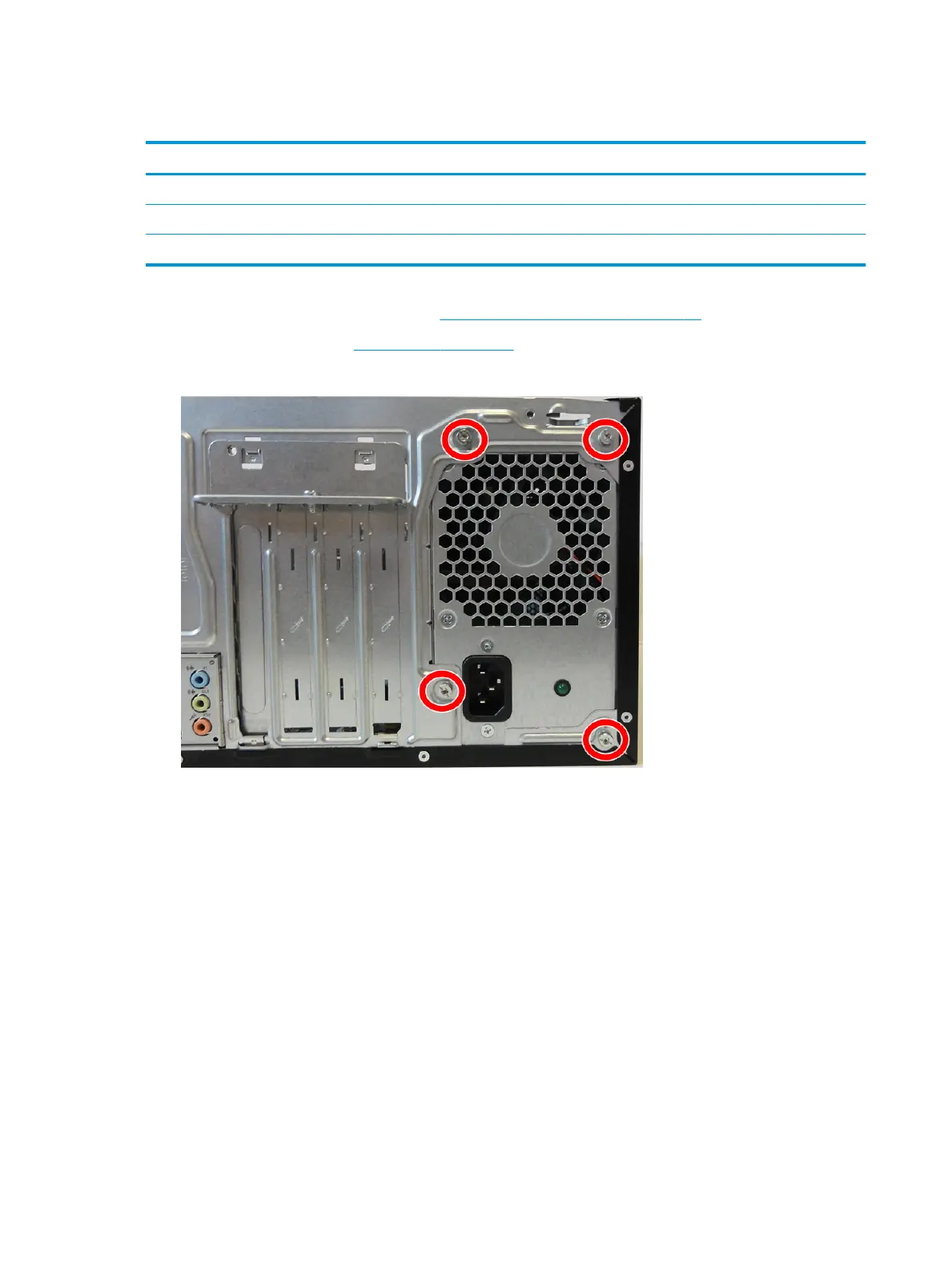
3. Remove the four silver Torx T15 screws that connect the power supply to the rear of the chassis.
4. Remove the power cable from the clip on the base pan.
5. Disconnect the power supply cable from the rear of the hard drive (1).
If an optical drive is installed, disconnect the power supply from the rear of the optical drive (not shown).
40 Chapter 4 Removal and replacement procedures – Microtower (MT) chassis



 To Next Page