Expansion cards
The computer has one PCI Express x1 expansion socket and two PCI Express x16 expansion sockets.
NOTE: You can install a PCI Express x1, x8, or x16 expansion card in the PCI Express x16 socket.
For dual graphics card congurations, the rst (primary) card must be installed in the PCI Express x16 socket
that is NOT downshifted to a x4.
To remove, replace, or add an expansion card:
1. Prepare the computer for disassembly (Preparation for disassembly on page 14)
2. Remove the access panel (Access panel on page 15)
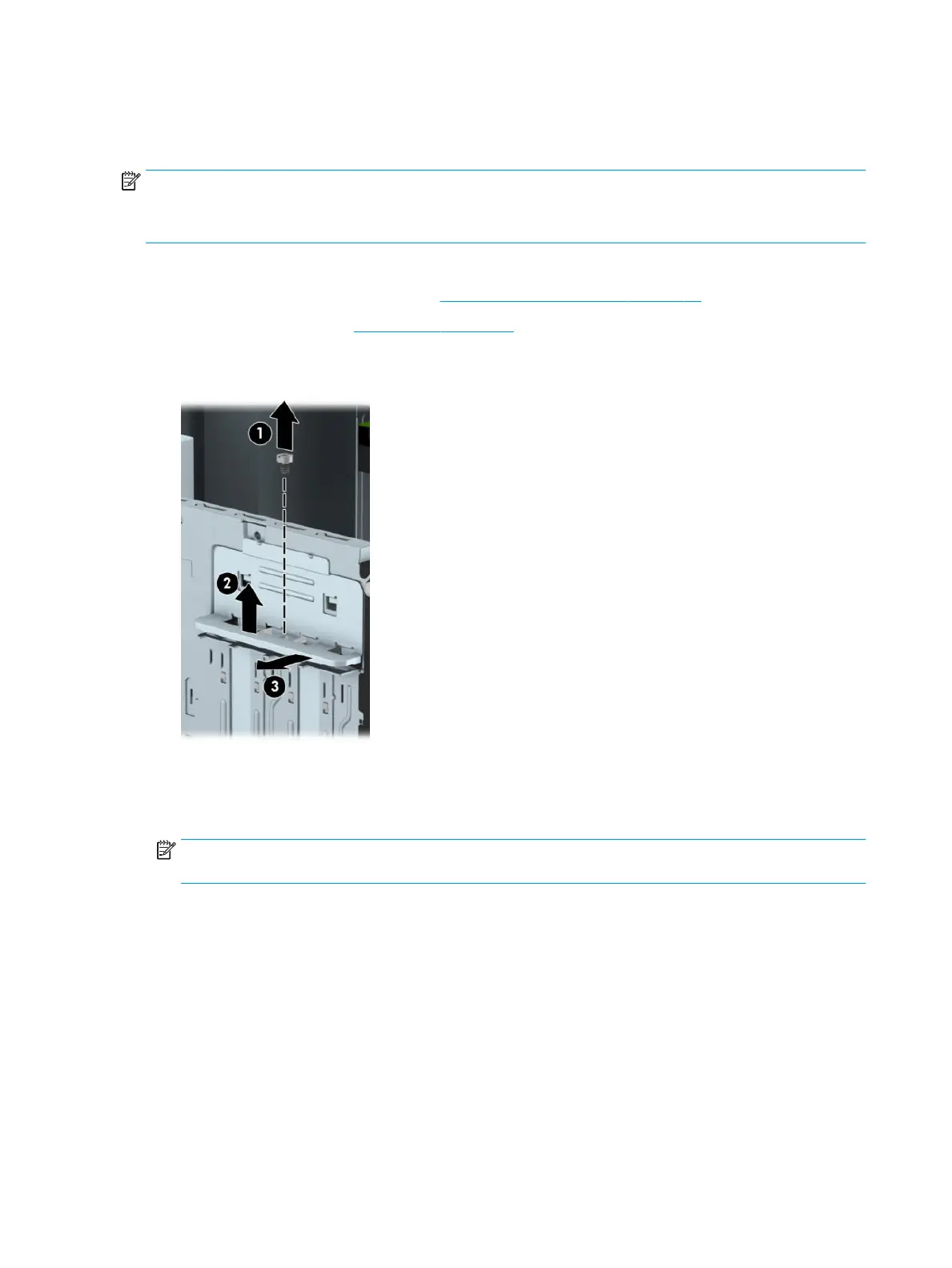
3. Release the slot cover retention latch that secures the slot covers by removing the Torx screw (1), sliding
the latch up (2), and pulling the latch away from the computer (3).
4. Locate the correct vacant expansion socket on the system board and the corresponding expansion slot
on the back of the computer chassis.
5. Before installing an expansion card, remove the expansion slot cover or the existing expansion card.
NOTE: Before removing an installed expansion card, disconnect any cables that may be attached to
the expansion card.
a. If you are installing an expansion card in a vacant socket, you must slide one of the expansion slot
covers up and out of the chassis or use a atblade screwdriver to pry out one of the metal shields
on the rear panel that covers the expansion slot. Be sure to remove the appropriate shield for the
expansion card you are installing.
22 Chapter 4 Removal and replacement procedures – Microtower (MT) chassis



 To Next Page