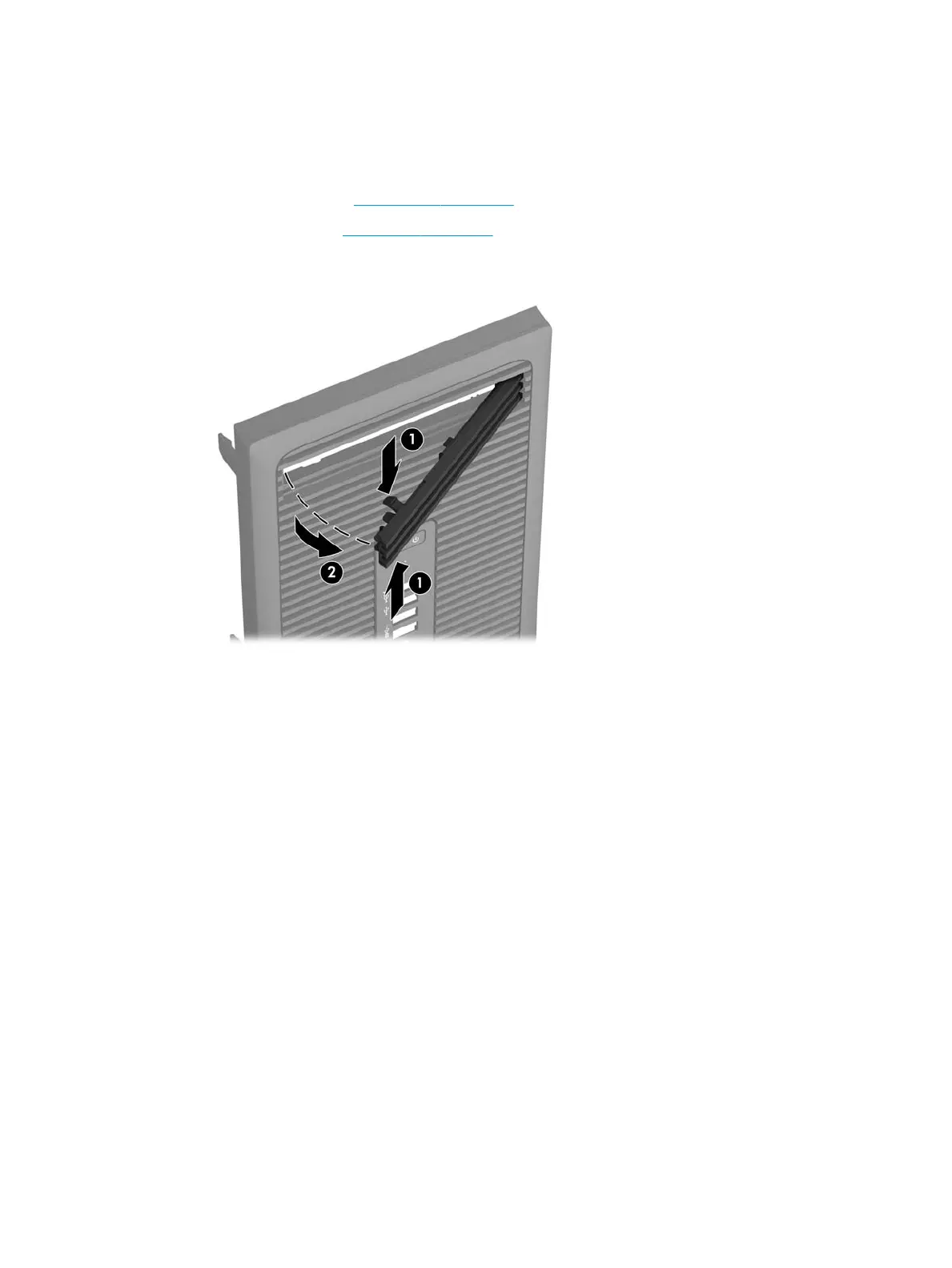
Slim optical drive bezel blank
On some models, there is a bezel blank covering the slim optical drive bay. Remove the bezel blank before
installing an optical drive. To remove the bezel blank:
1. Remove the access panel (Access panel on page 15)
2. Remove the front bezel (Front bezel on page 16)
3. To remove the bezel blank, press upward on the bottom tab and press downward on the top tab on the
side of the blank (1), and then rotate the blank o the front of the bezel (2).
18 Chapter 4 Removal and replacement procedures – Microtower (MT) chassis



 To Next Page