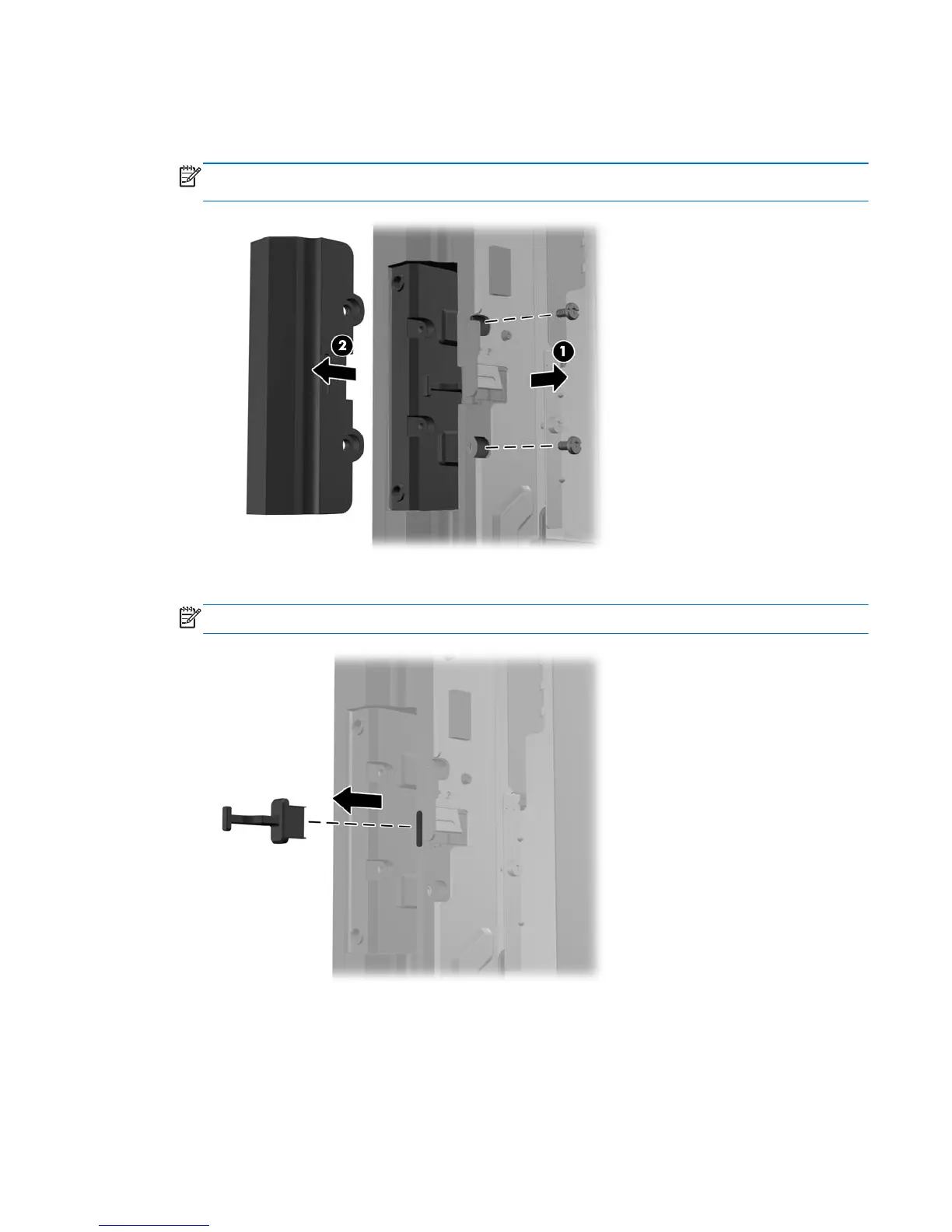
6. Remove the two screws that attach the USB cover plate to the display head (1) then slide the
cover plate off the display head (2). Remove only the cover plate that is in the location where
you want to install the USB module.
NOTE: There is a small “fingernail” slot in the center of the interior edge of the USB cover plate
that can be used to help slide the cover plate off the unit.
7. Pull the plug that is inserted in the USB port out of the port.
NOTE: Some models do not have plugs in the USB ports.
Optional integrated USB modules 47













 To Next Page