1–10 Hardware Guide
Notebook Features
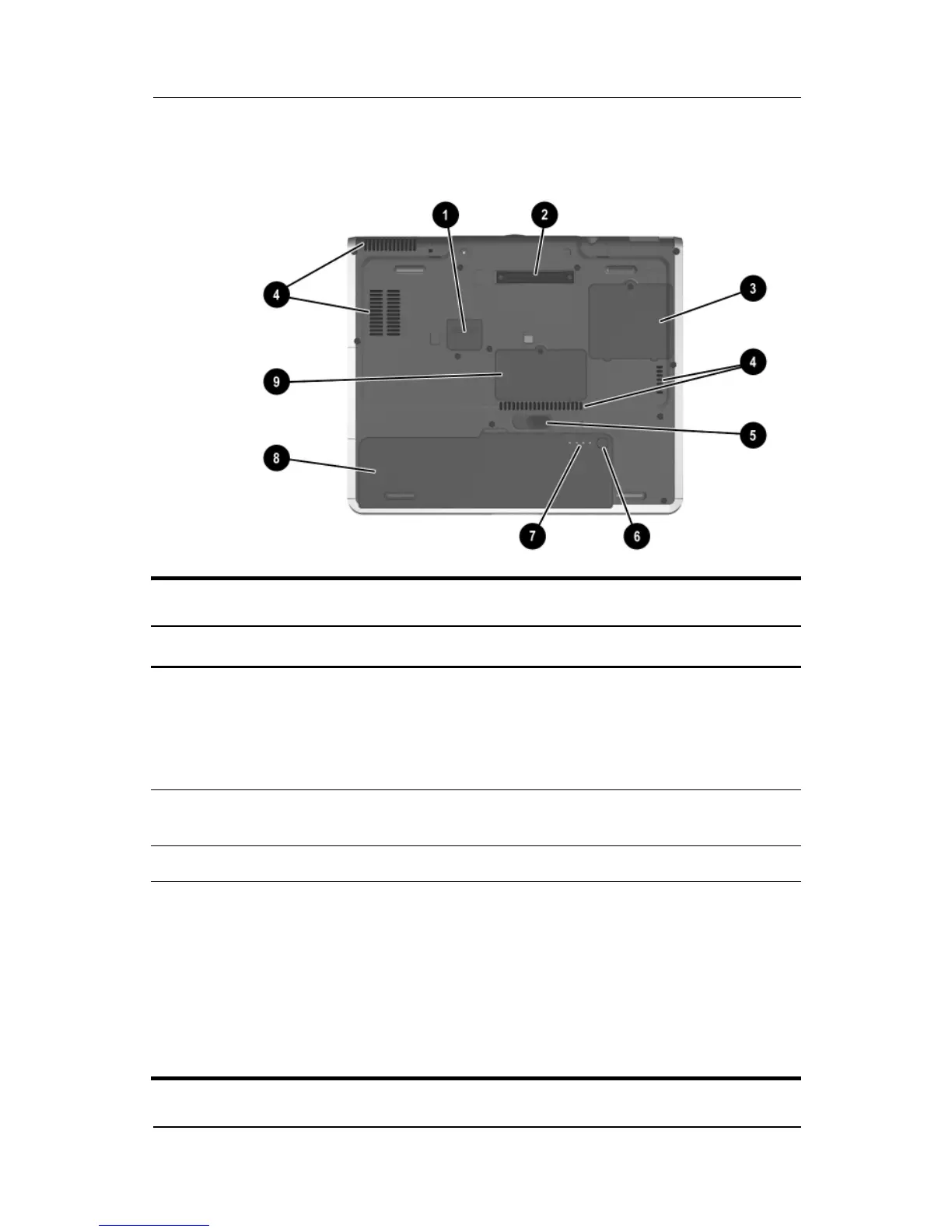
Bottom Components
Bottom Components
Item Component Description
1
Travel battery connector Connects the optional travel battery
bay. The travel battery connector has a
plastic cover that must be opened
before connecting the travel
battery bay.
2
Docking connector Connects the notebook to an optional
Port Replicator.
3
Mini PCI compartment Contains the mini PCI wireless card.
4
Intake vents Enable airflow to cool internal
components.
Ä
To prevent overheating, do not
obstruct vents. Using the
notebook on a soft surface,
such as a pillow, blanket, rug,
or thick clothing may block
airflow.



 To Next Page