3–2 Hardware Guide
Battery Packs
Inserting or Removing the Primary
Battery Pack
The notebook battery bay holds the primary battery pack.
Ä
CAUTION: To prevent the loss of information when removing a
battery pack, when it is the only power source available to the
system, initiate Hibernation or shut down the notebook before
removing the battery pack.
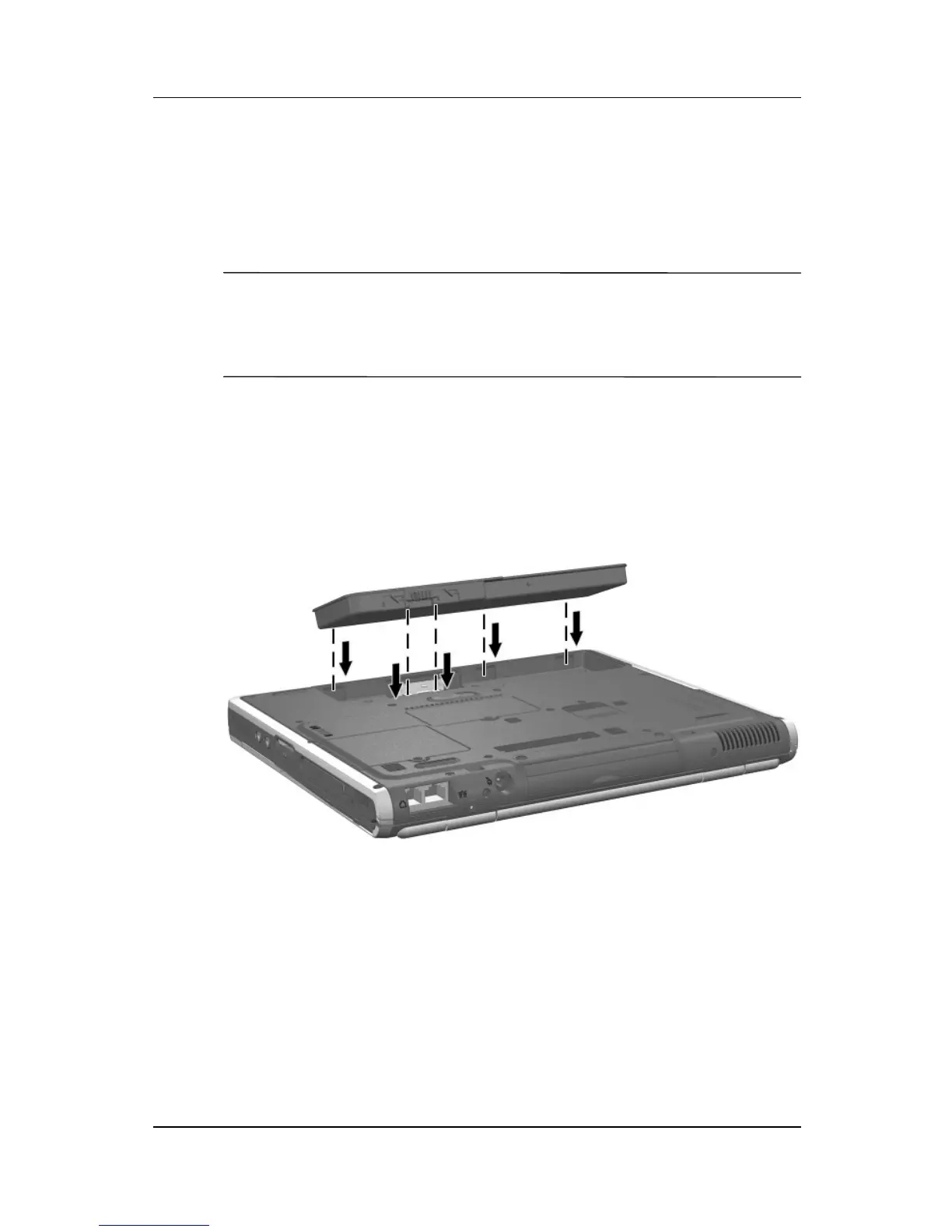
To insert the primary battery pack:
1. Align the battery pack with the notebook battery bay.
2. Insert the battery pack tabs into the battery bay recesses.
Inserting the battery pack tabs into the battery bay recesses



 To Next Page