5–4 Hardware Guide
Audio and Video
To transmit video signals through the S-Video out jack, you need
an S-Video cable available from most electronic retailers. If you
are combining audio and video functions, such as playing a movie
from a DVD in an optional MultiBay drive to a television, you
also need a standard audio cable available from most electronics
retailers.
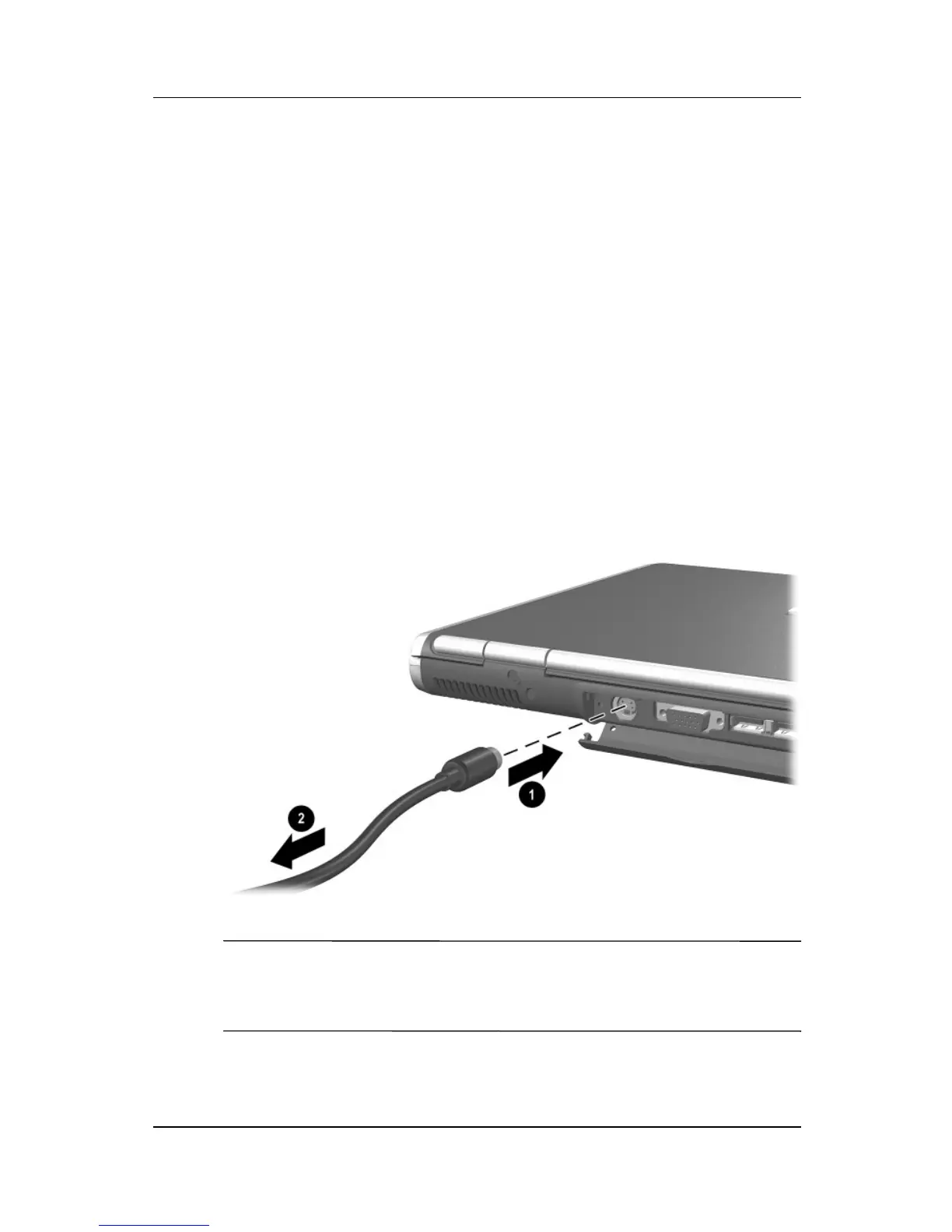
Connecting a Device to the S-Video Out Jack
To connect a video device to the S-Video out jack:
1. Plug either end of the S-Video cable into the S-Video out jack
on the notebook 1.
2. Connect the other end of the cable to the video device as
instructed in the documentation included with the device 2.
Connecting a device to the S-Video out jack
✎
If the S-Video out jack on the notebook is not accessible while the
notebook is docked, you can connect the device to the S-Video
out jack on the optional Port Replicator.



 To Next Page