Communication Devices
Hardware Guide 6–3
Using a Country-Specific Adapter Cable
Telephone jacks vary by country. To use the modem and the
RJ-11 cable outside the country in which you purchased the
notebook, you must obtain a country-specific modem adapter.
Refer on this CD to the Modem and Networking guide for more
details about using your notebook internationally.
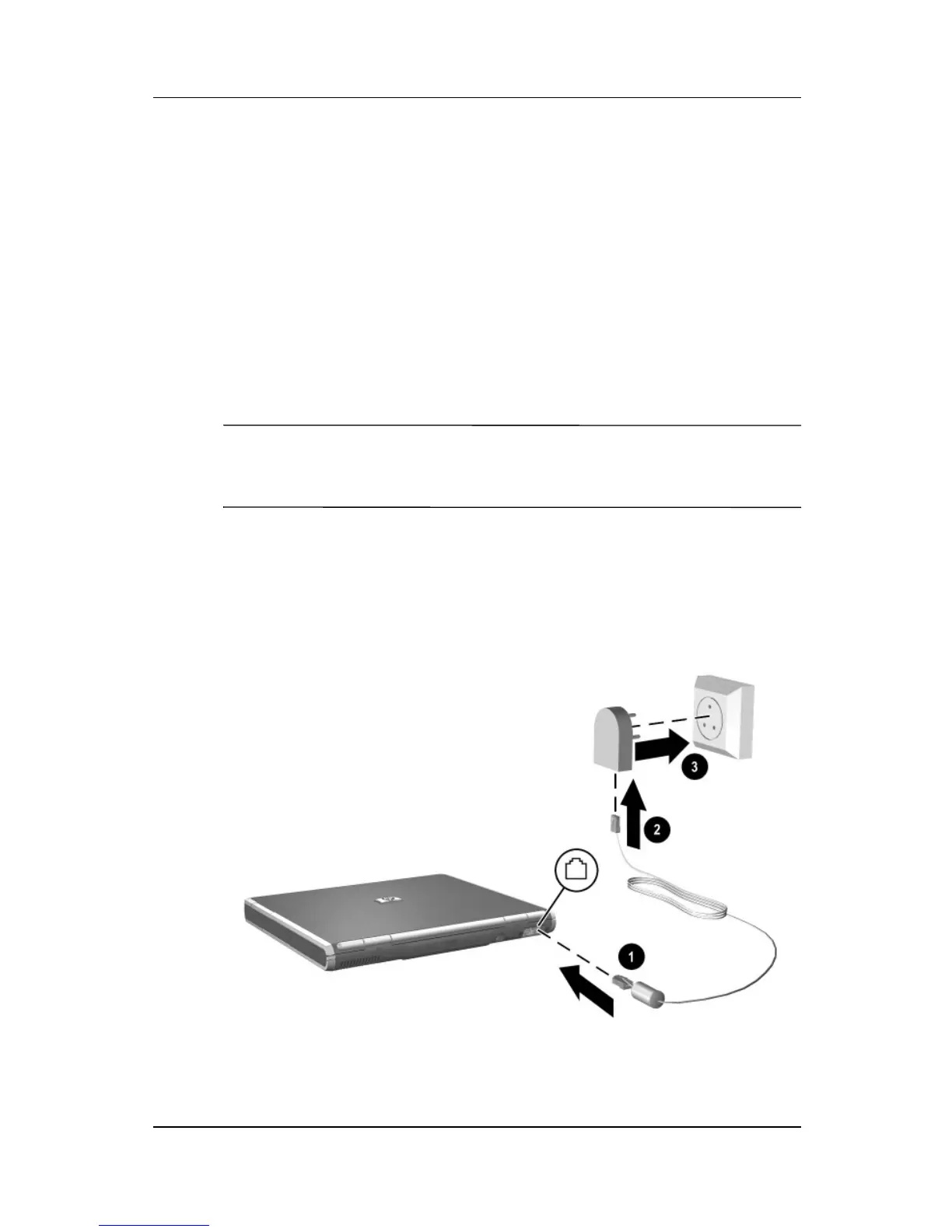
To connect the modem to an analog telephone line that does not
have an RJ-11 telephone jack:
1. Plug the modem cable into the RJ-11 jack on the notebook 1.
Å
WARNING: To reduce the risk of electrical shock, fire, or damage to
the equipment, do not plug a telephone cable into the RJ-45
network jack.
2. Plug the modem cable into the country-specific
modem adapter 2.
3. Plug the country-specific modem adapter into the
telephone jack 3.
Connecting a modem cable using a modem adapter



 To Next Page