2–10 Hardware Guide
Pointing Devices and Keyboard
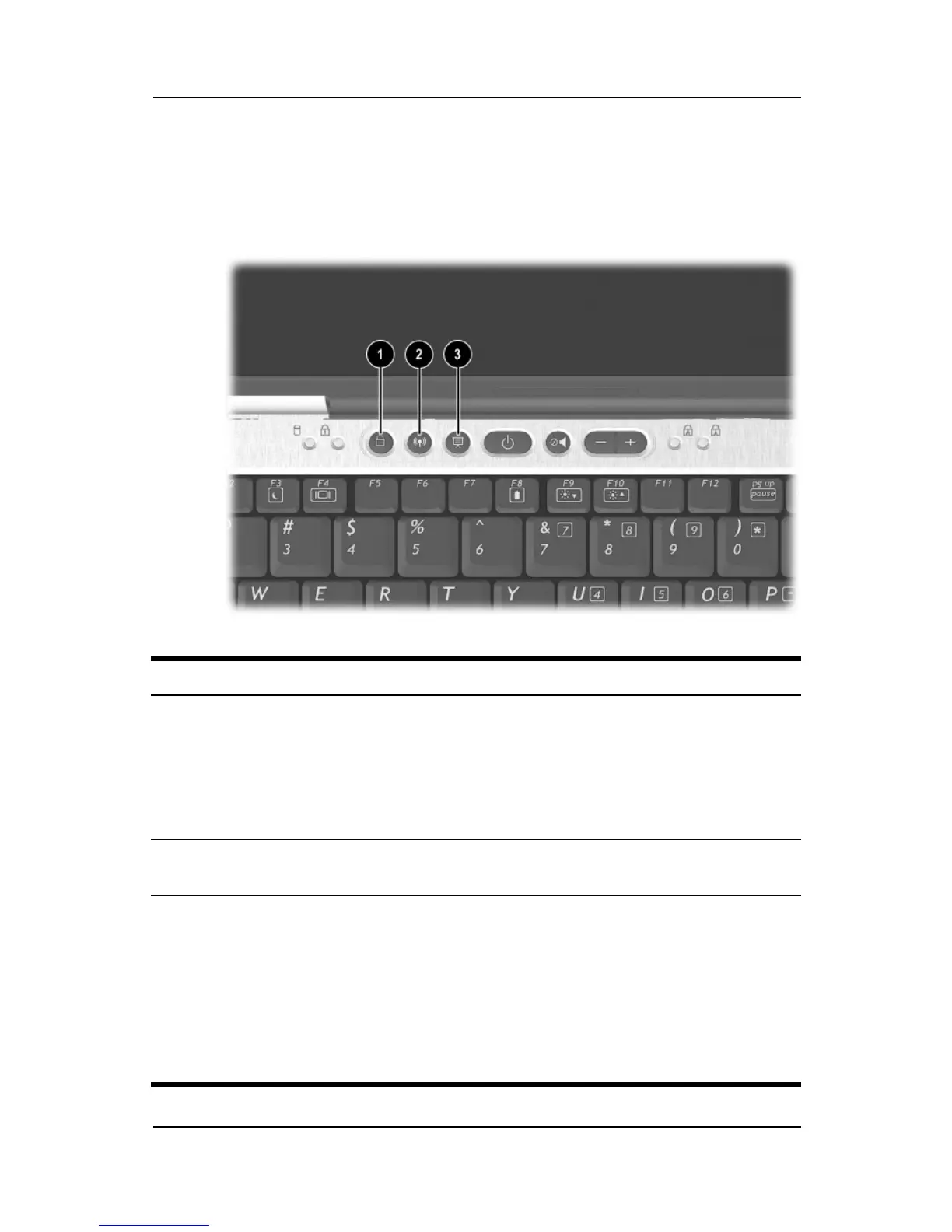
Using Quick Launch Buttons
The 6 Quick Launch buttons enable you to access common
functions with a single keystroke.
Quick Launch buttons
Item Component Description
1
QuickLock button Disables the keyboard and pointing device
and clears the display. Before you can use
QuickLock, you must set a password and
select preferences. For more information,
refer on this CD to the
Software Guide,
“Security” chapter.
2
Wireless On/Off button Turns the wireless LAN or Bluetooth
device on and off.
3
Presentation Mode
button
Sets the notebook to presentation mode,
which opens a user-defined application,
folder, file, or Web site. The image
simultaneously displays on the notebook
screen and an external device connected
to the external monitor connector or
S-Video out jack on the rear panel or to
connectors on an optional Port Replicator.



 To Next Page