3–10 Hardware Guide
Battery Packs
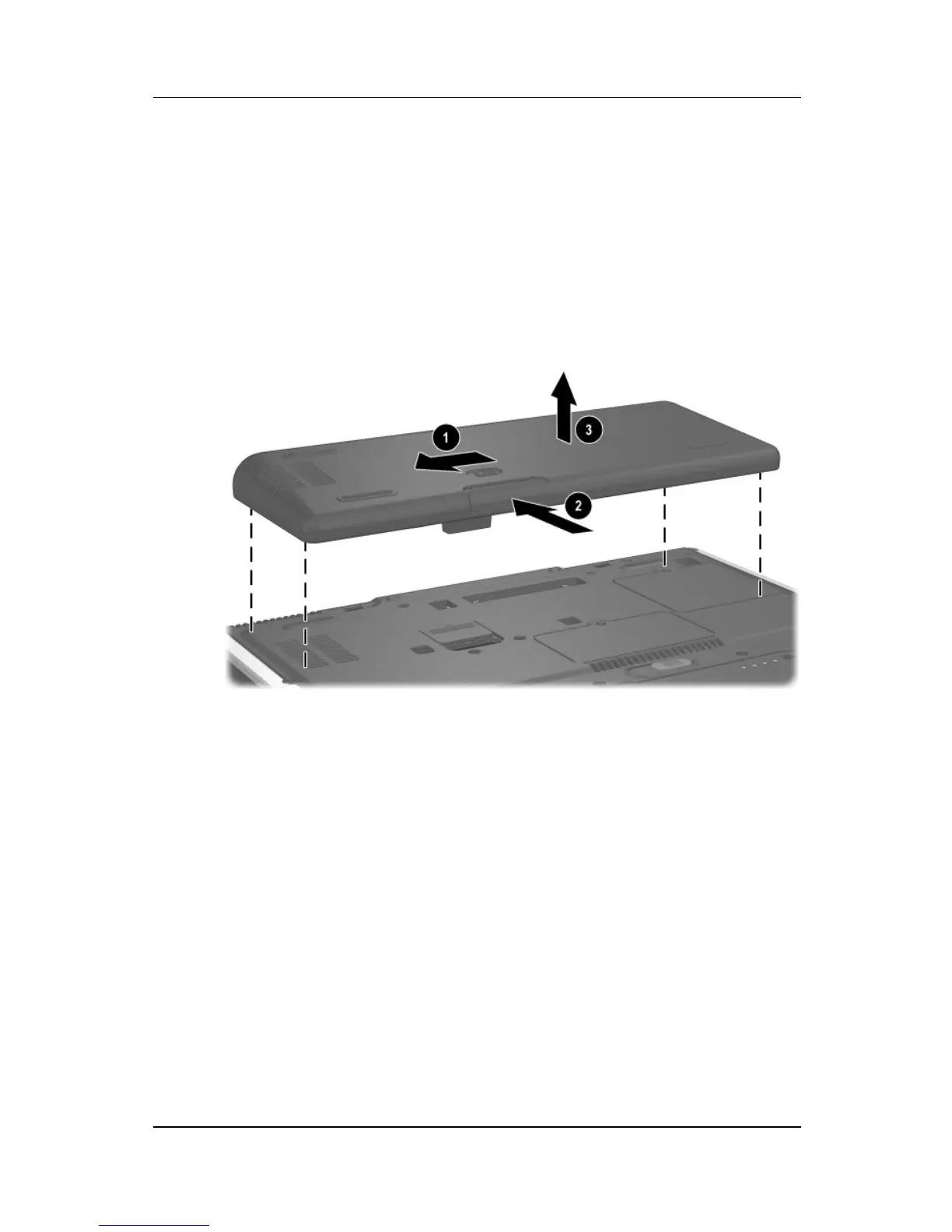
To detach an optional travel battery from the notebook:
1. Unlock the travel battery from the notebook by sliding the
locking switch 1.
2. Press the release latch 2.
3. Lift the travel battery up and away from the notebook 3.
Detaching the travel battery from the notebook
Charging a Battery Pack
Multiple battery packs in the system charge and discharge in a
preset sequence:
■ Charge sequence:
1. Notebook battery bay
2. Travel battery
■ Discharge sequence:
1. Travel battery
2. Notebook battery bay



 To Next Page