Battery Packs
Hardware Guide 3–5
Using the Optional Travel Battery
The optional travel battery attaches to the bottom of the notebook.
The optional travel battery kit includes the following items:
■ Travel battery caddy
■ Battery pack
■ Documentation
Inserting or Removing the Battery Pack
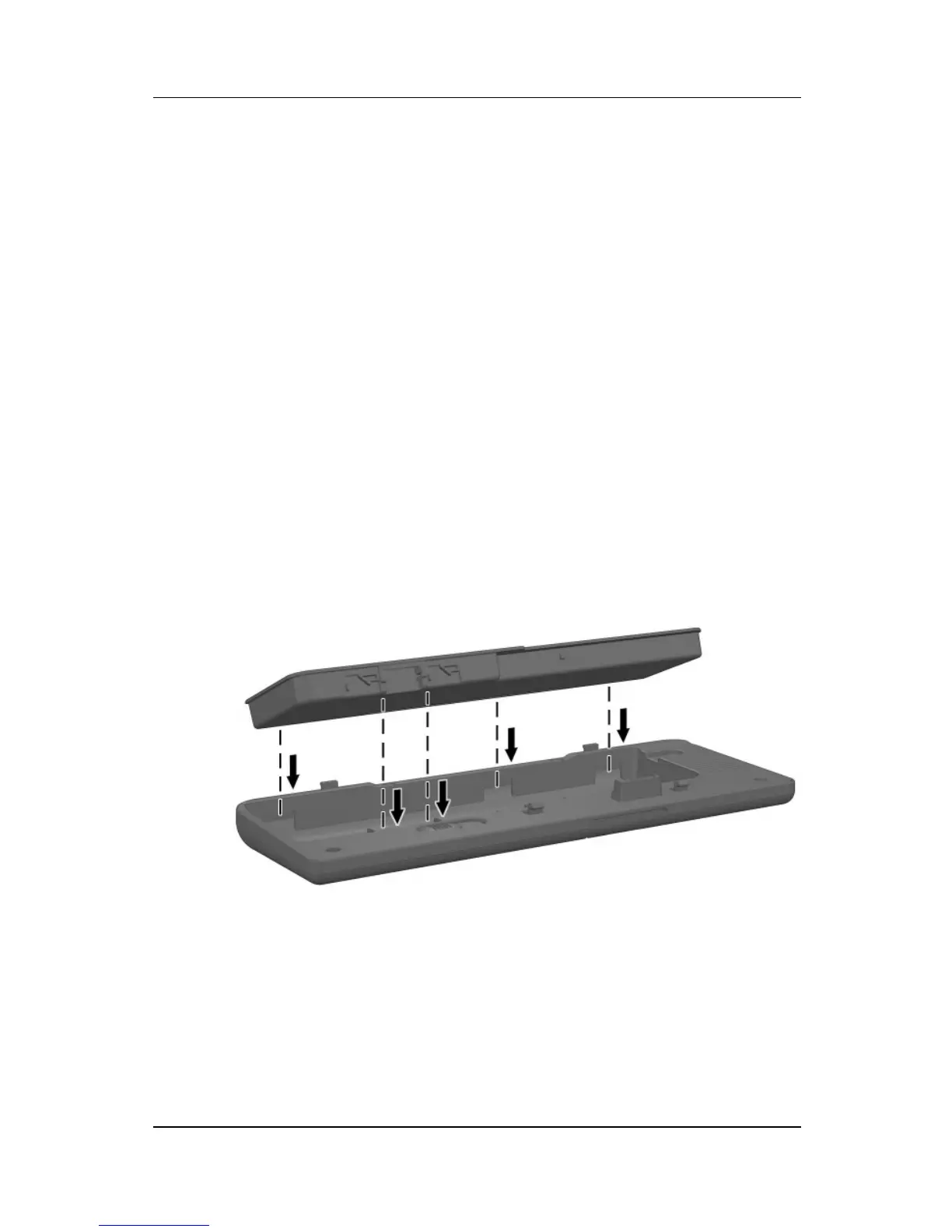
To insert the battery pack into the travel battery caddy:
1. Align the battery pack with the travel battery caddy.
2. Insert the battery pack tabs into the travel battery
caddy recesses.
Inserting the battery pack tabs into the travel battery
caddy recesses



 To Next Page