4.
Remove the front bezel (see
Removing the front bezel on page 82).
5.
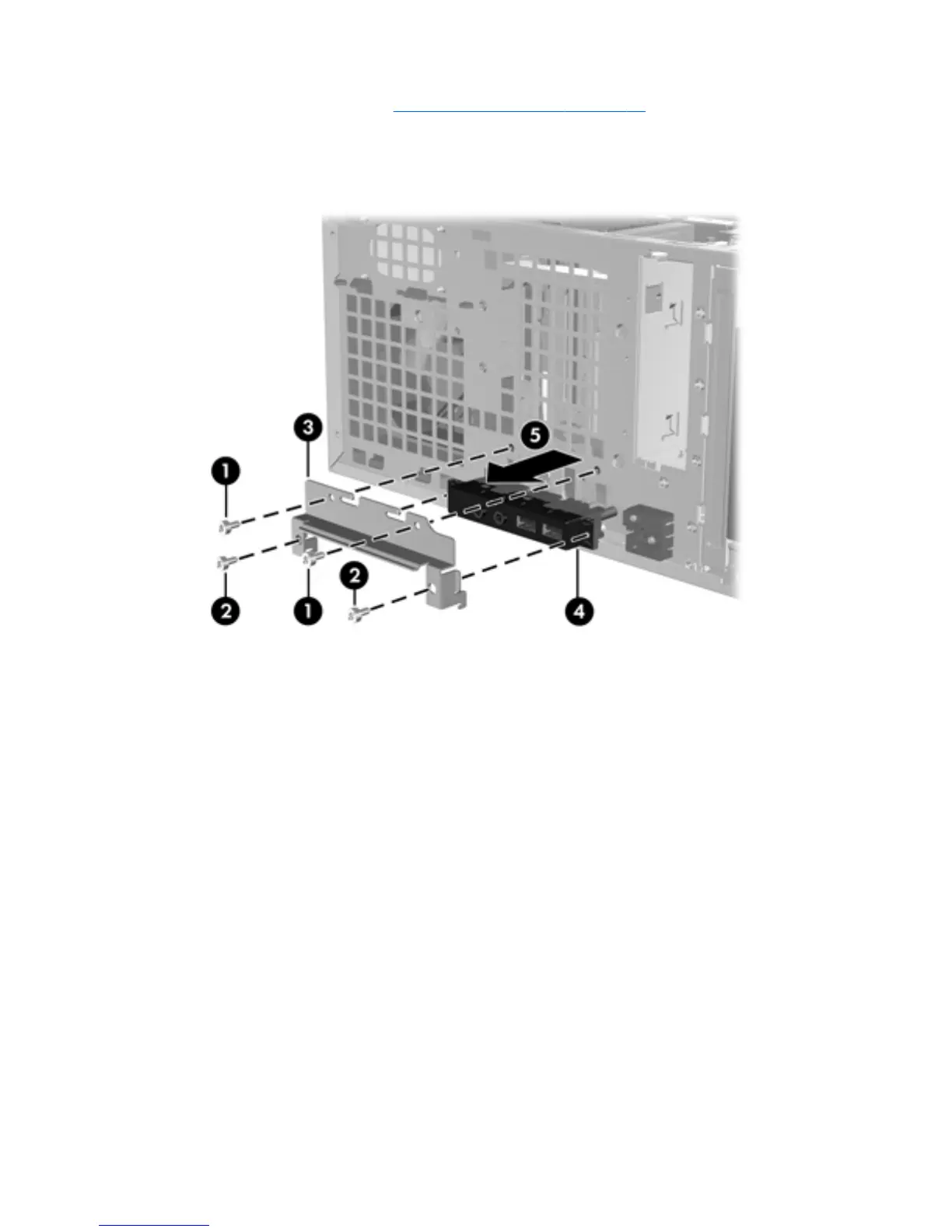
Remove the top set of fastening screws from the I/O device assembly (1), as shown in the
following figure.
Figure 5-10 Removing the front panel I/O device assembly
6.
Remove the bottom set of fastening screws from the I/O device assembly (2).
7.
Pull the mounting bracket away from the chassis (3).
8.
Grasp the I/O device assembly (4), and pull it away from the chassis (5).
ENWW
Removing and installing components
83



 To Next Page