9.
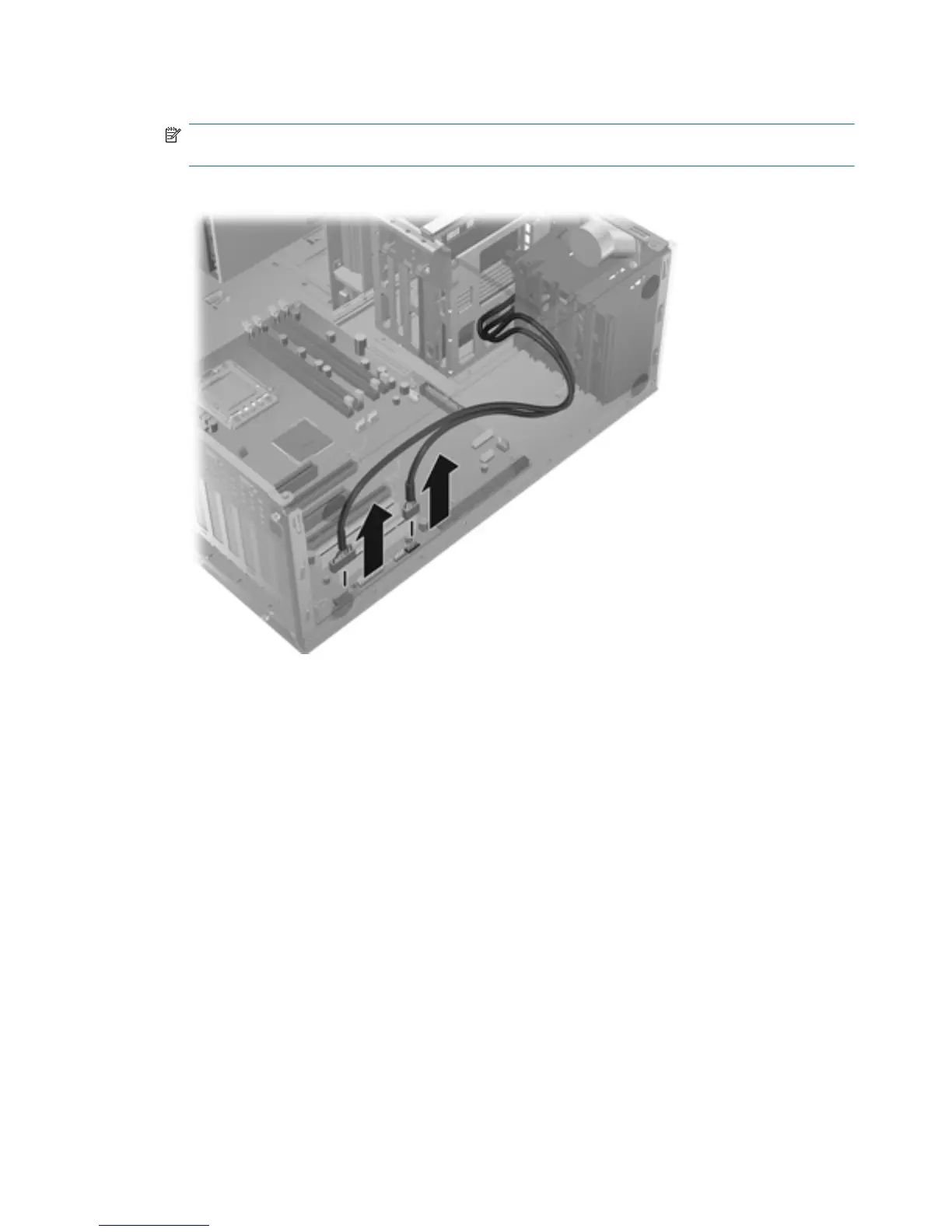
Disconnect the front panel I/O device assembly cables from the system board as shown below.
NOTE: Z400s with 6 DIMM slots have an additional cable from the front panel to the 1394a
connector on the system board that you must also disconnect.
Figure 5-11 Disconnecting the front panel I/O cables
10.
Carefully guide the front panel I/O device assembly from the chassis.
84 Chapter 5 Replacing components ENWW



 To Next Page