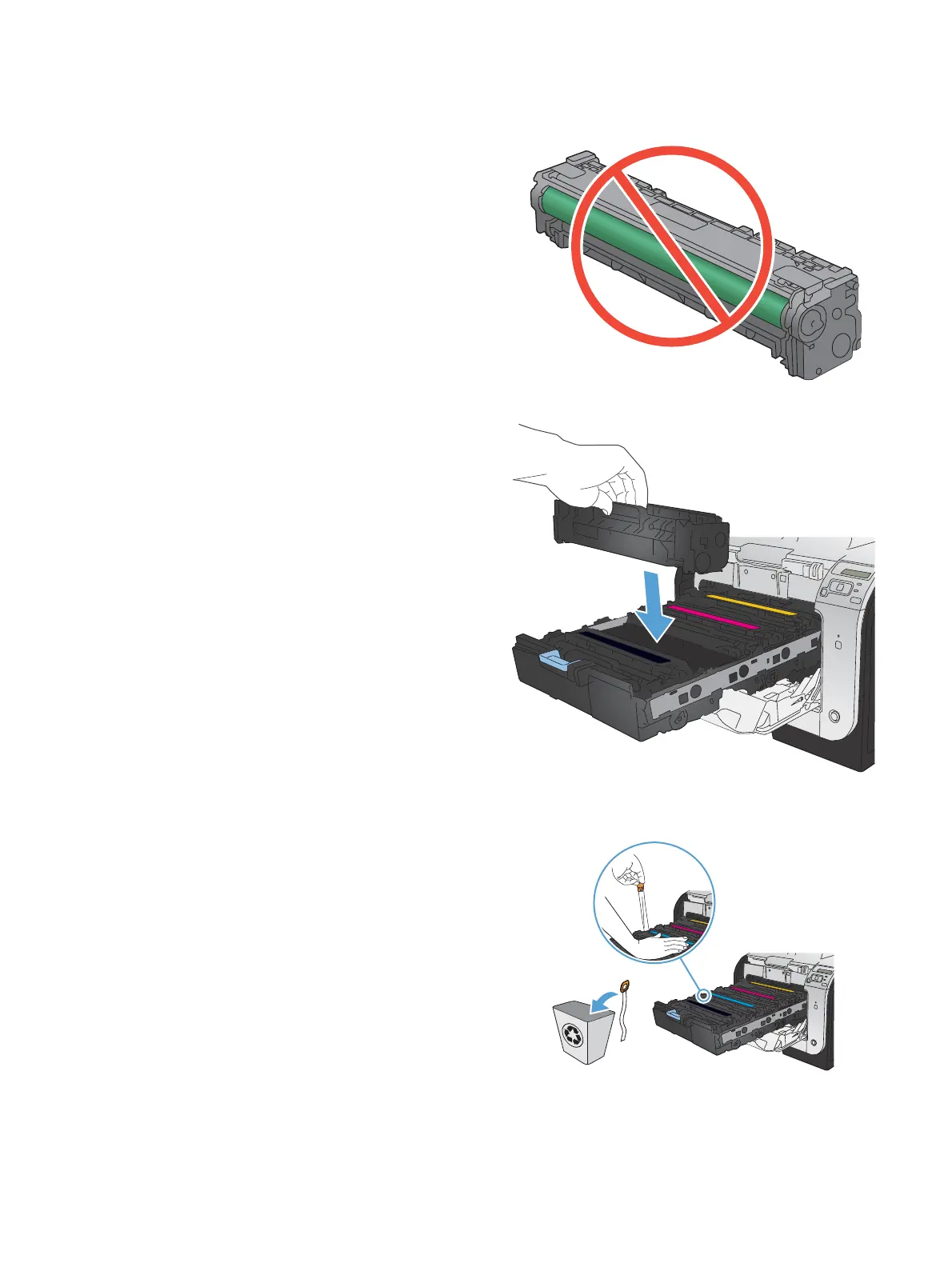
7. Do not touch the imaging drum on the bottom
of the print cartridge. Fingerprints on the
imaging drum can cause print-quality
problems.
8. Insert the new print cartridge into the product.
9. Pull the tab on the left side of the print
cartridge straight up to completely remove the
sealing tape. Recycle the sealing tape.
ENWW
Replacement instructions
47



 To Next Page