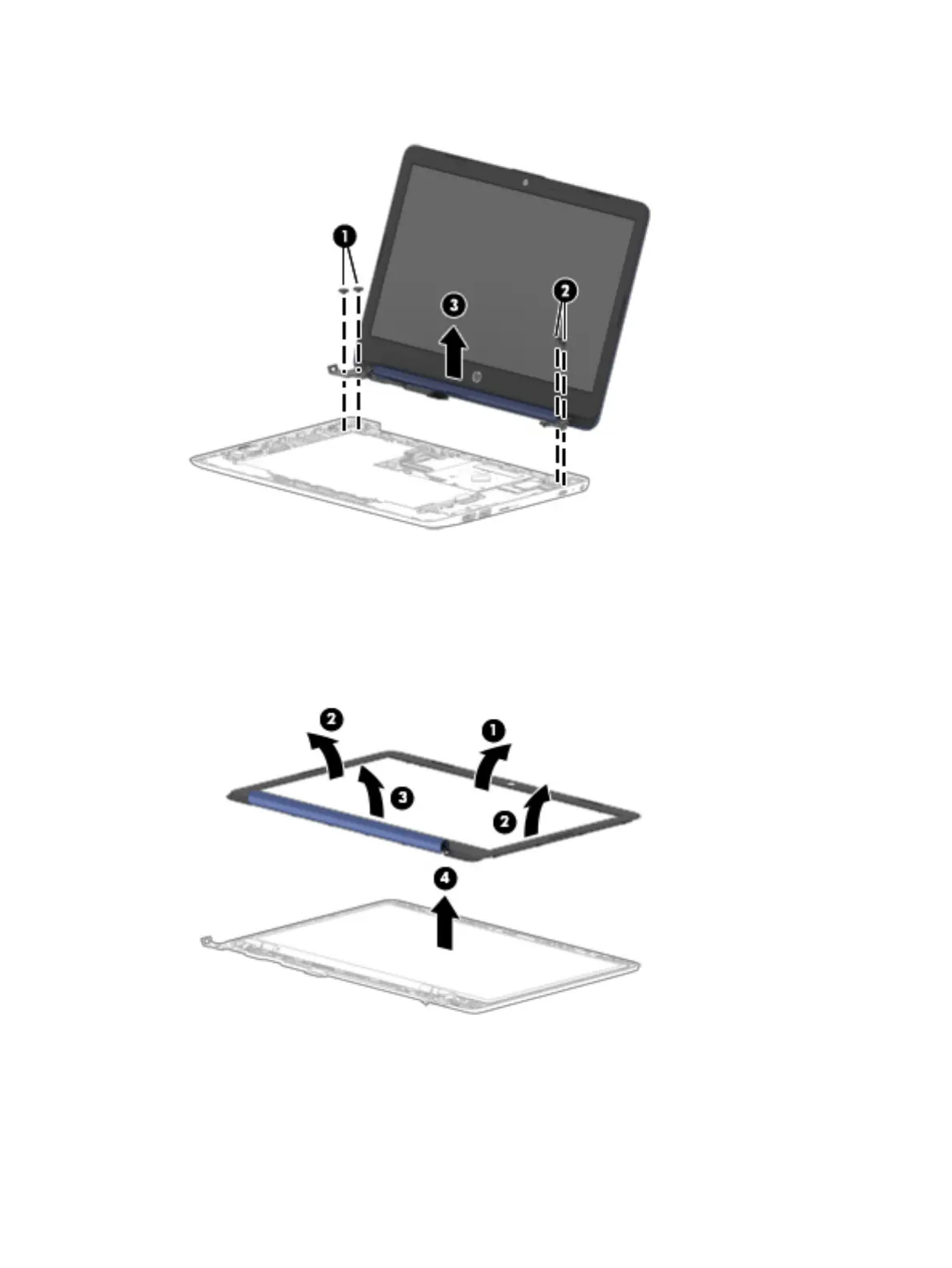
7. Separate the display from the computer by pulling the display up and away from the chassis (3).
8. If it is necessary to replace the display bezel or any of the display assembly subcomponents:
a. Flex the inside edges of the top edge (1), the left and right sides (2), and the bottom edge (3) of
the display bezel until the bezel comes loose from the display back cover.
b. Remove the display bezel (4).
The display bezel is available as spare part number L44464-001.
38 Chapter 5 Removal and replacement procedures for authorized service provider parts







 To Next Page